cancel
Showing results for 
Search instead for 
Did you mean: 
Effective January 9th, 2026 through January 22nd, 2026: The Zoom Community is currently in read-only mode with login disabled, to deliver you a new and improved community experience!

The site is still accessible to view, however, the ability to login, create content, or access your community account is temporarily unavailable. We appreciate your patience during this time. If seeking support, please browse existing community content or ask our Zoom Virtual Agent.

Zoom Apps stopped working on macOS High Sierra

amit_m
Explorer
Explorer

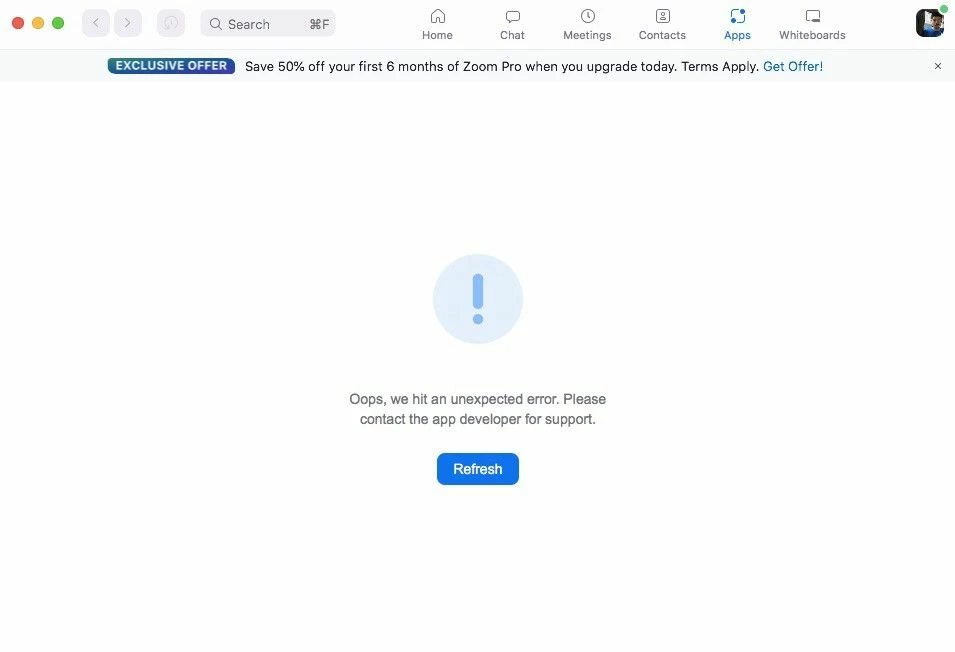
The Apps tab on Zoom stopped working (within meeting or outside) on macOS High Sierra. It shows the following error:

Oops, we hit an unexpected error. Please contact the app developer for support.

Here's the screenshot of the error:

zoomapps.jpeg

This issue is only with our macOS High Sierra systems. "Apps" is still working in newer macOS versions and all our Windows systems.

System specs:

macOS High Sierra
Version 10.13.6
MacBook Air (13-inch, Early 2015)
Processor: 1.6 GHz Intel Core i5
Memory: 8 GB 1600 MHz DDR3
Graphics: Intel HD Graphics 6000 1536 MB

1 ACCEPTED SOLUTION

ChrisO
Specialist
Specialist

Hi Amit_m,


I think this is a situation where you will want to contact Zoom support Submit a request – Zoom Help Center. The technical support team does not monitor this community.


Please remember to mark responses as accepted if they resolve your issue.
***Sometimes success is only achieved through many failures!***

View solution in original post

2 REPLIES 2

ChrisO
Specialist
Specialist

Hi Amit_m,


I think this is a situation where you will want to contact Zoom support Submit a request – Zoom Help Center. The technical support team does not monitor this community.


Please remember to mark responses as accepted if they resolve your issue.
***Sometimes success is only achieved through many failures!***

Zxi-Issues
Explorer
Explorer

Did you find a solution for this? At least your investigation tells me something to look for as I am on 10.13.6 as well.

Nice work.