Zoom Rooms Upgrade | Community
Skip to main content
Newcomer
July 1, 2025
Solved

Zoom Rooms Upgrade

  • July 1, 2025
  • 3 replies
  • 5 views

Recently installed Zoom Rooms. When I enter the activation code for the room I created, it says Zoom Rooms needs to be upgraded. IT personal said there is no Firewall that would prevent from upgrading. Just wanted to see if anyone has experience this and what they did to solve the issue.  

Best answer by Ohkawa

@jlopez2 

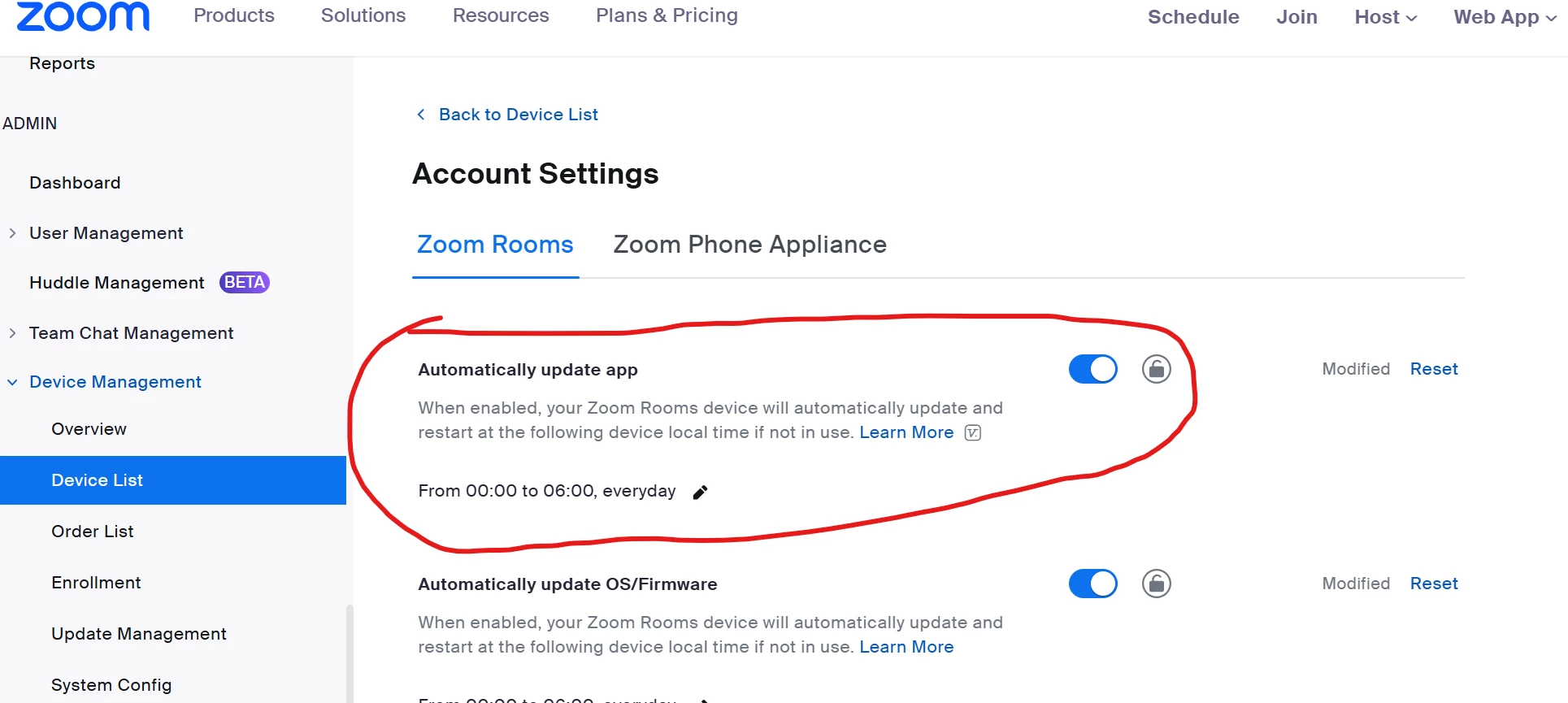
If automatic updates are set in the device management account settings, the latest version will be upgraded upon installation.
If you wish to use a previous version, you can downgrade by one generation.
You can choose not to have automatic updates, but out-of-support versions may be forced to upgrade.


3 replies

Ohkawa
Community Champion | Customer
OhkawaAnswer
Community Champion | Customer
July 2, 2025

@jlopez2 

If automatic updates are set in the device management account settings, the latest version will be upgraded upon installation.
If you wish to use a previous version, you can downgrade by one generation.
You can choose not to have automatic updates, but out-of-support versions may be forced to upgrade.


MGSR
Community Manager
Community Manager
July 10, 2025

Hi @jlopez2!

Did you see the previous response from @Ohkawa?
If it has resolved your inquiry, please press Accept as Solution.

If you need further assistance, please let us know.

Have a great day!

MGSR
Community Manager
Community Manager
July 17, 2025

Hi @jlopez2!

Given the time elapsed since we last heard from you, I've taken the liberty of marking the provided answer as the solution.

If you need further assistance, please let us know.

Have a fantastic day!