

sharing | Community
Skip to main content
New Member
April 14, 2026
Question

sharing

  • April 14, 2026
  • 1 reply
  • 4 views

 Hello!
 

I am participating in a meeting opened by someone else.

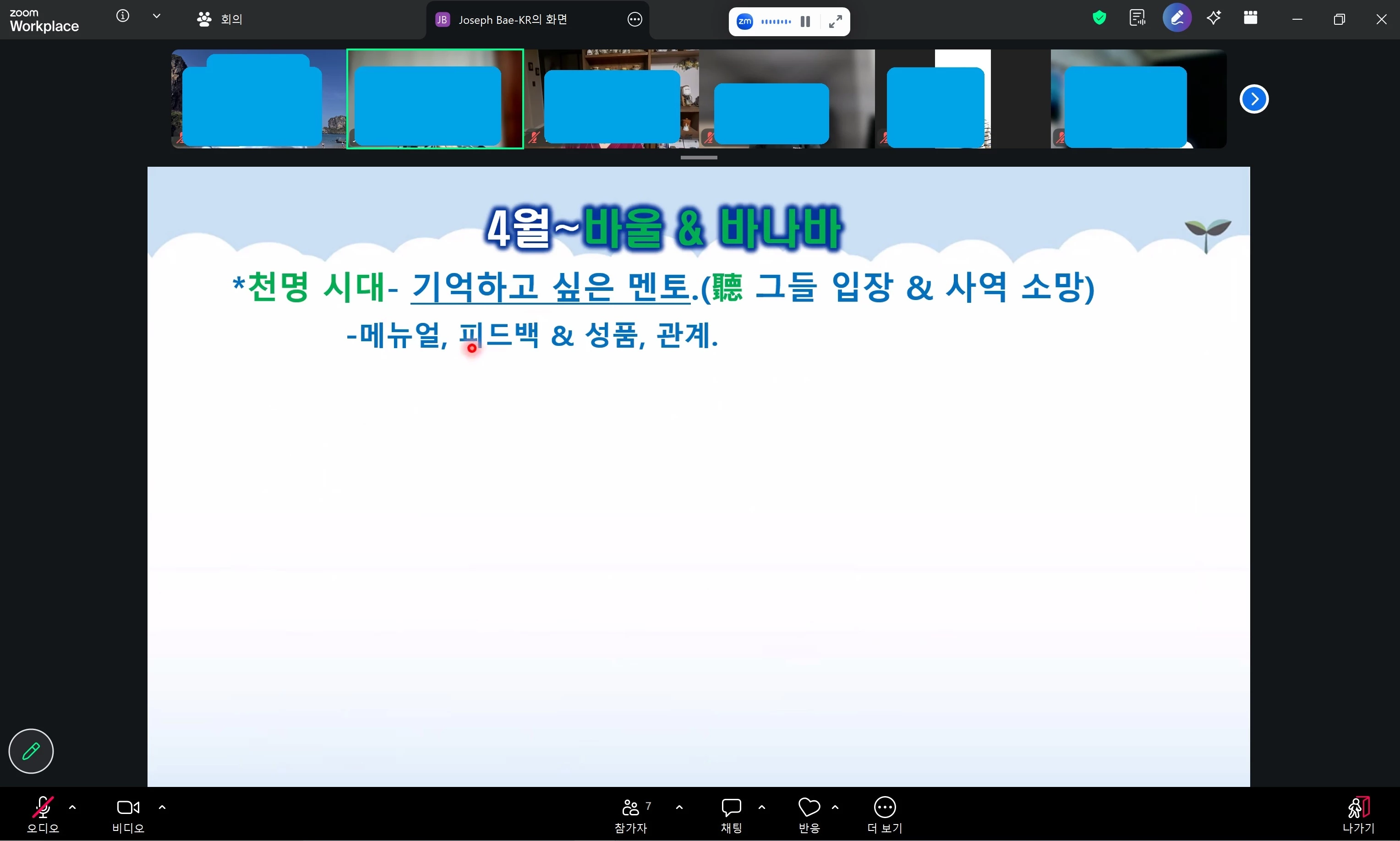
The 'Share' button is not visible in the menu below.

The person who hosted the meeting has set it to 'Share with Everyone,' and others say they can see the 'Share' menu.

How can I resolve the issue where the 'Share' button is not visible on my computer?

Please provide guidance.


    1 reply

    MGSR
    Community Manager
    Community Manager
    April 14, 2026

    Hello ​@Isaac Kim,

    If the Share Screen button is missing for you but visible to others, it’s likely due to meeting settings or local issues. Here’s what you can do:

    1. Confirm with the host that “screen sharing for participants” is enabled. Even if it’s set to “Share with Everyone,” ask the host to double-check this setting during the meeting.
    2. If others can see the Share button and you cannot, try the following:
      • Leave the meeting and rejoin.
      • Restart the Zoom app.
      • Make sure you are using the latest version of the Zoom client.
      • If you’re using the web browser, try switching to the Zoom desktop app or a different browser.
    3. If the issue persists, check if your Zoom client is up to date and reinstall if necessary.

    If you are still unable to see the Share button after these steps, let the host know so they can review the meeting’s participant permissions again.
