

Logitech Rallybar + Sight Picture in Picture | Community
Skip to main content
Newcomer
June 13, 2025
Solved

Logitech Rallybar + Sight Picture in Picture

  • June 13, 2025
  • 3 replies
  • 14 views

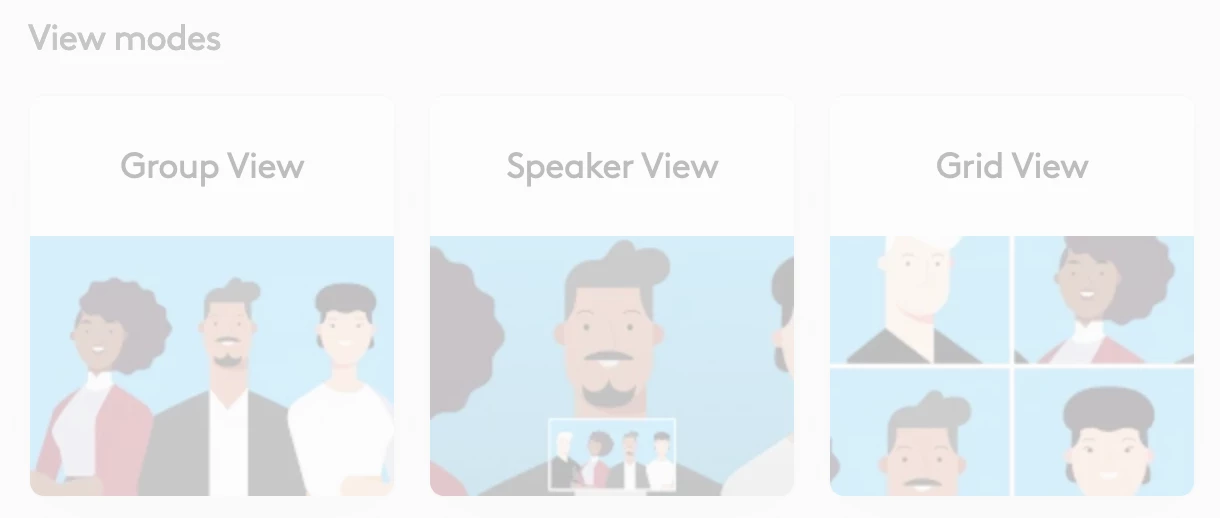
I've got Zoom rooms deployed on a Rallybar and Sight setup. We had picture in picture mode enabled where it would should the whole room from the rallybars point of view below the Sights Speaker point of view. It stopped working about a month ago and I'm at a loss on how to get this working again.

Best answer by bstrelko

Check both your Sync/LNA settings and Zoom settings for camera modes.
I believe Logitech refers to this as 'Speaker View':

The ZR settings like to fight against settings/preferences defined on the hardware-side, so worth a look in both portals.

3 replies

bstrelko
Community Champion | Customer
bstrelkoAnswer
Community Champion | Customer
June 22, 2025

Check both your Sync/LNA settings and Zoom settings for camera modes.
I believe Logitech refers to this as 'Speaker View':

The ZR settings like to fight against settings/preferences defined on the hardware-side, so worth a look in both portals.

MGSR
Community Manager
Community Manager
July 2, 2025

Hi @Krewe!

Did you see the previous response?
If it has resolved your inquiry, please press Accept as Solution.

If you need further assistance, please let us know.

Have a great day!

MGSR
Community Manager
Community Manager
July 9, 2025

Hi @Krewe!

Given the time elapsed since we last heard from you, I've taken the liberty of marking the provided answer as the solution.

If you need further assistance, please let us know.

Have a fantastic day!