

Joining a Teams meeting using Logitech Rally Bar - need to click on Join now | Community
Skip to main content
Explorer
July 9, 2026
Question

Joining a Teams meeting using Logitech Rally Bar - need to click on Join now

  • July 9, 2026
  • 2 replies
  • 90 views

We have two meetings rooms with Zoom Rooms licenses and Logitech Rally Bar & Tap IP. Both rooms are the exact same hardware, firmware, OS.
The issue:

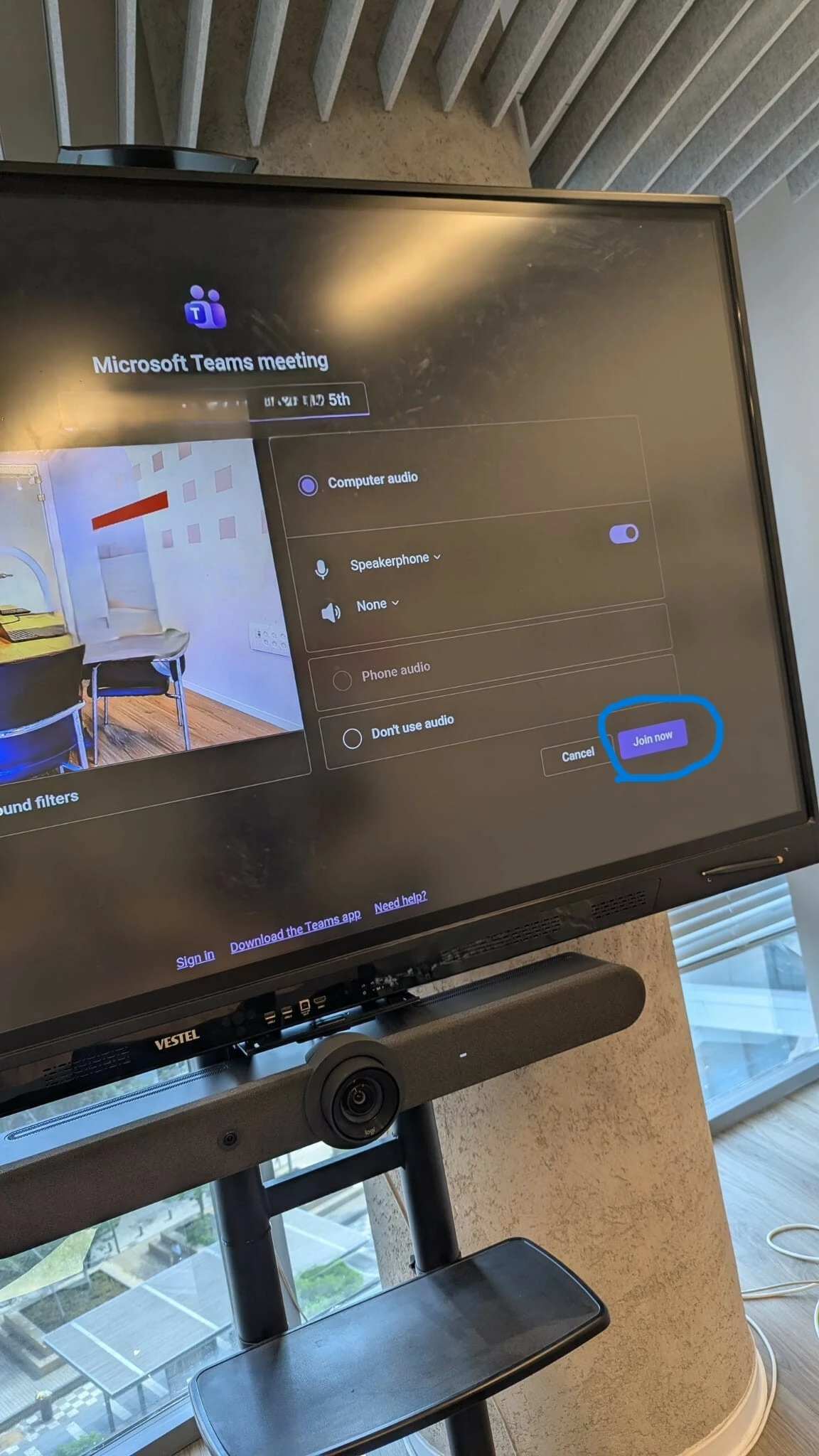
When joining a Teams meeting, via the calendar invite or ad-hoc meeting the MS Teams app launches.  One room joins automatically however the second room does not.
It  requires to click on “Join now”.

Why would one room join automatically while the second rooms doesn’t.
Zoom Rooms settings are set the same for both rooms (from what I compared). 
Same Teams meeting. 

Thanks 
    2 replies

    bstrelko
    Community Champion | Customer
    Community Champion | Customer
    July 17, 2026

    No other discrepancies (one connected to a mouse / touchscreen)? What are you using to click the Join button?

    Also, worth clarifying - are the Rally Bars running in ZR appliance mode or as peripherals for Win/Mac computes that may have other variables?

    aaverbuchAuthor
    Explorer
    July 20, 2026

    Thanks bstrelko
    The Rally Bars are a stand alone unit using the built-in ZR application. 
    I managed to connect a USB wireless K/M combo for the time being in order to click  the join button.
    It’s strange since it’s working just fine, auto join, on the other unit.
    Someone recommended to disconnect and reconnect the Bar back to the main unit which didn’t work.
    However, after several reboots now works - joins automatically to the Teams meeting. 

    No explanation!!!


    Hope this helps someone.