

Explorer
September 17, 2026
Solved

Internal Capture Card

We are having issues with our external capture cards affecting colors when sharing content. We are looking into internal cards and the one I have available for testing shows up as a camera, but does not share as content. However when I press share I see this.
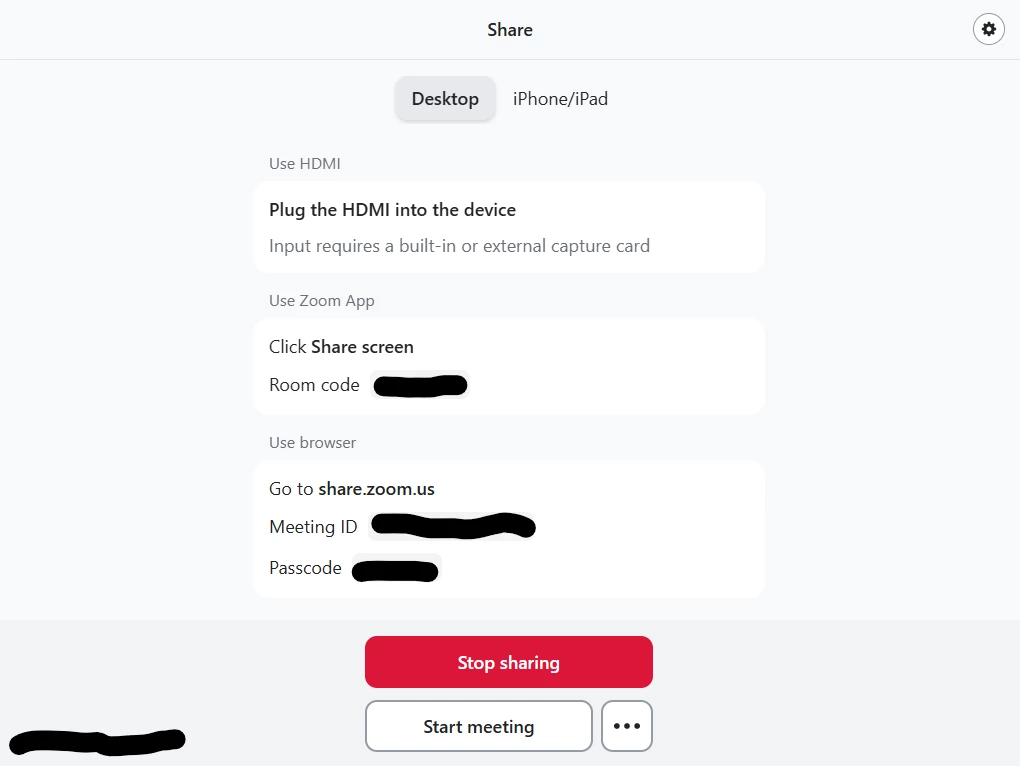


This implies I can use an internal capture​ card, but the one I have is not working. Are there specific cards that work? I know magewell makes external cards that work so maybe the internal cards they make would work as well.​​​​​​

bstrelko
bstrelkoAnswer
Community Champion | Customer
October 8, 2026

Yes*. Zoom maintains a list of supported / certified capture devices here: https://support.zoom.com/hc/en/article?id=zm_kb&sysparm_article=KB0061345#h_01F29E9MTTXA4661MN59KMFC05
Zoom only officially supports USB capture devices for standard Zoom Rooms - if the PIDs and VIDs are similar (ie Magewell PCIe devices may appear ‘close enough’ to Magewell USB devices - some internal capture cards actually leverage internal USB bus architecture as well).

However, using the Zoom Rooms ProAV controller opens up a few more supported options: https://support.zoom.com/hc/en/article?id=zm_kb&sysparm_article=KB0078167

1 reply

bstrelko
Community Champion | Customer
bstrelkoAnswer
Community Champion | Customer
October 8, 2026

Yes*. Zoom maintains a list of supported / certified capture devices here: https://support.zoom.com/hc/en/article?id=zm_kb&sysparm_article=KB0061345#h_01F29E9MTTXA4661MN59KMFC05
Zoom only officially supports USB capture devices for standard Zoom Rooms - if the PIDs and VIDs are similar (ie Magewell PCIe devices may appear ‘close enough’ to Magewell USB devices - some internal capture cards actually leverage internal USB bus architecture as well).

However, using the Zoom Rooms ProAV controller opens up a few more supported options: https://support.zoom.com/hc/en/article?id=zm_kb&sysparm_article=KB0078167

Translate
