How can I add users with ZoomRooms license to a group? | Community
Skip to main content
Newcomer
September 14, 2023
Solved

How can I add users with ZoomRooms license to a group?

  • September 14, 2023
  • 1 reply
  • 2 views

Hello!
I want to add a ZoomRooms license user to a group, but it fails.

I can add regular license users to a group, but only ZoomRooms license users cannot.
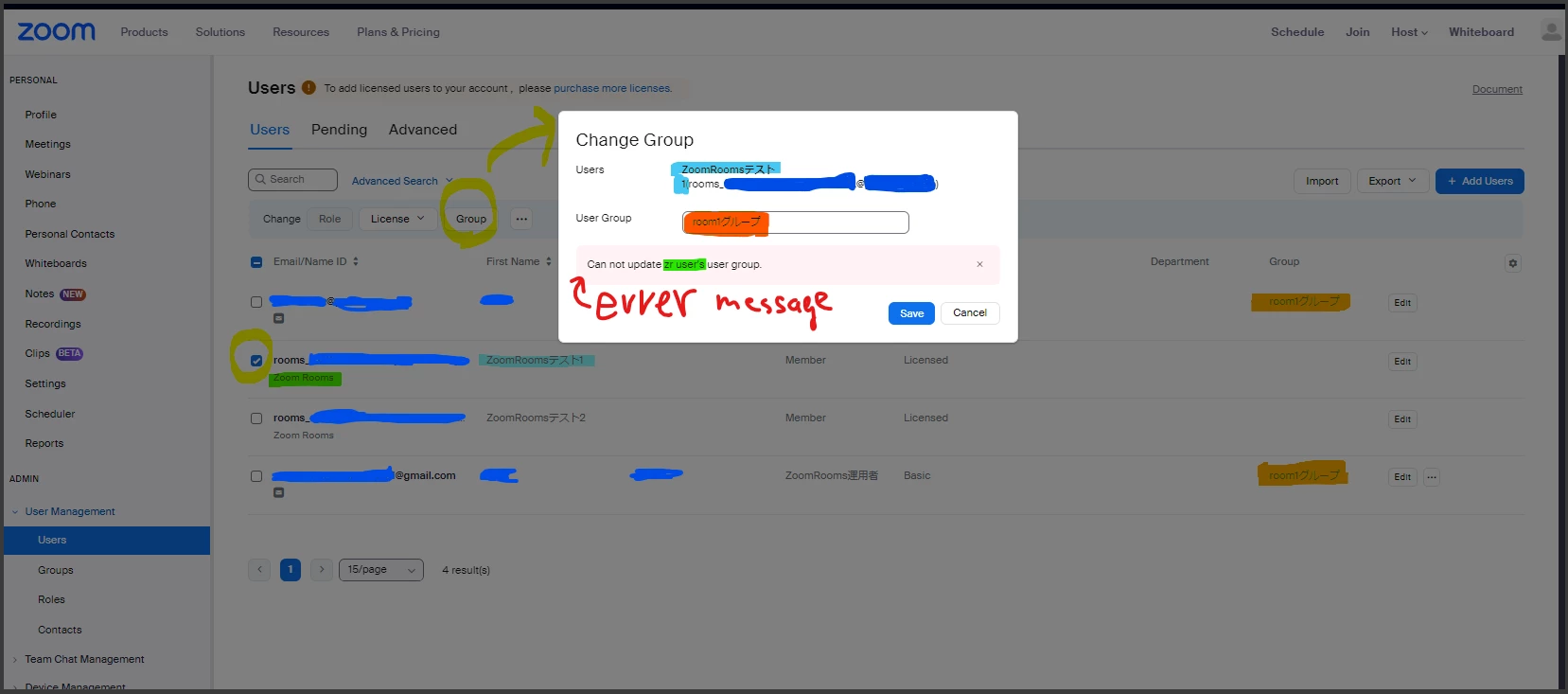
How can I add users with ZoomRooms license to a group?


(PS: Why would I want to do the above?)
This is because I want to create a new role that can edit user settings only for groups that include ZoomRooms license users for security management within my company.
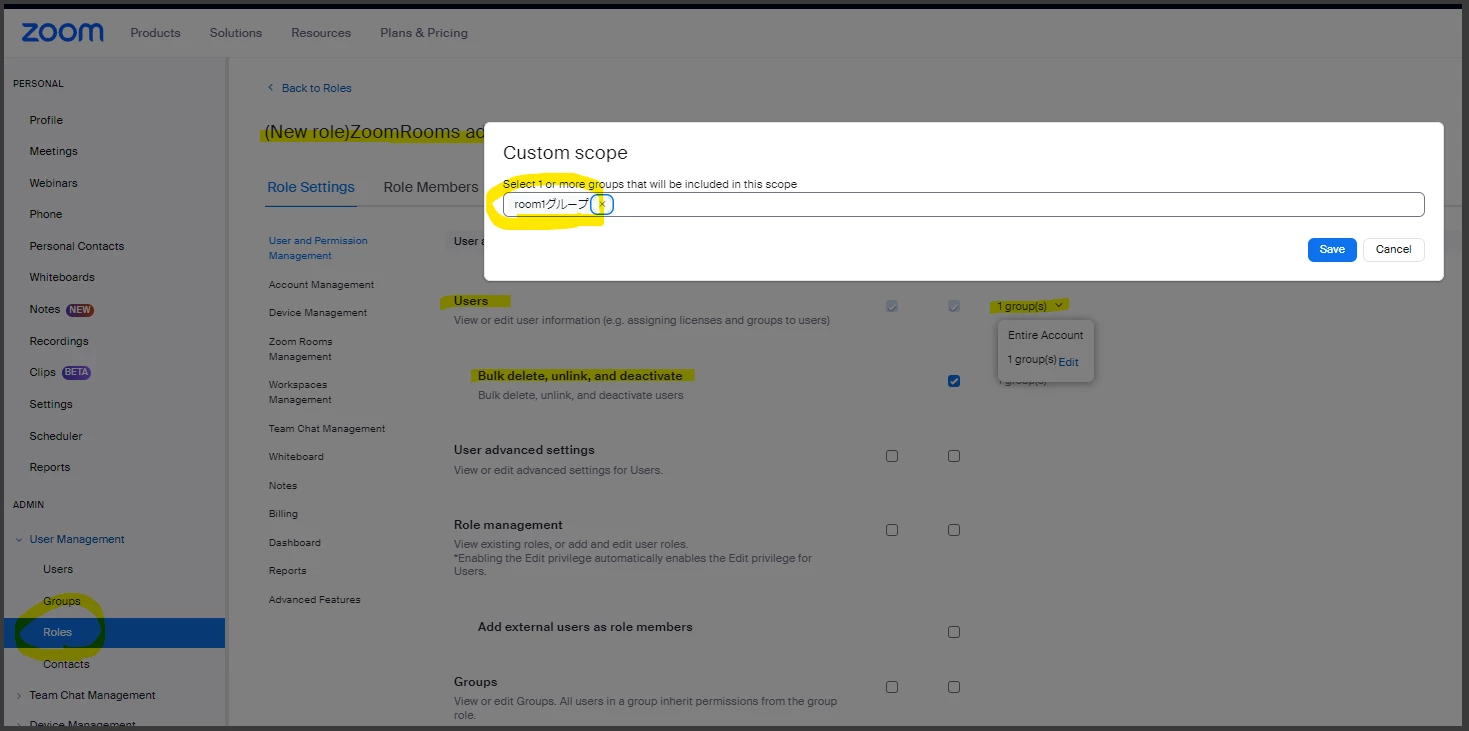
If there is any other solution, could you please let me know?


thank you.

Best answer by Ohkawa

@tmatsuoka san

Roomをグループに参加させすることはできません。

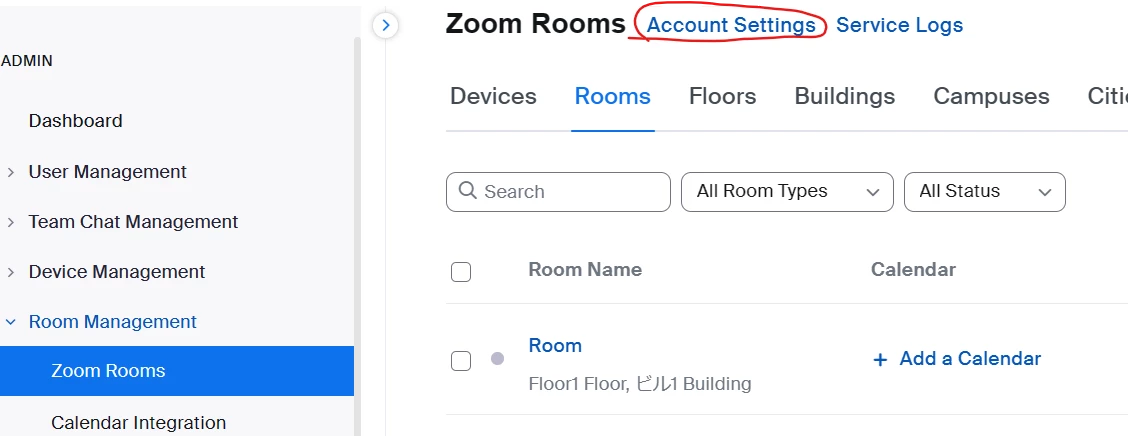
Roomは階層(Location)でグループ化されるので、Roomに関する設定は、Room管理メニューから実施することができます。階層を作っていない場合は、Zoom RoomsメニューのAccount Settingsで設定できます。


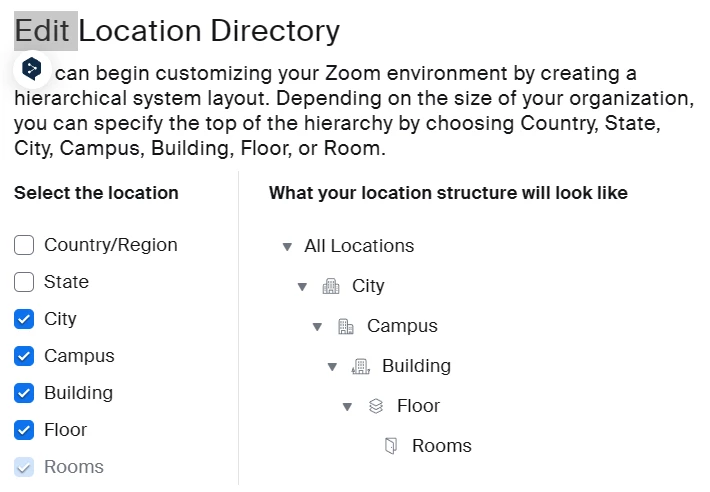
Room管理メニューで、フロア、ビルなどの階層(Location)を有効化するとより細かい管理ができます。

階層は、全部で7階層あり、組織の規模に応じて階層の深さを設定することができます。

Using Zoom Rooms admin management – Zoom Support


私の返信がお役に立てれば、[解決策として承認する]をクリックしてください。

1 reply

Ohkawa
Community Champion | Customer
OhkawaAnswer
Community Champion | Customer
September 16, 2023

@tmatsuoka san

Roomをグループに参加させすることはできません。

Roomは階層(Location)でグループ化されるので、Roomに関する設定は、Room管理メニューから実施することができます。階層を作っていない場合は、Zoom RoomsメニューのAccount Settingsで設定できます。


Room管理メニューで、フロア、ビルなどの階層(Location)を有効化するとより細かい管理ができます。

階層は、全部で7階層あり、組織の規模に応じて階層の深さを設定することができます。

Using Zoom Rooms admin management – Zoom Support


私の返信がお役に立てれば、[解決策として承認する]をクリックしてください。

tmatsuokaAuthor
Newcomer
September 26, 2023

@Ohkawa 

Thank you for your answer !


What I want to do is to manage Zoomrooms licenses and regular Zoom licenses completely separately, but I understand that this is not possible.


Also, thank you for the information on how to group zoomrooms. It's very helpful for me !