Fire TV Omni Cant connect to Video or Audio of the Webcam | Community
Skip to main content
Newcomer
October 30, 2023
Solved

Fire TV Omni Cant connect to Video or Audio of the Webcam

  • October 30, 2023
  • 2 replies
  • 1 view

Hello,


Recently we setup a new office that has Fire TV Omni's and Logitech C920 webcams (As per recommended by amazon for compatibility to the TV's).

We have the Zoom app on the TV's but when going into a meeting or test meeting, the camera or microphones are not picked up.


In the settings, it shows the camera seen as an external camera but there is no video feed and the camera itself does not have the light on as it normally would when the video is being seen.

We have tried mix and matching cameras, uninstalling and reinstalling the zoom app.
The camera and microphone works in other apps, just not zoom.

We allow all permissions that it prompts for. Went into the Application settings and allowed Zoom to view and use the camera and microphone, nothing has worked.


The turn camera on or off is grayed out. 


Amazon states it is an issue with the Zoom app and to contact zoom support.
Any suggestions or modifications to the app I can make, so this works?


Thank you in advance!
Best answer by rn-zm

You rock. Thank you!


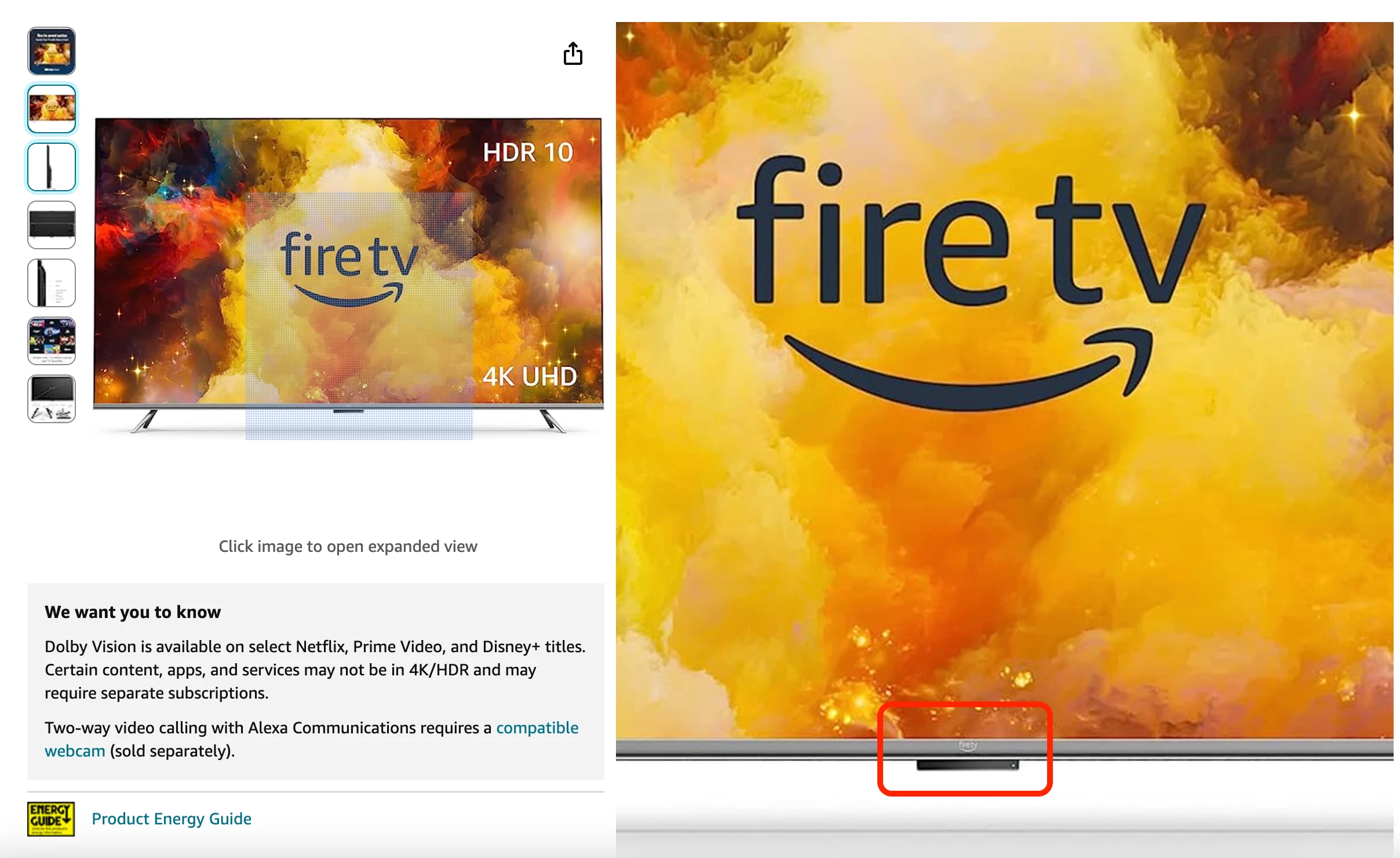
Hey @SethLSAZTech talking with some of our internal hardware partners and the model number: AMZ_K24NE5_4K65M600A (SKU:4K65M600A) you sent over I did look up and found this on Amazon. Is that the correct FireTV we're trying to troubleshoot?


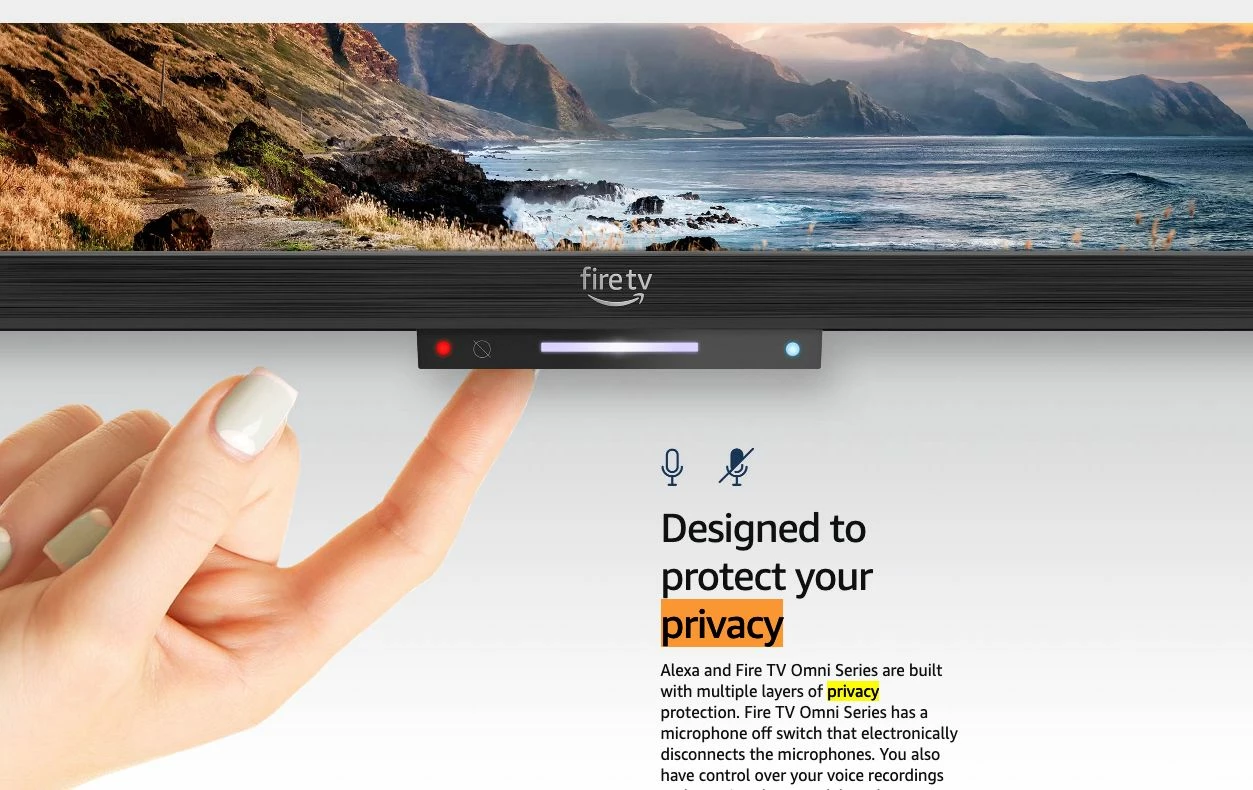
They said that the Amazon OMNI TV is in the same series as Amazon Fire TV. They also said that they have a privacy button at the bottom of the TV. Should be located around here based on the model number you've sent over: 


Let me know your findings! 🙂

2 replies

Community Manager
November 1, 2023

Hey @SethLSAZTech welcome to the community! Its recommended to use the 55” Fire TV for the display. For the rest of the solution (mics/speakers/cameras/computer, suggest looking at Zoom Room appliances for conference rooms - Logi, Poly, Neat, etc. 


Fire TV is intended for home use cases. It can only be a Zoom for Home / Personal device. Heres a video around this as well https://www.youtube.com/watch?v=cUwuQEJ_kLw as this is technically a Zoom Room, it differs from your actual 'Zoom Meetings desktop client'; however, with this setup, you can still join Zoom Meetings. 🙂


Hope this helps! 


Newcomer
November 1, 2023

Hello,


I appreciate the reply.

The zoom app opens on the TV. The issue isn't joining a meeting or similar. It is being able to talk or be seen in the meetings. The camera and microphone do not activate in the Zoom app and only the Zoom app. All the other apps, the webcam and microphone work. 


For home or for an office, it doesn't work either way. 


Thank you!

Community Manager
November 1, 2023

Hey @SethLSAZTech gotcha  - thank you for this! Clears things up for me a bit. Do you mind sharing the specifics of the microphone and camera you're attempting to use with the FireTV Omni?


Is their anyway to check for Updates of the Software on Your Fire TVI also did see this Amazon Forum of this issue with microphone permissions (i know its not for camera but maybe some setting configuration thats in the same area?) but apparently was resolved back in October 18, 2022. Updating maybe do the trick. 


Here are also Suggested webcams for Fire TV Omni Series if you have any Logitech camera to test with. 

Newcomer
December 12, 2024

Hello, I'm also having trouble with Zoom recognizing the microphone on the TV. It does recognize speakers and external camera. I have clicked the privacy switch several times and it is currently on Privacy off. I have also rebooted, upgraded, reinstalled and cleared every cache. Can anyone please help me so that I can use the FireTv for Zoom meetings? Thanks