Zoom phone Voicemail active when logged out? | Community
Skip to main content
Explorer
February 21, 2022
Solved

Zoom phone Voicemail active when logged out?

  • February 21, 2022
  • 4 replies
  • 1 view

Hi


we are new to zoom phone.


Testing our setup, calling into our zoom phone number, there was a dialtone.


 But no user was logged in.


Should the zoom phone not ring if we are not signed in?


our set up is shared line. We tested during normal business hrs. Our overflow is voicemail. 

We logged out to see if the inbound call would go straight to voice mail which is what we would like.


Thanks


Richard



    Best answer by nico_martini

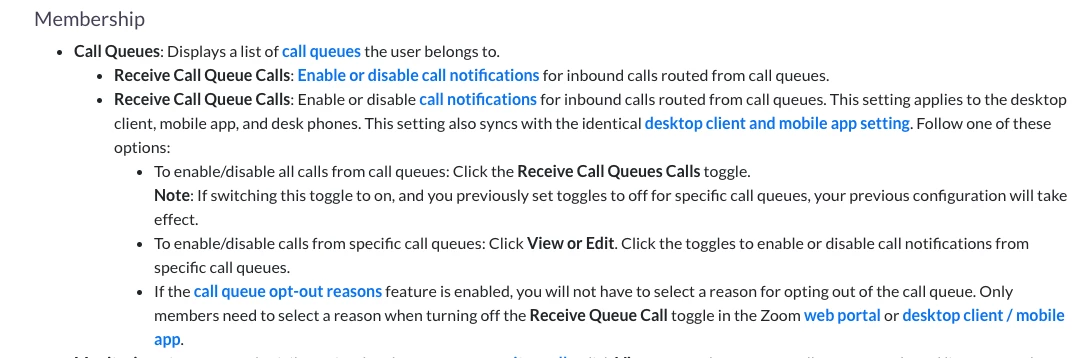
    For Queues we have a "toggle" feature".
    Queue members can toggle on/off their availability to take queue calls. If all members set themselves unavailable then incoming calls will go directly to the overflow destination.


    https://support.zoom.us/hc/en-us/articles/360047650031-Changing-phone-user-settings#h_076bca43-21be-48dc-8709-aeb0028e4571

    4 replies

    nico_martini
    Employee
    Employee
    February 22, 2022

    Hello richard, 
    there are two options:
    a.  Users can toggle off all "Call Handling" in their profile "User Settings"
    b. Users can set themselves in DND (Do not Disturb)

    Kind Regards
    Nico

    RichardB1Author
    Explorer
    February 22, 2022

    Thank you perfect.

    nico_martini
    Employee
    Employee
    February 23, 2022

    Hello Richard, 
    Yes that is as per current product design. 
    When users have the "Call Handling" turned ON and they are not in DND,  callers are played with ringing tone for the "Max Wait Time", then calls are connected to Voicemail. This happens even if users are logged out, because the server in the backend is trying to reach mobile devices through push notifications.
    Are you using Zoom Phone App on mobile devices and PCs? or PCs only?
    Kind Regards
    Nico 


    RichardB1Author
    Explorer
    February 23, 2022

    Hi Nico

    Thank you,

    'This happens even if users are logged out, because the server in the backend is trying to reach mobile devices through push notifications.'

    Gotcha.

    We'd prefer there is no incoming ringtone (from a customer perspective, they don't get 30 seconds or more of ringtones when there are no users logged in). 

    99% of the time we are on PCs only.

    We use call queues but I guess using shared lines or groups would make no difference?

    '"Call Handling" turned ON and they are not in DND'

    - please confirm this is the only practical solution?

    - I can't find either of these settings on the PC Zoom app , do we need to login via zoom.com to adjust these (hoping not!)

    Thanks again for your insight,

    Richard


    RichardB1Author
    Explorer
    February 24, 2022

    How can we stop the server in the backend trying to reach mobile devices through push notifications? Ie stop the caller waiting for no answer when we are all DND / logged out?

    we are on PCs and using call queue that overflows after 30 secs to voicemail.

    nico_martini
    Employee
    Employee
    February 24, 2022

    Richard, 
    once users are set to "Do Not disturb" , incoming calls will go directly to Voicemail.


    nico_martini
    Employee
    Employee
    February 24, 2022

    For Queues we have a "toggle" feature".
    Queue members can toggle on/off their availability to take queue calls. If all members set themselves unavailable then incoming calls will go directly to the overflow destination.


    https://support.zoom.us/hc/en-us/articles/360047650031-Changing-phone-user-settings#h_076bca43-21be-48dc-8709-aeb0028e4571

    RichardB1Author
    Explorer
    February 28, 2022

    Thank you, I can’t explain why we tried talking out of the call queues. being unavailable and logging out… I suspect there was a user accidentally logged in on a mobile phone.

    appreciate your help and I’m glad we haven’t missed anything, 

    it does now go to voicemail when we are unavailable.