

Zoom Phone - Call recording file destination | Community
Skip to main content
Newcomer
March 27, 2023
Solved

Zoom Phone - Call recording file destination

  • March 27, 2023
  • 3 replies
  • 1 view

My organization records a lot of conversations with Zoom Phone, and we want to make sure these recordings are being deleted every so often off of everyone's PCs. Ideally, we'd like to have everyone save their Zoom recordings to an easy-to-access place so that this deletion process is fairly straightforward. When I go to recorded calls in the Zoom Client (three dots to the right of the call in the call log, and selecting "open file location"), they're currently being saved to an obscure, hidden folder for all members of my team that I've spoken with. Is there any way to change it so that these files save to a more easily accessed location?  I've found information in the Zoom help documentation for changing where Zoom Meetings recordings save to, but not Zoom Phone recordings. Thank you so much in advance!
    Best answer by sachinzoom

    Hello @Snd315 


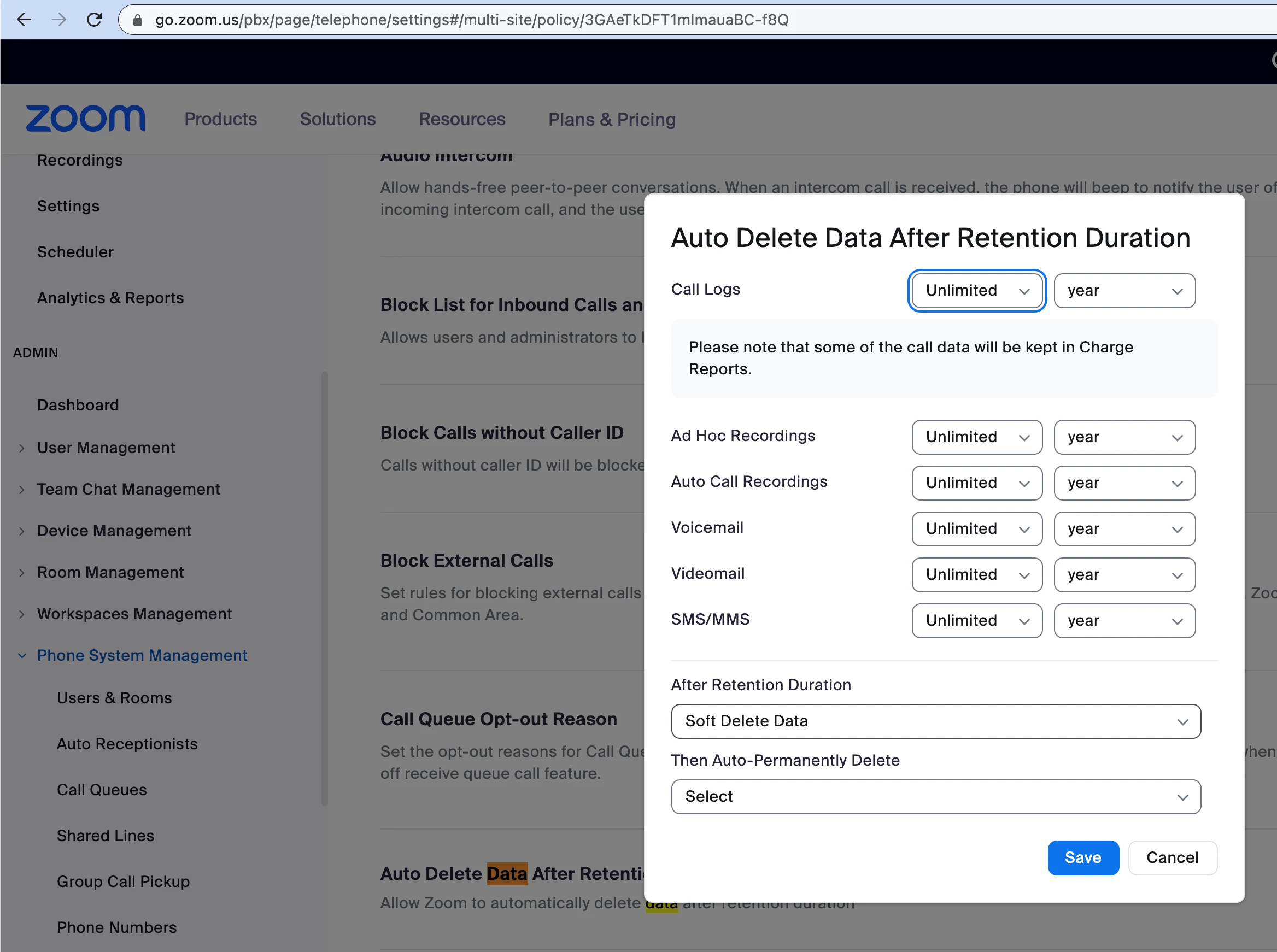
    Thats a new ask I have heard. The right way to do this is by setting Data retention policies so recordings are deleted based on the policy you want to set for your org. This will permanently delete the recordings. Data retention policies are set per site


    https://support.zoom.us/hc/en-us/articles/360033511872-Changing-Zoom-Phone-policy-settings


    If this response helps, please accept the answer as an accepted solution, so others can benefit as well.


    3 replies

    Community Champion | Employee
    April 9, 2023

    Hello @Snd315 


    Thats a new ask I have heard. The right way to do this is by setting Data retention policies so recordings are deleted based on the policy you want to set for your org. This will permanently delete the recordings. Data retention policies are set per site


    https://support.zoom.us/hc/en-us/articles/360033511872-Changing-Zoom-Phone-policy-settings


    If this response helps, please accept the answer as an accepted solution, so others can benefit as well.


    Snd315Author
    Newcomer
    April 10, 2023

    Thank you so much! Just to clarify, does this just delete recordings off of the cloud, or does this also apply to recordings saved locally to each user's PC?

    Community Champion | Employee
    April 10, 2023

    Hello @Snd315 

    Yes it does. Keep in mind, if a user Decides to "Save As" and changes the location of the recordings, those wont be deleted.


    If this response helps, please accept the answer as an accepted solution, so others can benefit as well.

    Snd315Author
    Newcomer
    April 10, 2023

    Thanks again for the info @sachinzoom - if we set the policy up, will it apply to all recordings retroactively? E.g. if we set the policy so that all recordings older than 6 months are deleted, will any recordings that are already older than 6 months automatically delete? Or will we need to delete those manually?

    Community Champion | Employee
    April 10, 2023

    Hi @Snd315 

    Yes all older recordings will be retroactively deleted.


    If this response helps, please accept the answer as an accepted solution, so others can benefit as well.

    Newcomer
    April 20, 2023

    I just hit the recording button but after the zoom call was ended I couldn't find it anywhere