

Zoom Phone Appliance does not display contact name for external calls
Hi, I'm having problems that the Zoom Phone Appliance (ZPA) does not resolve the caller phone number to the external contact list.
- Seen both on the Poly CCX 400 and Yealink MP56, both with version 5.12.2
- External Contacts have been imported into Zoom Phone->Company Info->External Contacts
If an external call comes in we only see the phone number on the ZPA (see below) but in the desktop client the number gets resolved to the external contact.
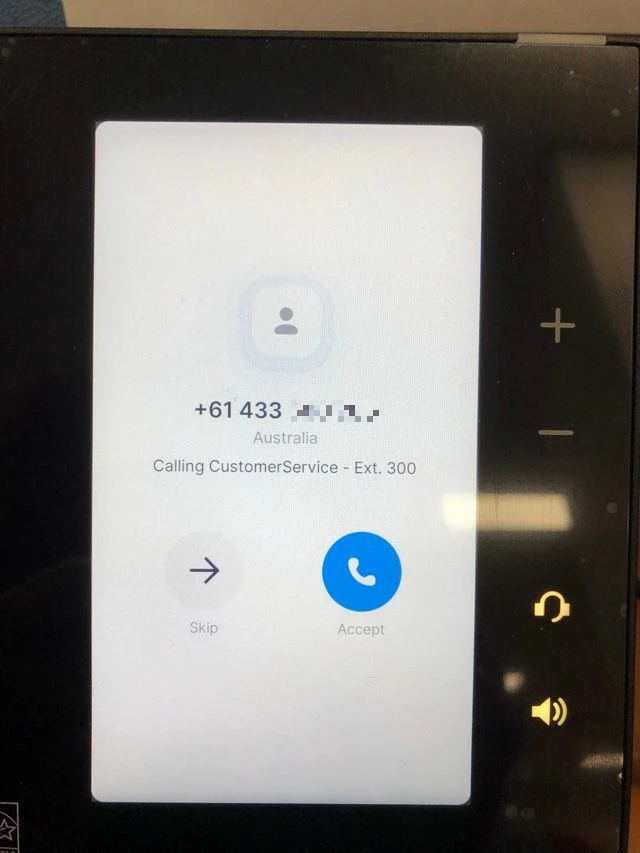 Poly CCX 400
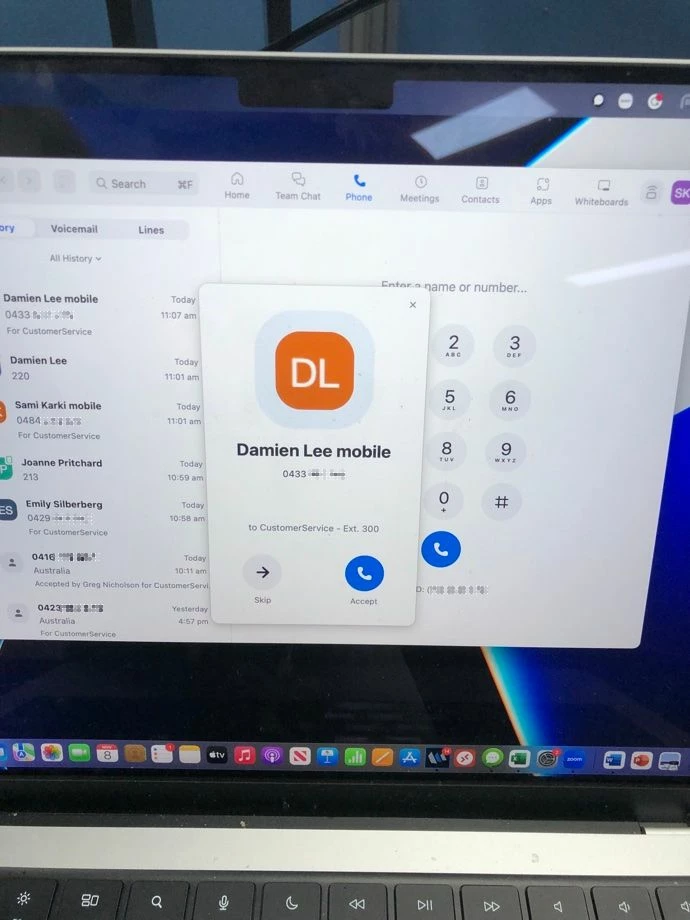 Desktop
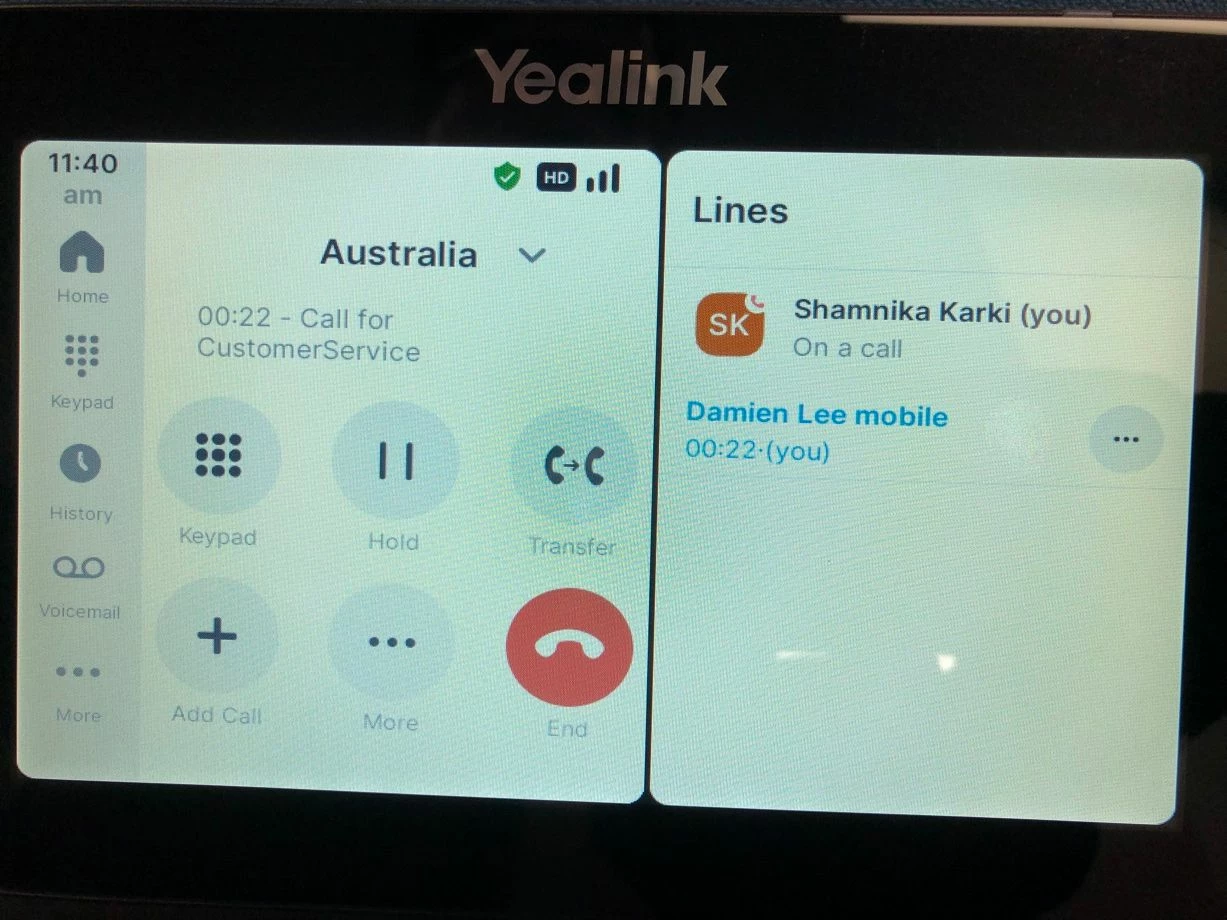
While on call you only see the country the caller is from, pressing the country gives you the calling number but not much else:
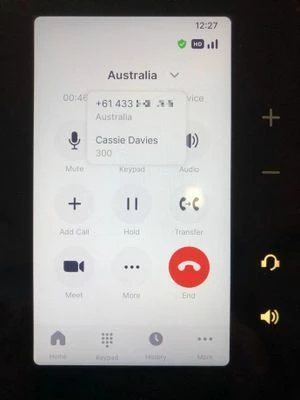 Poly CCX 400
But if you go to the More->Lines you can see the phone number gets resolved to a contact name
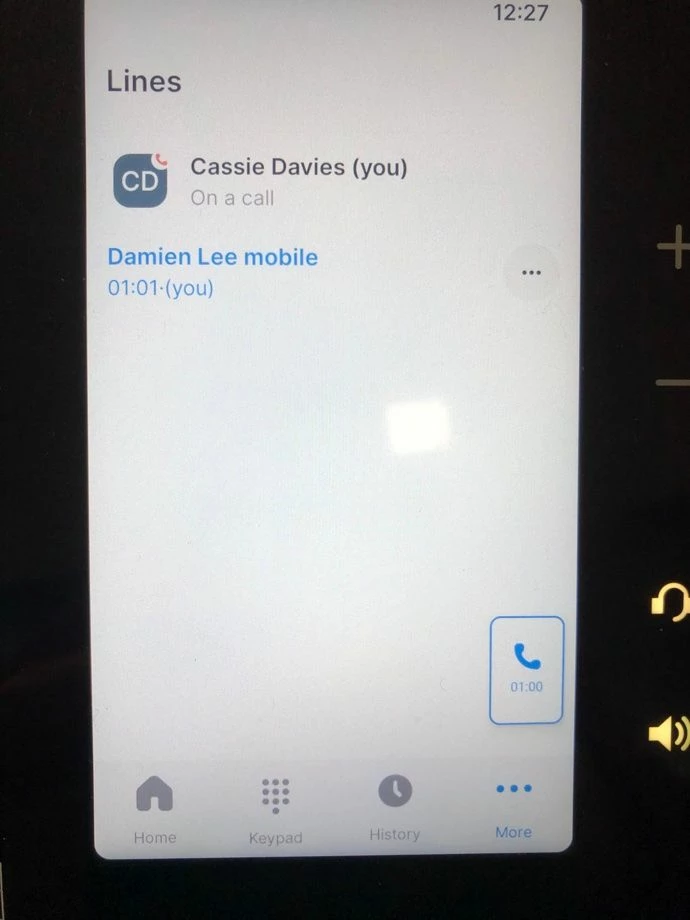
The Yealnk with its bigger screen which shows the Line screen beside it is a bit better, so after you answer the call it will display the name.
And the History Log doesn't show it as well, you have to press the number and then it will show the name of the caller, unlike the desktop client.
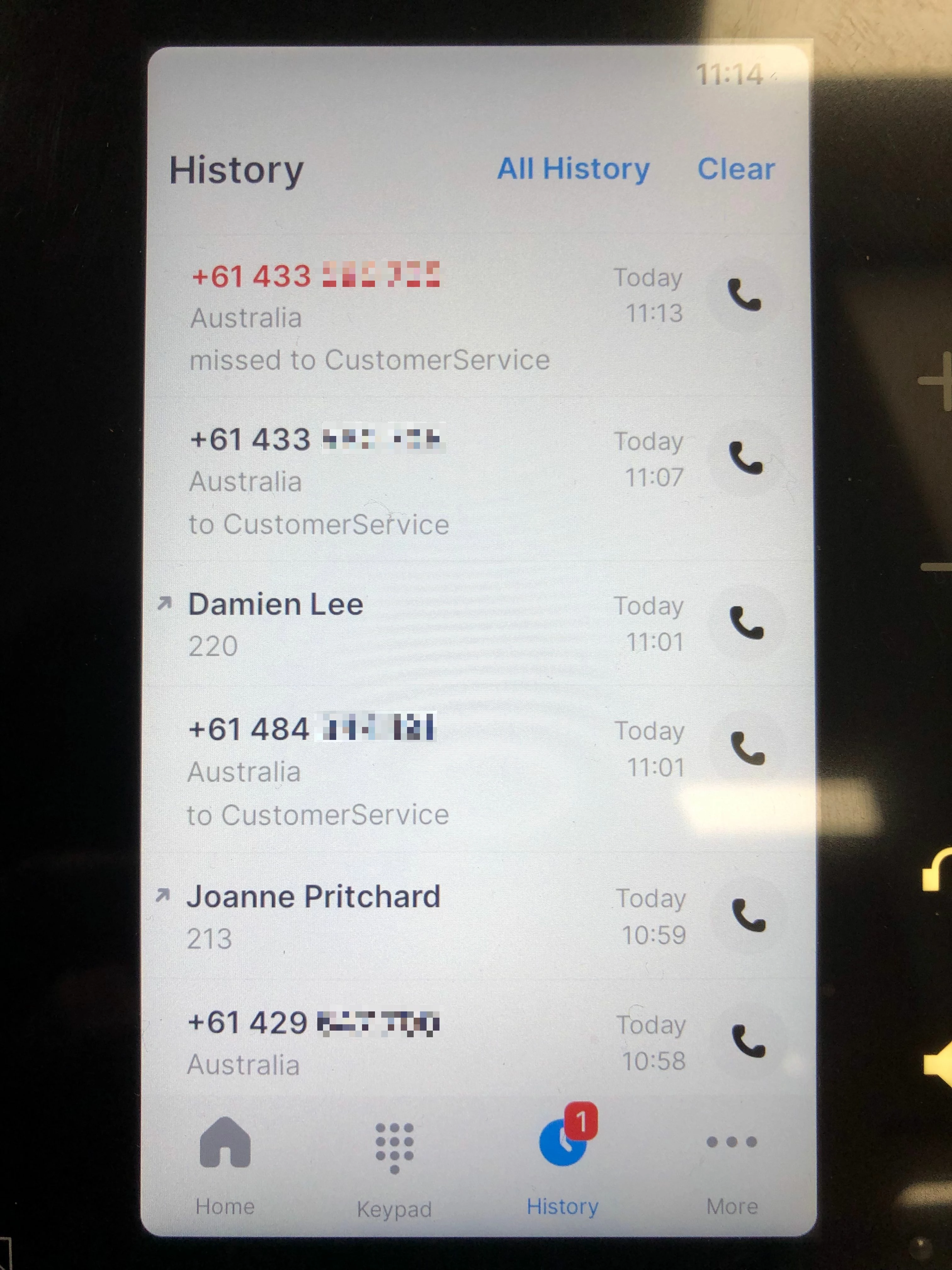 CCX 400
 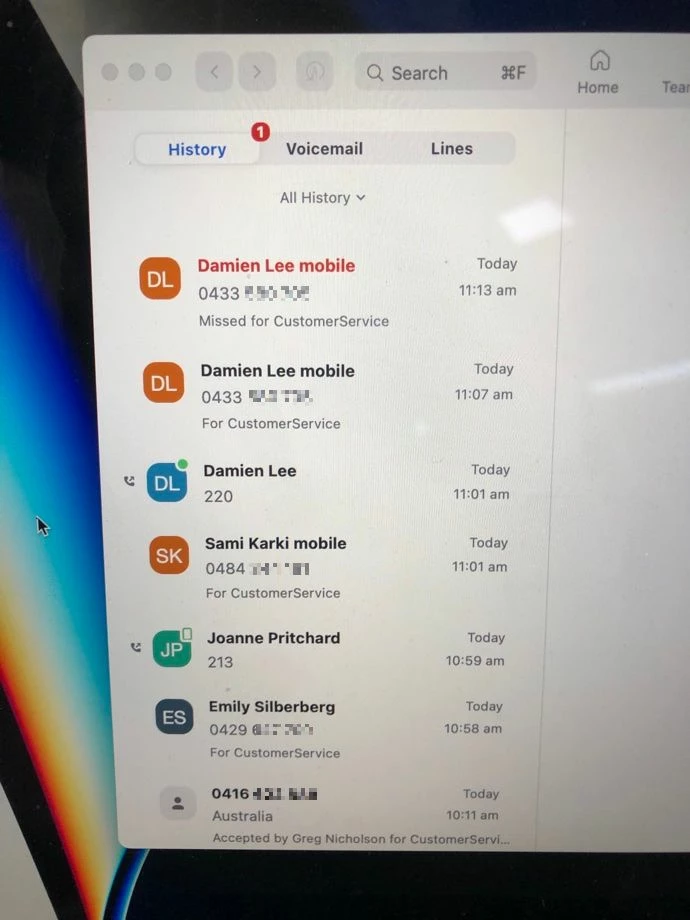 Desktop
The Zoom Client on the computers resolves all these external numbers to contacts instantly, so why can't the Zoom Phone Appliance? We were promised this when we enquired about Zoom Phone and its one of the factors we moved from our ageing PABX, which could add names to phone numbers as soon as the call came in before it even got answered, and kept it all the way through the call.
Our customer service people seem to prefer the traditional handsets better than using their computers, so it would be good to know how to fix this.