

Newcomer
September 22, 2026
Question

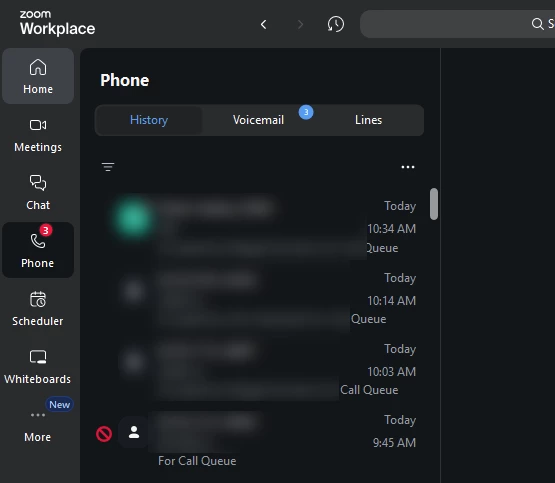
Make marked as spam indicator icon an org-synced indicator

I just learned today that the blocked/spam indicator icon is not an org-synced indicator.  All our zoom phone users are expected to report spam calls that they answer, but since the blocked/spam icon isn’t an org-synced indicator, the only way to verify if numbers are being reported by staff members is to search the manual spam number list.  I believe organizations using zoom phone would universally benefit if the blocked indicator was org-synced.
To the development team: “Zoom Phone: When an admin/user marks a number as spam (Manual Spam Number list), show the same ‘marked as spam/blocked’ indicator icon in call history for all users/org members (especially call queue members), not just the user who reported it.”


    3 replies

    sparrow
    Community Super Champion | Customer
    Community Super Champion | Customer
    September 25, 2026

    Are you using auto-mark for spam calls or you using manual mark spam? In the auto-mark configuration, you don’t get threshold options, whereas manual marking does. So if you want account level spam indicators for all your users to inherit/sync a number that has been marked as spam, manual is where I would go. Be cautions, manual marking will override auto marking if you enabled it. 

    Translate
    Newcomer
    September 29, 2026

    Hi Sparrow - Thanks for your reply!  Looking at the settings - I do have Auto-Mark Spam for Calls currently selected.  Are you confident that If I set to Manual Mark Spam, going forward, the blocked indicators will become org-synced?  In reviewing the threshold settings - The minimum threshold for marking as spam is 2.  I think what that means is that for every single spam call, two users have to mark it as a spam call to trigger the org-synced blocked icon? The main thing I want to see is that users are blocking spam calls upon receipt instead of just hanging up the phone.  I’m trying these settings out and will report back.  Thanks again.  J


    Translate
    sparrow
    Community Super Champion | Customer
    Community Super Champion | Customer
    September 29, 2026

    ​@John McManus based on the Zoom definition once, “Mark “SPAM” threshold: Define the number of users who marked a phone number as spam. Zoom will mark the number as Spam when the threshold reaches the value you set.” Seems pretty straightforward. Now, you as the admin need to define how to handle the spam calls for any call/s that have met the threshold limit. You have 3 options, but 2 seems to be what you’re looking for, either you mark without blocking or you forward to voicemail. In either case, users will see spam marking on both. 

    Translate