hi tmcandrew,
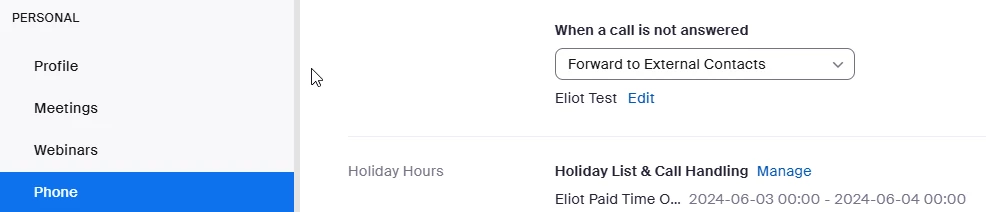
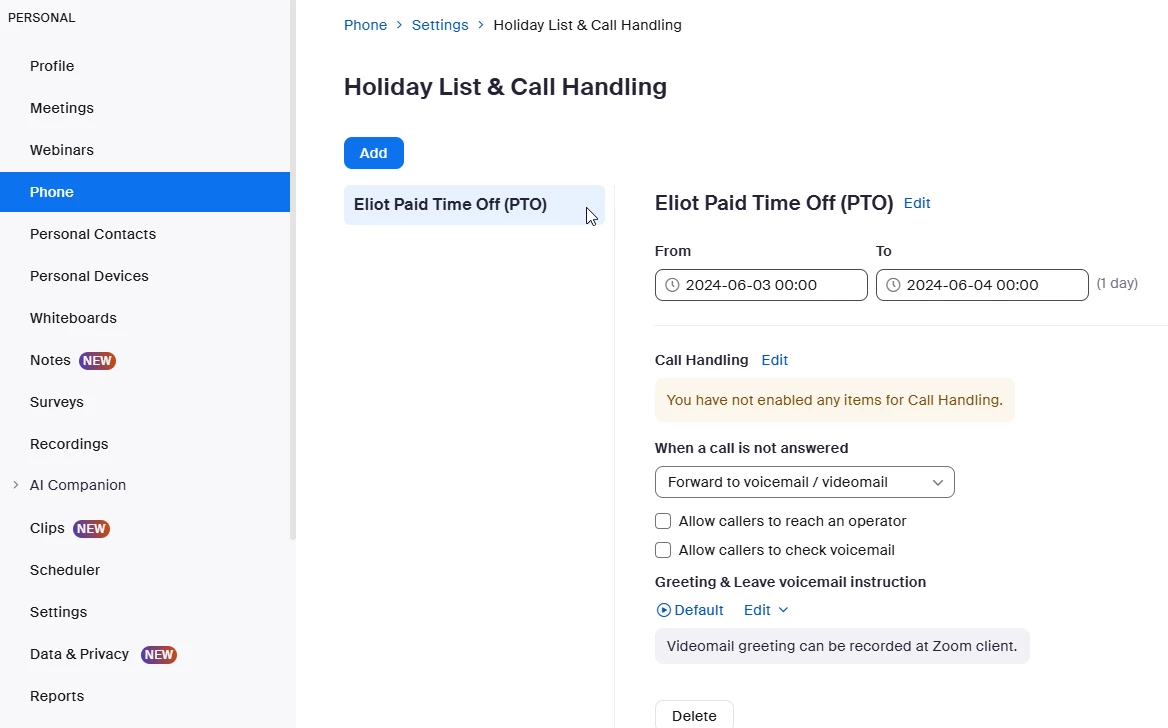
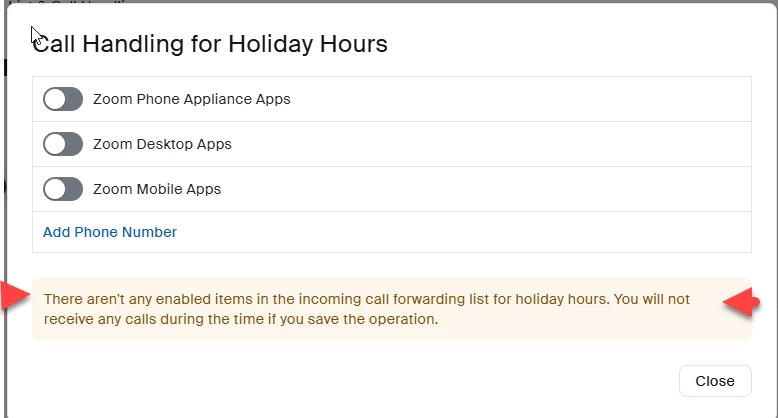
An alternative to Do Not Disturb is to set up agent’s paid time off (PTO) as a holiday period in holiday hours.
Zoom articles address some of your other questions. Some solutions require zoom phone power pack add-on for call queues or zoom contact center licenses. You may want to consider discussing the capabilities and licensing costs with your zoom account team.
Viewing Zoom Phone Member Availability Report
Article metadata. This article was updated 2024-04-05 18:07:37
https://support.zoom.com/hc/en/article?id=zm_kb&sysparm_article=KB0074768
Prerequisites for viewing the Member Availability Report
Business or Enterprise account
Account owner or admin with sites and call queue privileges
Zoom Phone licenses in the account
Zoom Phone Power Pack add-on for Call queue
You can view the name of the agent with the following Zoom app status presence and Zoom Phone status:
Note: As an admin, you can opt-in an agent to a call queue.
Red: The member is on a call that is part of a call queue.
Orange: The member is on a call that is not part of a call queue.
Green: The member is available and is not part of a call queue.
White: The member is unavailable.
Setting availability status for Zoom Contact Center
Article metadata. This article was updated 2024-04-16 06:03:59
Prerequisites for setting availability status
Zoom desktop client for Windows or macOS, 5.11.3 or higher
Pro, Business, or Education account
Zoom Contact Center license
Account owner or admin privileges required if setting an agent's status
Statuses that are automatically set
The following statuses are automatically set and not selectable.
Occupied: Automatically set when you’re in a voice or video engagement or when you’re in the wrap-up time. You will not receive inbound notifications. Occupied status is never set when you’re in a messaging or email engagement.
Offline: Automatically set if you're not signed in to the Zoom desktop client and are unavailable to receive inbound calls or make outbound calls. You will be opted out of all queues you’re a member of and will not receive inbound notifications. You can't set this status manually. This status is also automatically set if the admin enabled agent work sessions and you've ended your work session, your work session timed out.
Admins can set your status to automatically change to Not Ready for the following scenarios:
After you miss a certain number of inbound engagements.
After you accept a Zoom Phone or Zoom Meeting call.
Did my response answer your question? If so, please don't forget to mark the reply as an accepted solution.
thanks, eliot


