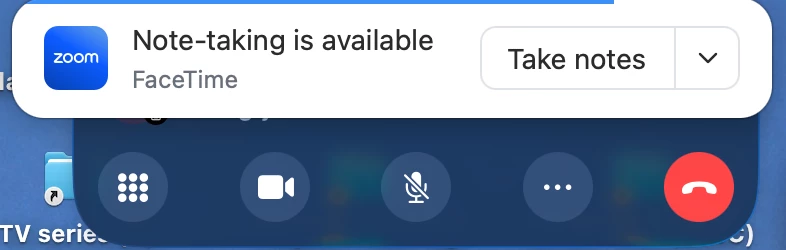
Hi @WardClark ,
Before you disable this tool, are you aware that this is the tool that creates mynotes, in other words this makes the notes for your meeting summary and if you disbale it, you will stop getting summeries.
It is like that so you can pause and restart it if you wish to pause and have a discussion that you do not want to be reocrded, then you can restart it.
I can not find a zoom docs link to explain this, although i am certain there is onw, so here are my notes with a little formatting from chatgtp
Disable it for your own account
- Sign in at zoom.us.
- Open Settings.
- Select the Zoom AI tab.
- Under Meetings, switch off:
- Meeting Summary with AI Companion
- My Notes with AI Companion, if shown
- Automatically start Meeting Summary, if you only want to stop it launching automatically
If a switch is greyed out, it has been locked by your Zoom account administrator.
Disable it across your whole Zoom account
- Open Admin Center → Settings → Zoom AI.
- Under Meetings, disable the relevant Meeting Summary/My Notes options.
- Click the padlock beside each setting if you want to prevent users from turning it back on.
Stop it during a live meeting
As host, open AI Companion and select Stop AI Companion or Stop Meeting Summary. Stopping it prevents further transcription, but it does not necessarily delete content already produced.
If it is an external notetaker
If you see a participant named Otter.ai, Read.ai, Fathom, or something similar:
- Open Participants.
- Find the notetaker.
- Click More (…) → Remove.
- Use the Waiting Room so future bots cannot enter without approval.
That is a separate participant bot, not Zoom’s built-in AI Companion. Zoom’s newer AI can also attend third-party meetings; that is controlled under Settings → Zoom AI → Allow Zoom AI to join third-party meetings. Zoom’s current instructions explain that setting.
All the best
John Drinkwater
Zoom Community Super Champion
I am not a Zoom Employee
https://www.linkedin.com/in/johndrinkwaterlordzoom/
https://www.youtube.com/@boomwithlordzoom