Forwarding Calls to Another User's Voicemail | Community
Skip to main content
Newcomer
May 18, 2025
Solved

Forwarding Calls to Another User's Voicemail

  • May 18, 2025
  • 3 replies
  • 9 views

Is there a way to transfer a call directly to another user's voicemail from a desk phone (we're using Cisco 8861s) even when they are not using their phone? With our previous provider, we were able to key a zero before the user's extension and it went directly into their voicemail rather than ringing their phone line. I am hoping that this is a possible feature with Zoom, as well. 

Best answer by Eliot

hi @Kristin_GF 


it is a little more difficult with cisco desk phones.


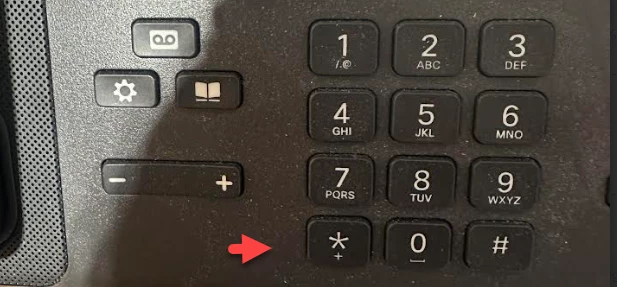
You can use DTMF keys on your Cisco phone to transfer a call to another user’s voice mail.


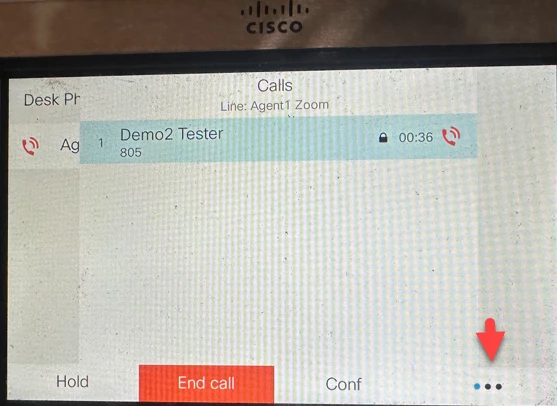
While on a call, select the three dots


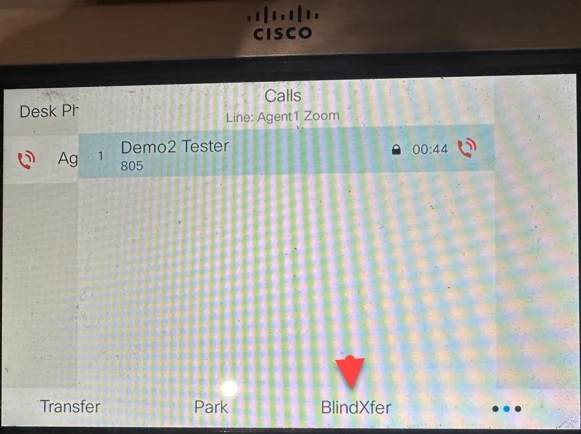
On the next screen, select BlindXfer


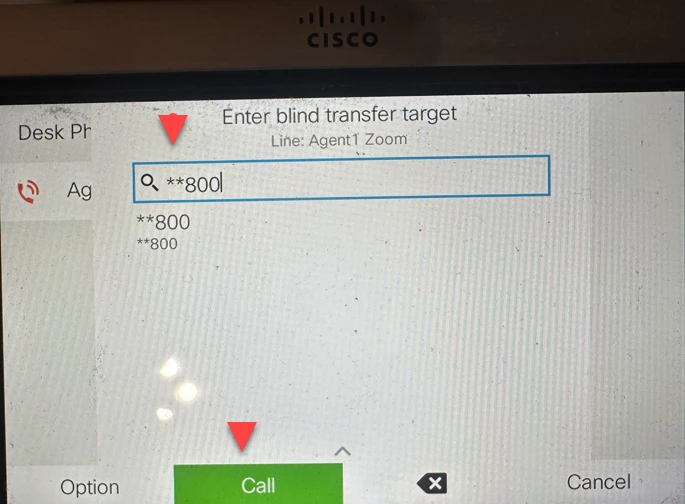
On the next screen, enter **(extension), i.e. **800 to transfer the call the extension 800’s voice mail and Call.


The Zoom desktop client / mobile app, Yealink phones, and Poly phones have menu options for this, so there's no need to use the DTMF code.


For more details, please see Zoom support articles below.

Using and customizing DTMF codes

Transferring calls


Did my response answer your question? If so, please don't forget to mark the reply as an accepted solution.


thanks, eliot

3 replies

sparrow
Community Super Champion | Customer
May 19, 2025

You can do that via the Zoom app, but with desk phones, there is no documentation on how that can be accomplished that I was able to locate. 

EliotAnswer
Community Super Champion | Partner
May 19, 2025

hi @Kristin_GF 


it is a little more difficult with cisco desk phones.


You can use DTMF keys on your Cisco phone to transfer a call to another user’s voice mail.


While on a call, select the three dots


On the next screen, select BlindXfer


On the next screen, enter **(extension), i.e. **800 to transfer the call the extension 800’s voice mail and Call.


The Zoom desktop client / mobile app, Yealink phones, and Poly phones have menu options for this, so there's no need to use the DTMF code.


For more details, please see Zoom support articles below.

Using and customizing DTMF codes

Transferring calls


Did my response answer your question? If so, please don't forget to mark the reply as an accepted solution.


thanks, eliot

Newcomer
May 19, 2025

You're my hero! Thank you!

Community Super Champion | Partner
May 20, 2025

hi @Kristin_GF 


nice to hear that my suggestion worked for you.


you may be interested in what features on your cisco desk phones are supported by zoom.  please see

Supported desk phone features


thanks,  eliot