Add a 2nd W73H handset. | Community
Skip to main content
Newcomer
July 17, 2024
Solved

Add a 2nd W73H handset.

  • July 17, 2024
  • 1 reply
  • 12 views

Hivemind ~


Desperately seeking a guide on how to add a second handset to my account.  I have an existing Yealink w70b base station with a W73H linked to it, working great.  I've purchased a second W73H and it is registered to the base, but I cannot for the life of me figure out how to make the it work...


Thanks in advance for any assistance!



Best answer by Eliot

Hi mjcollinge,


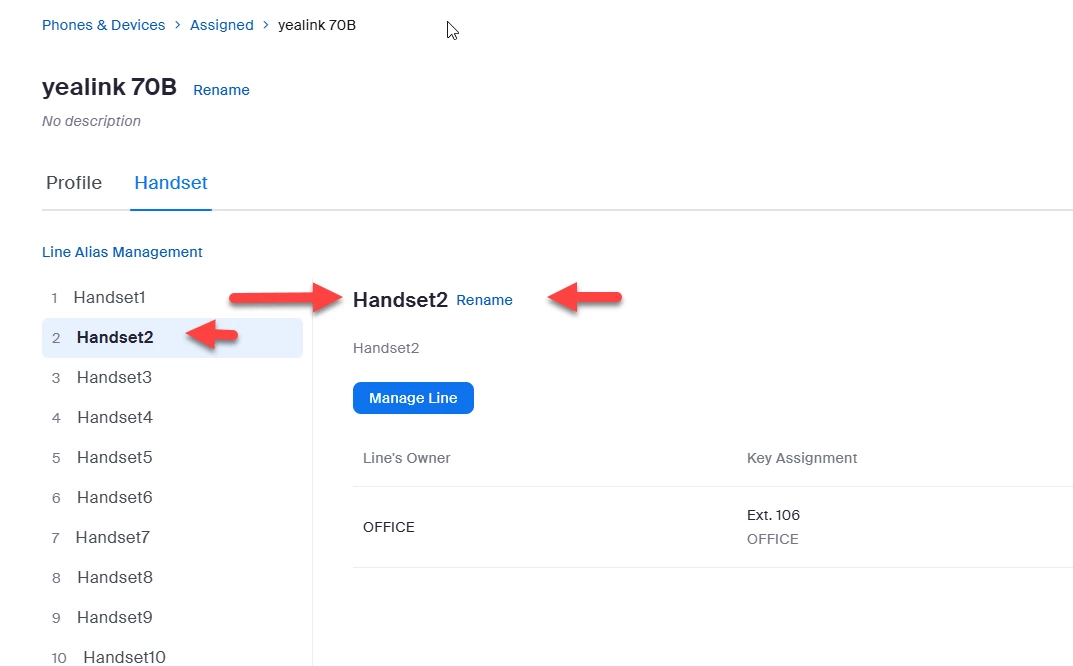
Since you have already added the second handset to the base, you can add lines to the second handset.


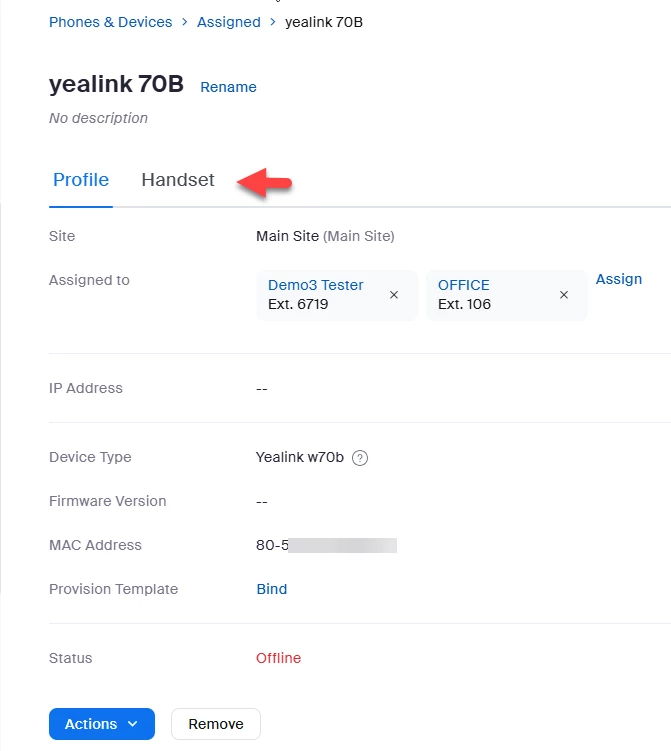
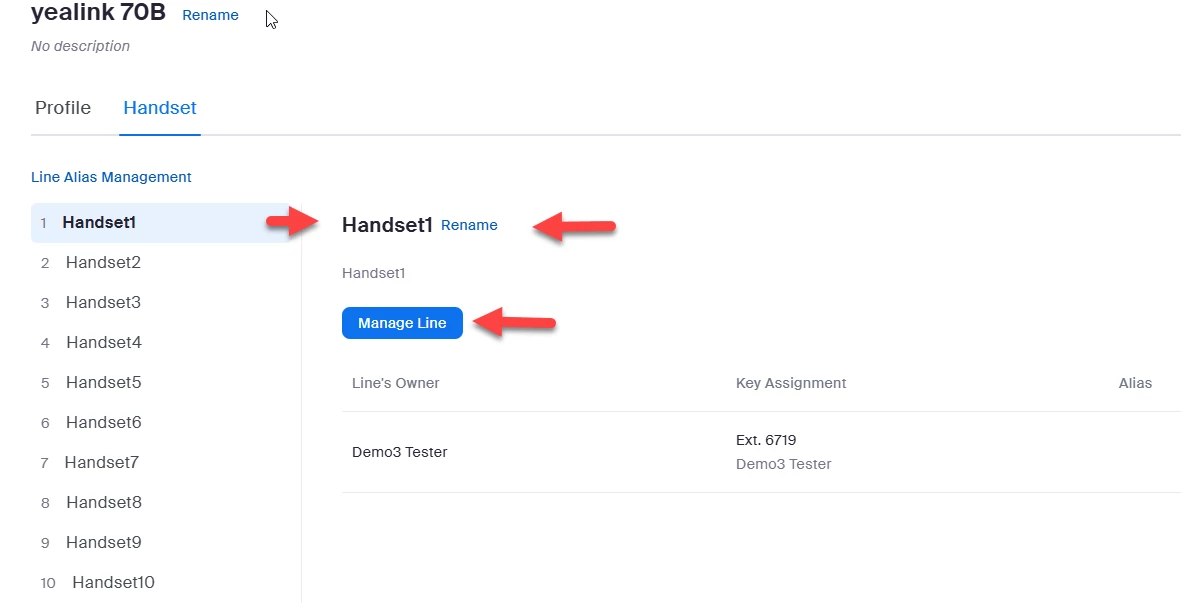
Go to admin->phone system management-phones & devices->assigned->yealink70b->handset.  You should see each handset including your first handset and your second handset.


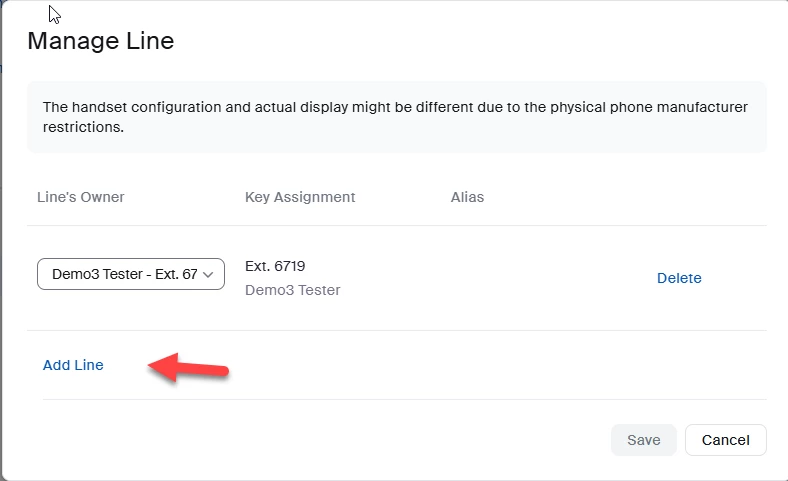
You can use Manage Line to add lines, i.e. more extensions to a handset.


Did my response answer your question? If so, please don't forget to mark the reply as an accepted solution.


thanks,  eliot


1 reply

EliotAnswer
Community Super Champion | Partner
July 23, 2024

Hi mjcollinge,


Since you have already added the second handset to the base, you can add lines to the second handset.


Go to admin->phone system management-phones & devices->assigned->yealink70b->handset.  You should see each handset including your first handset and your second handset.


You can use Manage Line to add lines, i.e. more extensions to a handset.


Did my response answer your question? If so, please don't forget to mark the reply as an accepted solution.


thanks,  eliot


Newcomer
August 1, 2024

Excellent!  Thank you for laying this out so clearly, I really appreciate your help.