

Note transcription features disabled by host even though I’m the account owner
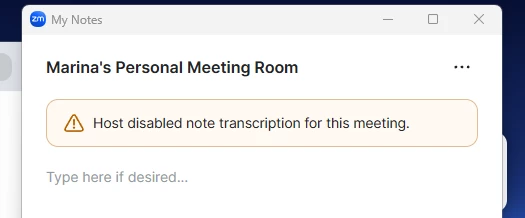
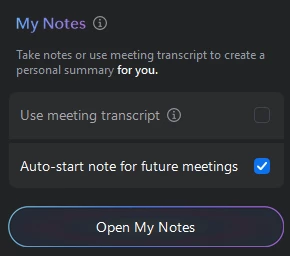
Hi. I’m the account owner and host, and I already enabled all the AI Companion and transcript settings in the Zoom web portal. But inside meetings I still can’t enable transcription or My Notes. It keeps saying that the feature “has been disabled by the host” even though I am the host.
I create meetings using my PMI. Previously, note transcription would start automatically as soon as I joined the meeting. I could see and edit the live notes/transcript while me and the other participant were talking.
Now, nothing starts automatically when I enter the meeting. I only see a greyed out box that I can’t click.
And when I press “Open My Notes” Zoom says: “Host has disabled note transcription for this meeting.”
I haven’t changed any settings on my side, and all AI Companion / transcript settings appear to be enabled in the Zoom web portal.
Do you know what could be causing this?