

No longer able to copy and paste from "my notes" desktop app or web app | Community
Skip to main content
New Member
July 22, 2026
Question

No longer able to copy and paste from "my notes" desktop app or web app

  • July 22, 2026
  • 5 replies
  • 182 views

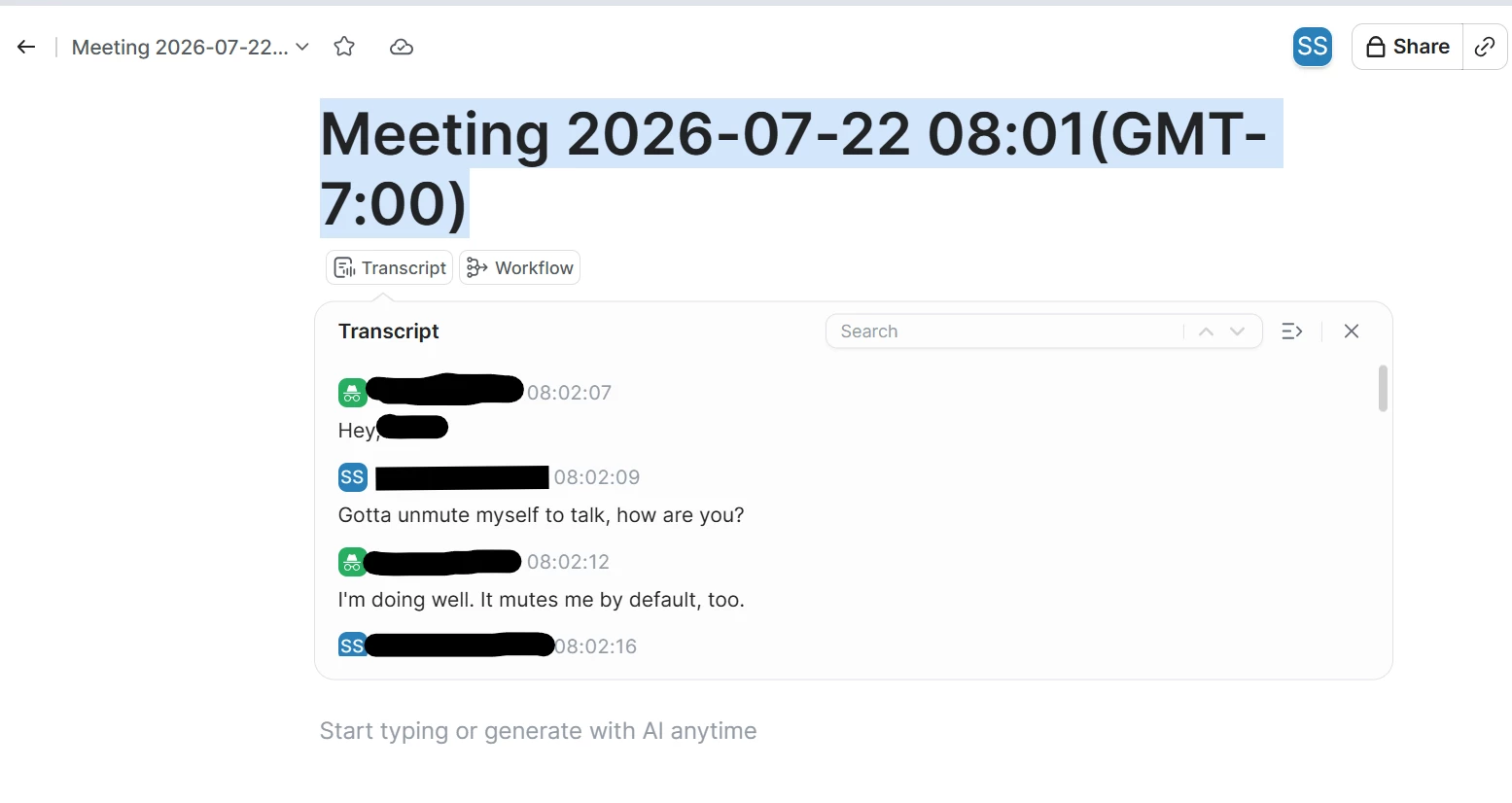
Pretty self explanatory. It would appear that Zoom has recently taken away the ability to copy and paste directly from the “My Notes” section in the desktop app and web version. This is a minor gripe, but does completely throw off some workflows for me since it’s much faster to just copy and paste a transcript into other programs once a meeting concludes vs waiting for it to upload and process to then download the transcript. 

As you can see in this screen shot, the text above the transcript can be copied, but the actual transcript won’t allow copying. 

I am on the latest version of Zoom. Why would this stop working and will zoom admins please restore this feature? 
 

    5 replies

    New Member
    July 23, 2026

    Any update on this? I’m sure it was an intentional change that needs to be reconsidered. You don’t improve a platform by removing features from users who pay for the platform. Not a move in the right direction. Removing select/copy feels so scammy and underhanded. What a desperate move!!! This needs to be turned back on asap. 

    New Member
    July 23, 2026

    Completely agree with you Jason. Tried again today and copying the transcript still appears blocked.

    My current, much slower, workaround is to wait for the transcript to upload, then download the .vtt file which gives the full transcript. Unless this change was a mistake, it would appear that Zoom is intentionally making it harder to get direct transcripts from their software.

    I’d use the Zoom workflows they have in the desktop app, but none of them use a full direct transcript from the meeting, they use summaries of the transcript which don’t cut it for my specific work. Getting their transcripts to integrate with other tools is also a challenge which is probably why folks just use AI note takers instead 🤷.

    I’d tag support in this thread, but not sure how to do that. Any ideas?    


    New Member
    July 23, 2026
    Community Manager
    July 24, 2026

    Hello, everyone!

    Thank you for your patience while we investigated this issue.

    We found that this behavior was caused by a recently released setting that allows organizations to disable copying and downloading of My Notes transcripts. Due to an issue during the feature rollout, this change unintentionally affected some users.

    Update: We've rolled back the change, and the previous behavior has now been restored. You should once again be able to download transcripts where applicable.

    We apologize for the inconvenience and appreciate your patience while we worked to resolve this.

    If you're still unable to download transcripts after the rollback, please let us know. We'll be happy to investigate further with you.

    Newcomer
    July 25, 2026

    I'm seeing the same behavior on the latest version. It feels more like a recent product change or regression than a user setting, especially since the transcript is still visible but no longer selectable.

    Hopefully Zoom restores this or adds an admin-controlled option, because it breaks a lot of documentation workflows. In the meantime, it's worth watching the official release notes or support updates to see if Zoom acknowledges the change or provides an alternative export method.