Zoom VDI Media Synchronization Problems: Mac-to-Windows 365 Cloud PC Configuration | Community
Skip to main content
Newcomer
May 27, 2025
Solved

Zoom VDI Media Synchronization Problems: Mac-to-Windows 365 Cloud PC Configuration

  • May 27, 2025
  • 3 replies
  • 61 views

Problem Statement

We're experiencing media desynchronization when conducting Zoom meetings through a Windows 365 Cloud PC environment accessed from Mac endpoints. The primary symptom is audio-video timing misalignment during video conferences, suggesting potential issues with media processing pipeline optimization.

Technical Configuration

  • Client Hardware: Mac Mini (macOS Sonoma 14.5/14.6 & 15)
  • Virtual Environment: Windows 365 Cloud PC with Zoom VDI client
  • Zoom Architecture:
    • Zoom VDI Client (Windows 365 cloud PC)
    • Zoom VDI Plugin for Mac (local endpoint)
  • Network Infrastructure: Consistent high-bandwidth connection verified
  • Software Versions: Latest software releases of both VDI components

Symptom Analysis

  • Primary Issue: Persistent audio-video desynchronization with noticeable camera feed latency
  • Secondary Effects: Intermittent echo artifacts requiring session restart
  • Configuration Impact: Mac-side Zoom adjustments yield no improvement
  • Plugin Effectiveness: No observable performance differential with/without VDI plugin
  • Comparative Baseline: Identical Windows 11 endpoint configurations operate without synchronization issues

Technical Investigation Areas

1. Plugin Integration Verification

  • What diagnostic methods can confirm successful VDI plugin initialization and client-server handshake?
  • Which logging mechanisms or system indicators validate media redirection engagement?

2. Mac Plugin Capability Assessment

  • Does the current Mac VDI plugin implement equivalent media optimization compared to Windows counterparts?
  • What is the media processing architecture—hardware acceleration vs. software fallback rendering?

3. Platform-Specific Constraints

  • Are there documented macOS compatibility issues affecting VDI plugin performance?
  • What is Zoom's development timeline for achieving feature parity between Mac and Windows VDI implementations?

Best answer by bstrelko

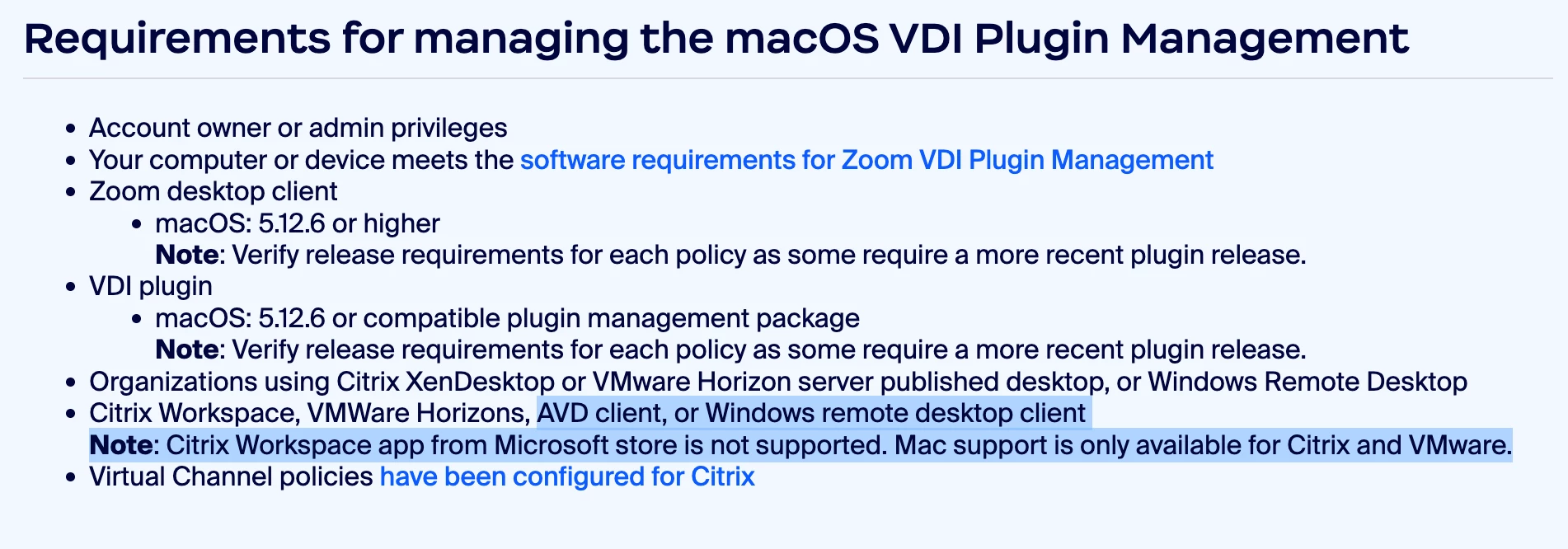
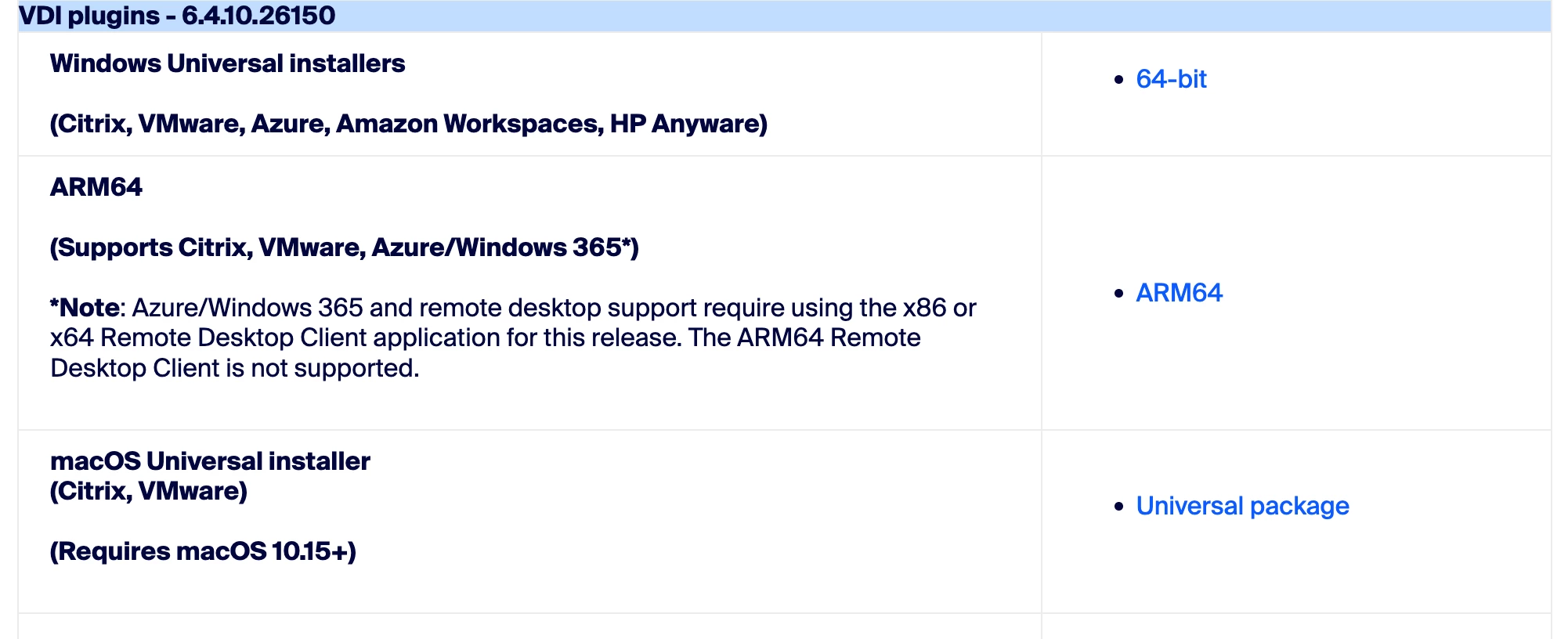
To the best of my knowledge, MacOS cannot use AVD (including W365) for Zoom VDI - the installer will actually fail (tested as recently as a few weeks back) if Citrix/VMware is not found on the local endpoint.

So curious to hear what Zoom has to say on this, as we've got a ton of Mac users who can't use Zoom VDI based almost entirely on documentation from Zoom. SO much conflicting data, see below:

https://support.zoom.com/hc/en/article?id=zm_kb&sysparm_article=KB0058417


3 replies

bstrelko
Community Champion | Customer
bstrelkoAnswer
Community Champion | Customer
June 12, 2025

To the best of my knowledge, MacOS cannot use AVD (including W365) for Zoom VDI - the installer will actually fail (tested as recently as a few weeks back) if Citrix/VMware is not found on the local endpoint.

So curious to hear what Zoom has to say on this, as we've got a ton of Mac users who can't use Zoom VDI based almost entirely on documentation from Zoom. SO much conflicting data, see below:

https://support.zoom.com/hc/en/article?id=zm_kb&sysparm_article=KB0058417


tommy
Employee
Employee
October 21, 2025

Hello @Prabh768 , @bstrelko ,


Good news, we are in the process of rolling out support for Zoom VDI for AVD / Windows 365 on macOS. I will share the documentation when it is published.


Best,

Tommy

Prabh768Author
Newcomer
October 22, 2025

@tommy Nice to hear from you after a long time. Could you please let me know the timeline for when this will be published and rolled out?

tommy
Employee
Employee
November 1, 2025

@Prabh768 , it is published now, here is the documentation. Please let me know if you have any questions or need to have it be enabled for your account:


https://support.zoom.com/hc/en/article?id=zm_kb&sysparm_article=KB0082954


Best,

Tommy

Prabh768Author
Newcomer
November 1, 2025

@tommy Great!, Thank you for sharing the link. One question — will this work on Windows 365 when accessed from macOS?