Zoom record option | Community
Skip to main content
Newcomer
March 15, 2022
Solved

Zoom record option

  • March 15, 2022
  • 3 replies
  • 0 views


I have a user that has been placed in a "Recording" group like many of my other users but the record option doesn't appear for him. I've removed and added him back in and still nothing is showing up.

    Best answer by jefrancisco4

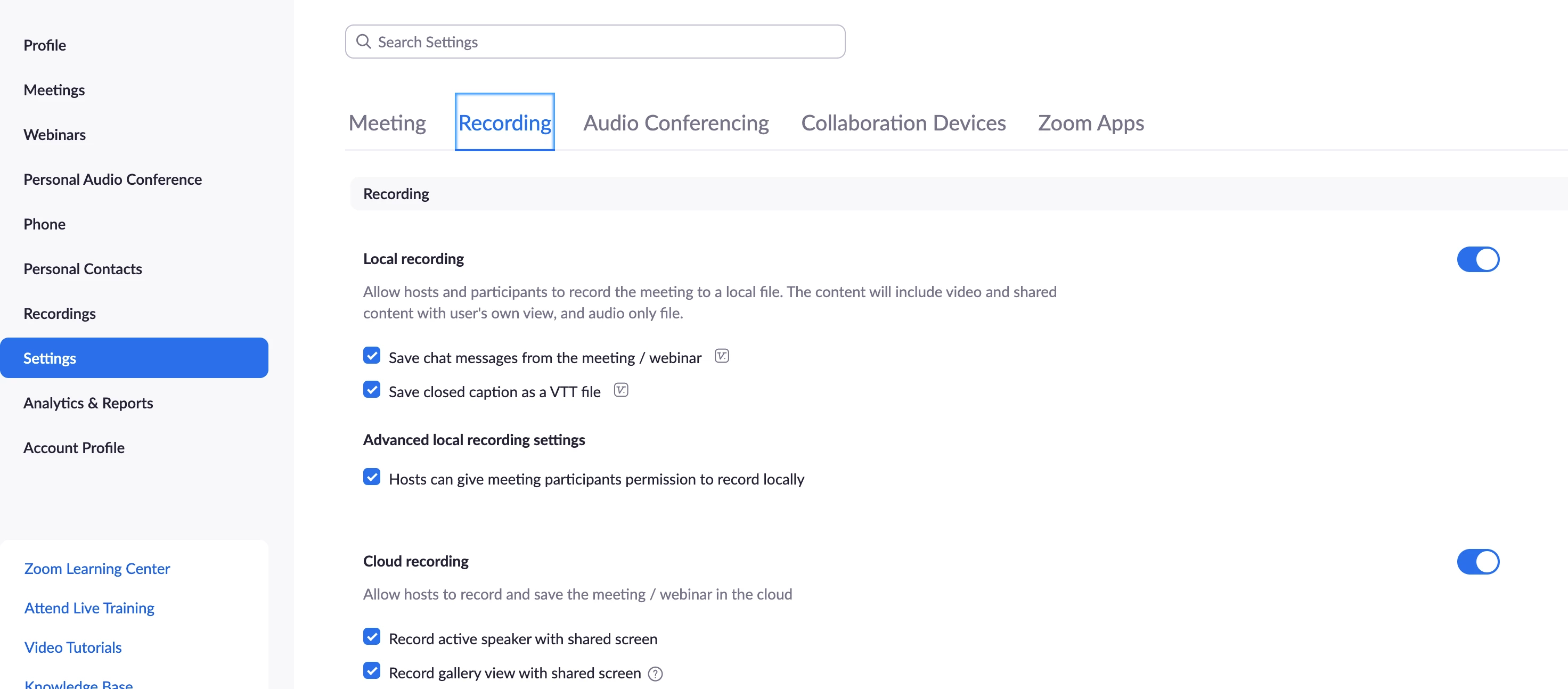
    @Claude3 , Make sure the recording option is enabled on that particular user's settings. They should find their settings under settings > recordings. Please make sure it is toggled on. Also they can also try to make sure the have the an updated Zoom Application installed on their computer.


    Hopefully this helps.

    3 replies

    Community Champion | Employee
    March 15, 2022

    Hi @Claude3 are you talking about the Zoom Meeting recording or is this Zoom Phone recording? If it is Zoom Phone recording, this is an article about Zoom Phone Recording: https://support.zoom.us/hc/en-us/articles/202921119-Automatic-Recording


    Have any of these answered your question? If so, don’t forget to mark the reply as an accepted solution.

    Claude3Author
    Newcomer
    March 15, 2022

    Hi jefrancisco4.

    I'm referring to the Zoom Meeting recording via a laptop. My other users see the record option but not this particular user. Laptop is set up with MsO365.

    Claude3Author
    Newcomer
    March 15, 2022
    This post has been deleted.

    Sorry nora_voila.

    I'm referring to the Zoom Meeting recording via a laptop. Not an Android.

    Community Champion | Employee
    March 15, 2022

    @Claude3 , Make sure the recording option is enabled on that particular user's settings. They should find their settings under settings > recordings. Please make sure it is toggled on. Also they can also try to make sure the have the an updated Zoom Application installed on their computer.


    Hopefully this helps.