

Newcomer
August 7, 2023
Solved

Zoom floating panel hide on linux

Hi there,
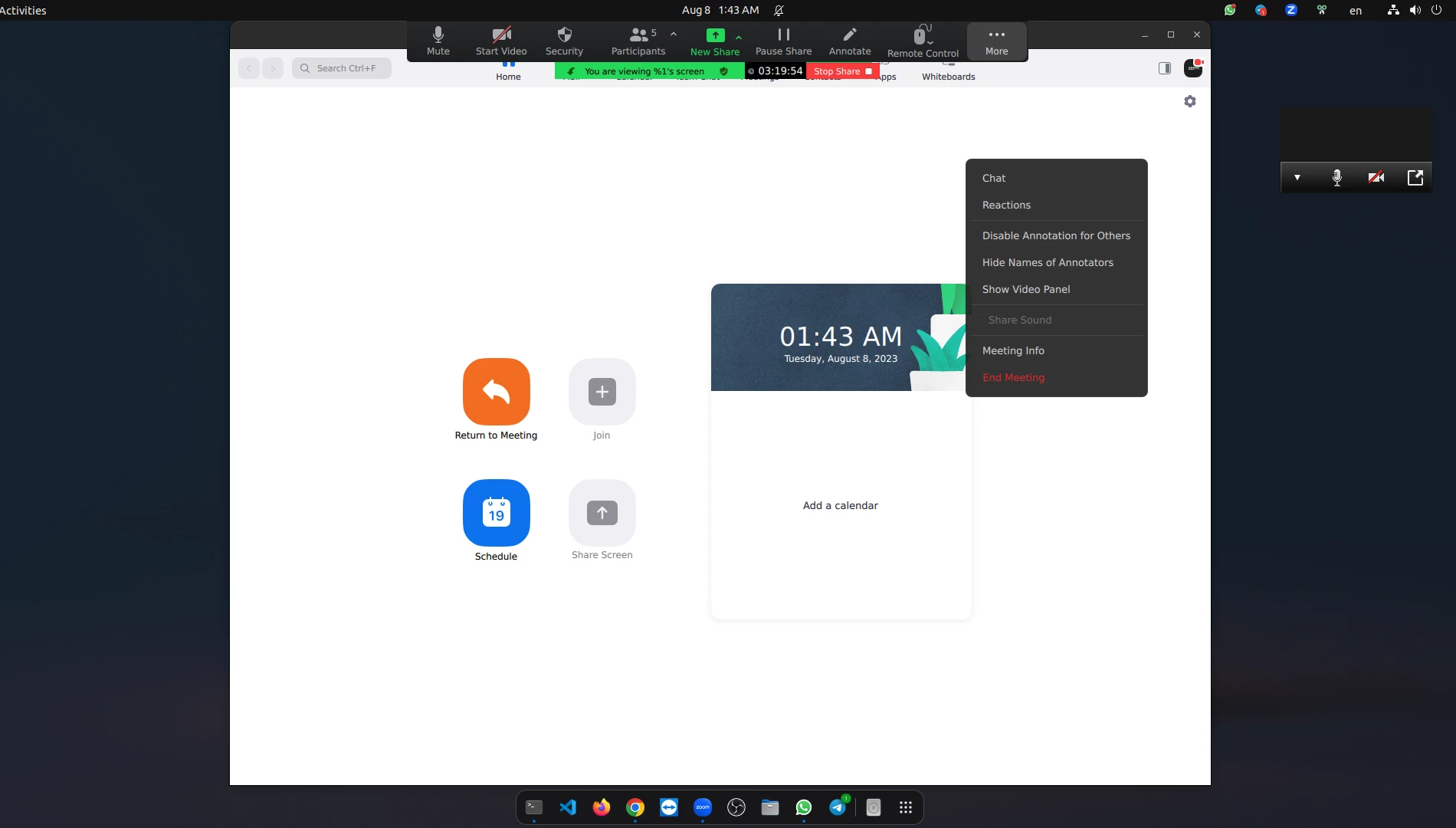
I'm using zoom on Ubuntu 22.04. On zoom when I start sharing my screen. There is a irritating floating panel. And there is no option to hide the floating panel. But, in windows and mac there is a option to hide the zoom floating panel. Is there any way to hide the zoom floating panel while sharing the screen in Ubuntu.
 

Newcomer
January 31, 2024
  1. Please open the Zoom app (5.17.5) as I have done on Ubuntu Linux 23.10
  2. Please click your photo at top right to reveal pop-up menu
  3. Please click SETTINGS
  4. Please UNCHECK the ALWAYS SHOW MEETING CONTROLS checkbox


Now your floating toolbar should disappear during content sharing.

5 replies

Newcomer
October 15, 2023

I'm also facing this thing. It is so distracting when I share the screen. I use Ubuntu 23.04.  I hope this feature will be added to the next version update. 

Translate
Newcomer
November 5, 2023

For my fellow Linux users until Zoom fixes this: The only clunky work around I have found is that this toolbar is moveable, so I can push it mostly off-screen to where only a little piece of it is showing on the side of the screen but it minimizes how much of the screen it is covering when I am sharing. It would be very nice for Zoom to add this feature for Linux users as well! I teach online all the time and this would be very helpful.

Translate
Newcomer
January 31, 2024
  1. Please open the Zoom app (5.17.5) as I have done on Ubuntu Linux 23.10
  2. Please click your photo at top right to reveal pop-up menu
  3. Please click SETTINGS
  4. Please UNCHECK the ALWAYS SHOW MEETING CONTROLS checkbox


Now your floating toolbar should disappear during content sharing.

Translate
Newcomer
March 1, 2024

Beautiful, very simple - thank you!!

Translate
CarlaA
Community Champion | Employee
March 8, 2024

Hi @adnanakhlasdev! @Zoom_Hobbyist  provided a useful answer, and I've marked it as the accepted solution. If you have any more questions, feel free to reach out!


Translate