

zoom desktop app won't launch from ubuntu firefox
I recently installed zoom workplace 6.6.11 onto my desktop computer running kubuntu 24.04 LTS. I installed from the ubuntu repositories and it seems to have installed correctly. I can start the zoom app from my applications menu. I can click on join a meeting and I get a place to enter a meeting ID. I have no meeting to join at the moment, but so far so good. It appears that zoom workplace works.
I wanted to do a test meeting, so I went to zoom.us/test. I clicked on join and a window pops up:

Then click on Choose Application and
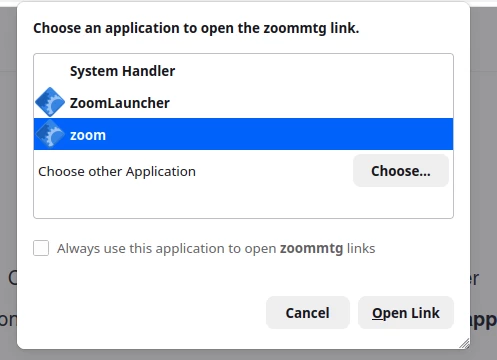
I tried the System Handler, the ZoomLauncher, and zoom, but nothing happens.
Initially the only option to open the zoommtg link was the System Handler, but I entered the firefox settings, then Applications, and I added zoom and ZoomLauncher at /opt/zoom/zoom and /opt/zoom/ZoomLauncher as options for zoommtg.
Is there a work around for this? I don’t use zoom often. I would be happy to paste a like into zoom workplace, if that would work.
Zoom does work through firefox, but I can’t get the meeting link over to zoom workplace.