New Member
Oct 13, 2026 5:40 PM UTC
Solved

Zoom Completely Changed and I cannot Run my meetings

The entire zoom graphical user interface changed on me suddenly and Zoom Workplace now seems to be a web app that’s trying to mimic Teams in structure, but I lost a lot of the functionality I was accustomed to. Is it possible to toggle between these environments? For example, I used to use Zoom to record mini-lectures for my classes which I would then load on to Canvas. Now with the web workplace app, the Share Screen function is a nightmare because I have to select whether I want to share a web page, a powerpoint, or Word document, when I used to be able to go between these sources seamlessly. The window also seems to not be full screen. It really sucks. It’s so bad that I resorted to downloading a different app for making video recordings for class. This other app works better overall, but the marker tool isn’t as good as the one Zoom has (or had) built in to the host tools. It’s a nightmare trying to host a meeting now. Did you ruin a good product?

    tommy
    tommyAnswer
    Employee
    Oct 15, 2026 4:08 PM UTC

    Hi ​@Evan H thank you for the feedback. Screen sharing in the browser does have limitations compared to our Desktop App since the browser itself limits the screen share options.


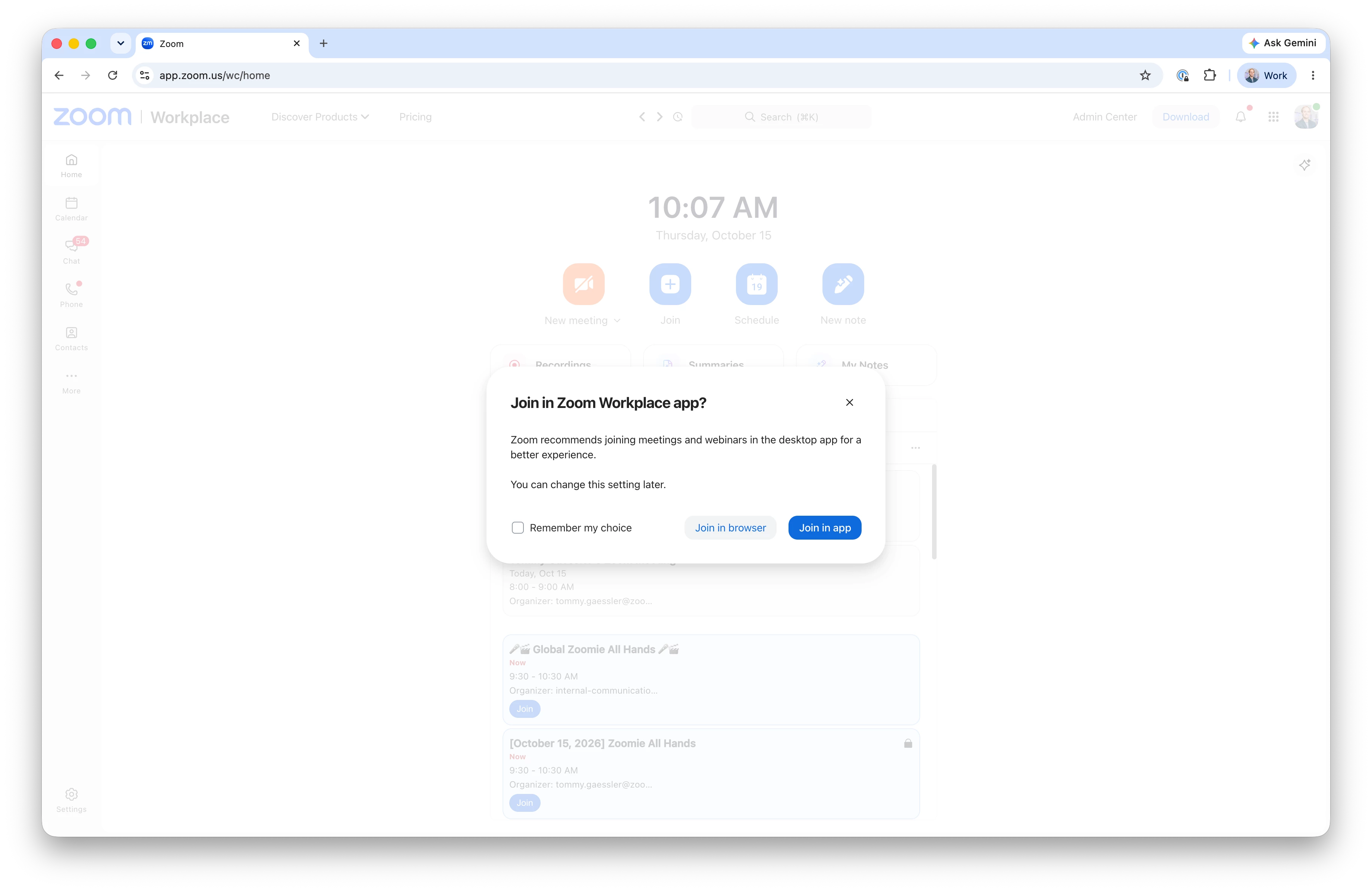
    We are soon releasing an update to the Web App to allow you to start/join your meetings in the Desktop App. I will post back when it is turned on for all. 


    5 replies

    Eliot
    Community Super Champion | Partner
    Community Super Champion | Partner
    Oct 15, 2026 1:38 AM UTC

    Hi ​@Evan H 

    Introducing the new Zoom Web experience  support article dated 10/09/2026 may be helpful in understanding the changes.


    thanks,  eliot

    Translate
    tommy
    Employee
    tommyAnswer
    Employee
    Oct 15, 2026 4:08 PM UTC

    Hi ​@Evan H thank you for the feedback. Screen sharing in the browser does have limitations compared to our Desktop App since the browser itself limits the screen share options.


    We are soon releasing an update to the Web App to allow you to start/join your meetings in the Desktop App. I will post back when it is turned on for all. 


    Translate
    Mark_CSU
    Explorer
    Explorer
    Oct 15, 2026 6:14 PM UTC

    Thankful for this. Thank you for the update.

    Translate
    tommy
    Employee
    Employee
    Oct 23, 2026 5:14 PM UTC

      Hi ​@Mark_CSU , ​@Evan H , ​@Eliot , this is has been turned on for all, feel free to give it a try. 

    As a reminder, you can always adjust your preference in the Web App settings titled “Always join from browser”. 

    Translate
    Eliot
    Community Super Champion | Partner
    Community Super Champion | Partner
    Oct 23, 2026 5:18 PM UTC

    hi ​@tommy 

     Thanks very much for the update.


    eliot

    Translate