Hi @barbu68 thank you for your post here on the Zoom Community! We really want to help you get this sorted out. First off, yes there is a way to ensure that people enter your meetings muted and they have to unmute themselves. If you log into the Zoom portal you can edit your meeting settings
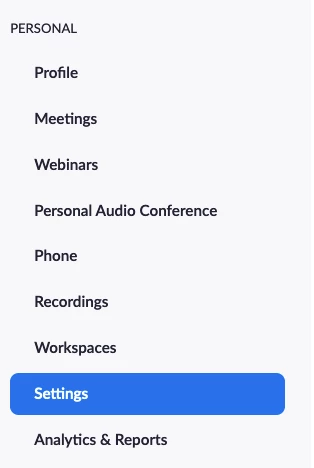
In Settings, if you scroll down until you are in the "Schedule Meeting" section you will see this setting
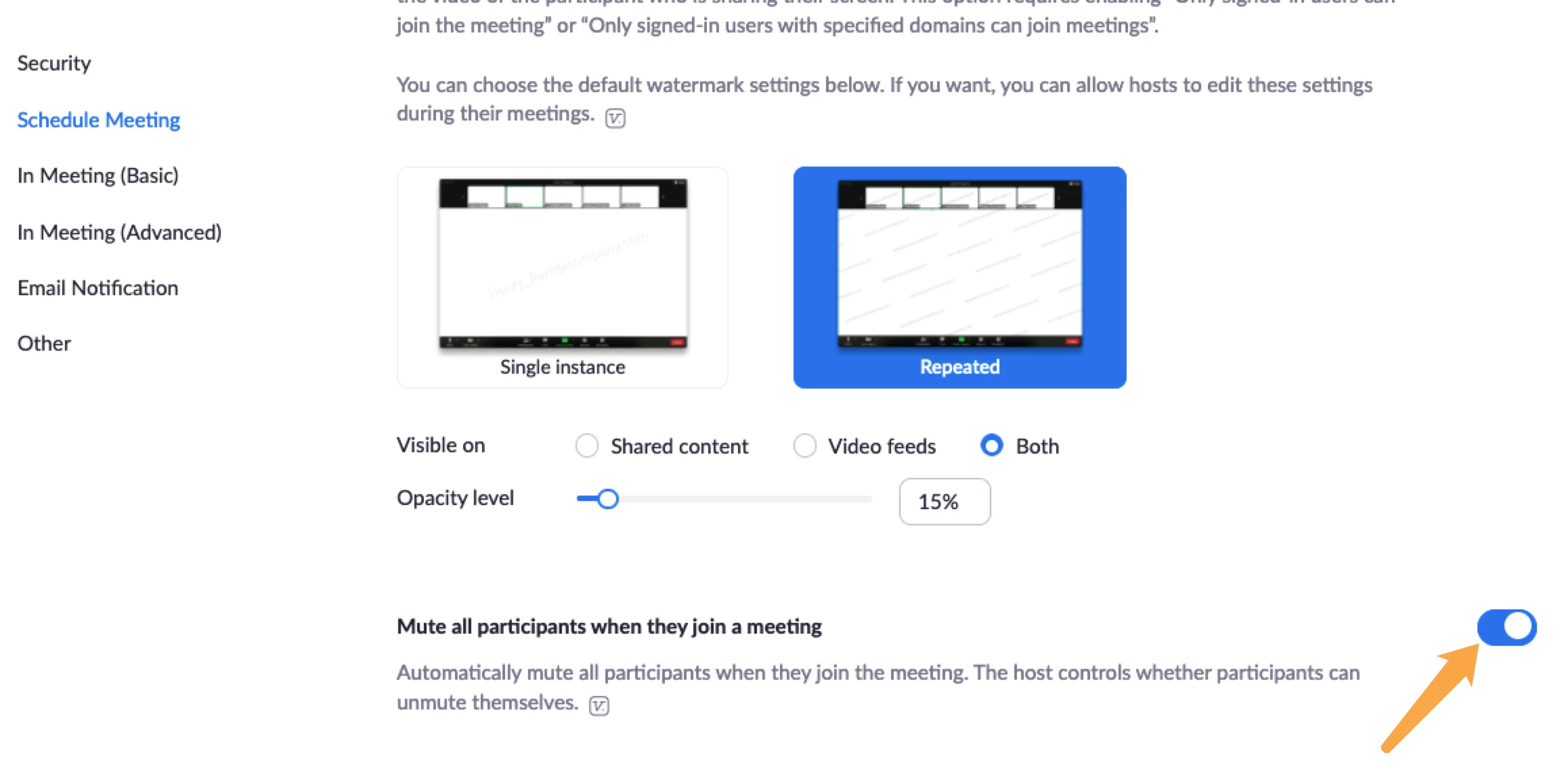
People will join your meeting muted by default. They will be able to unmute themselves but in your meeting you can also take quick actions to control that.
When you get into your meeting, if you want to quickly mute everyone you click on Participants, then the "Mute All" button
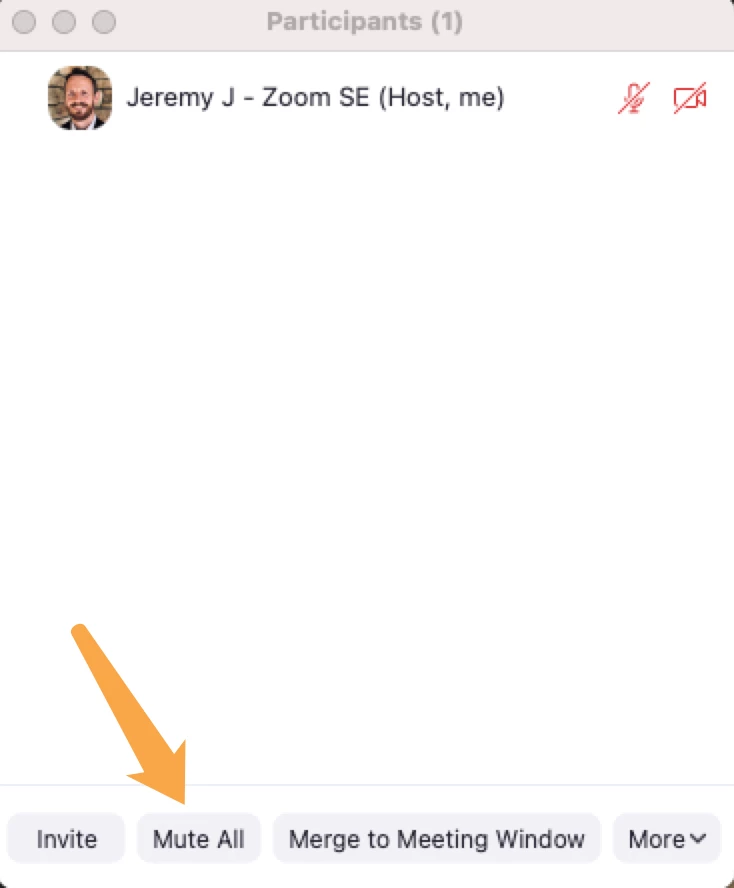
You can have the Participants window up on screen during your meeting to make it real easy to get to that button.
Also, in your meeting you will have a shield icon called "Security."
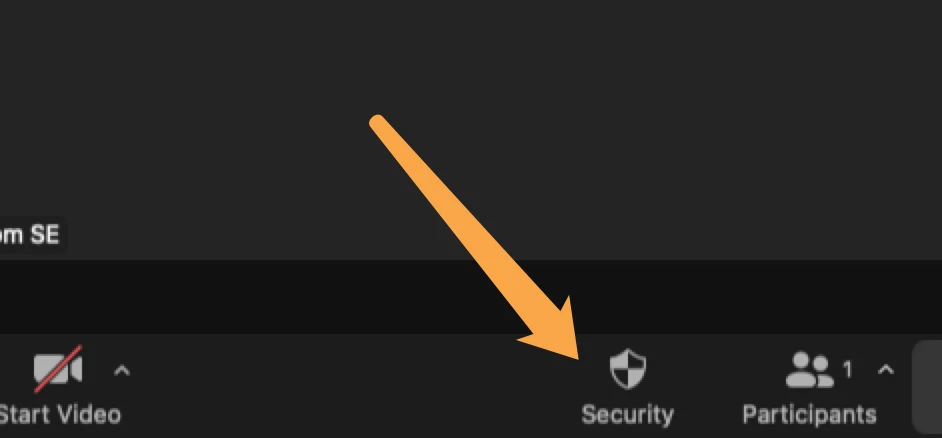
Click this and you will have some really helpful options
- uncheck "Allow Participants to Unmute Themselves" and this way they will stay muted when they join and you will have to click them in Participants to unmute them.
If things get bad and you just need a timeout to regroup, there is also an option to Suspend Participant Activities button at the bottom in red. This will basically put the entire meeting on hold.
There is also an option to Lock the Meeting under this Security Shield. If you have everyone there you can Lock the Meeting and no one else can join.
Finally, some other helpful tips are included with this write-up. https://explore.zoom.us/docs/doc/Securing%20Your%20Zoom%20Meetings.pdf
Things like
- always either having passcodes OR waiting room enabled on your account, or even both are highly recommended
- when you schedule meetings, use random meeting IDs each time instead of your Personal Meeting ID. This changes it up and makes it harder for bad actors to get ahold of your meeting ID for an extended period of time
If this has answered your question to your satisfaction, please click the "Accept as Solution" button below but if not please reply and we can continue the discussion. Thank you!


