


Zoom 6.1.12: How to record with a split screen showing only the speaker and slides? | Community
Skip to main content
jamalnuman
Newcomer
Newcomer
November 26, 2024
Question

Zoom 6.1.12: How to record with a split screen showing only the speaker and slides?

  • November 26, 2024
  • 3 replies
  • 3 views

Zoom 6.1.12: How to record with a split screen showing only the speaker and slides?


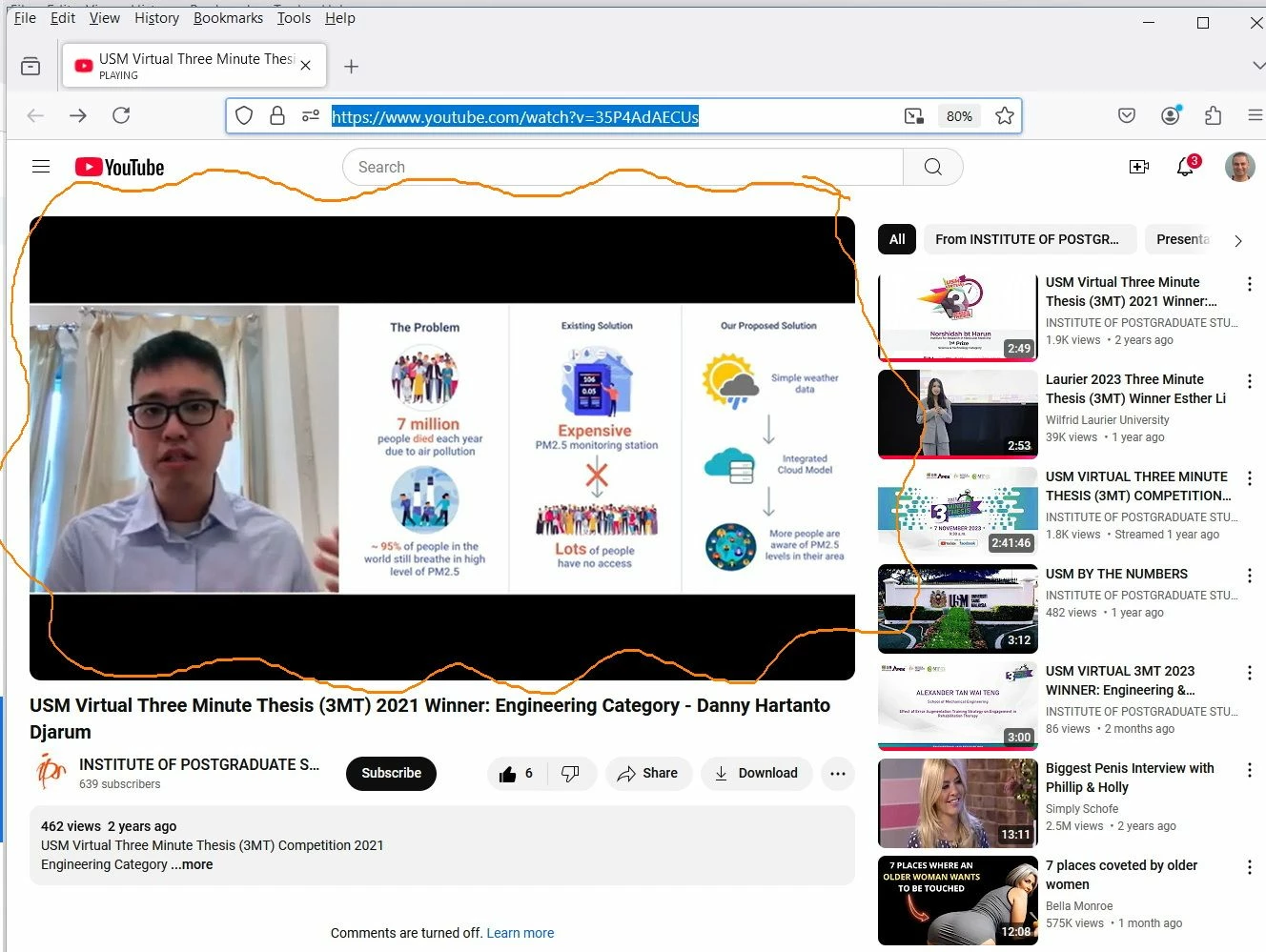
I’m trying to figure out if zoom can be used to record a split screen showing only the speaker and slides.


An example of what I’m referring to is available on YouTube:
https://www.youtube.com/watch?v=35P4AdAECUs
 

3 replies

Newcomer
November 26, 2024

Hi,

You would need head over to Settings, then click on Recording. Under Cloud Recording options, select 'Record Active Speaker with Shared Screen'. You would then get both views combined into one recording

jamalnuman
Newcomer
Newcomer
November 26, 2024

Thank you for the input

I’m not able to find the “Record Active Speaker with Shared Screen” option as per the screenshot below.


What could be the issue?

jamalnuman
Newcomer
Newcomer
November 26, 2024

I could find the “Record Active Speaker with Shared Screen” option. How ever, recording the speaker and slides appears not work similar to the video I have shared