What Subscription needed for Breakout rooms? | Community
Skip to main content
Newcomer
July 1, 2024
Solved

What Subscription needed for Breakout rooms?

  • July 1, 2024
  • 3 replies
  • 42 views

I am hosting a virtual high school reunion.  To date I have used the free version of zoom, but I want to use breakout rooms for the reunion.  What is the minimum cost subscription I need to get the breakout rooms feature. Can I set them up so that participants can see who is in each room and join/leave the room at their discretion?


Thanks

Best answer by Ray_Harwood

Welcome to the Zoom Community, @crevitch.


The response from @colegs is spot-on: the Breakout Rooms feature is available to all Zoom users. Here’s the Zoom Support article on Breakout Rooms which might be helpful:

https://support.zoom.com/hc/en/article?id=zm_kb&sysparm_article=KB0062540 

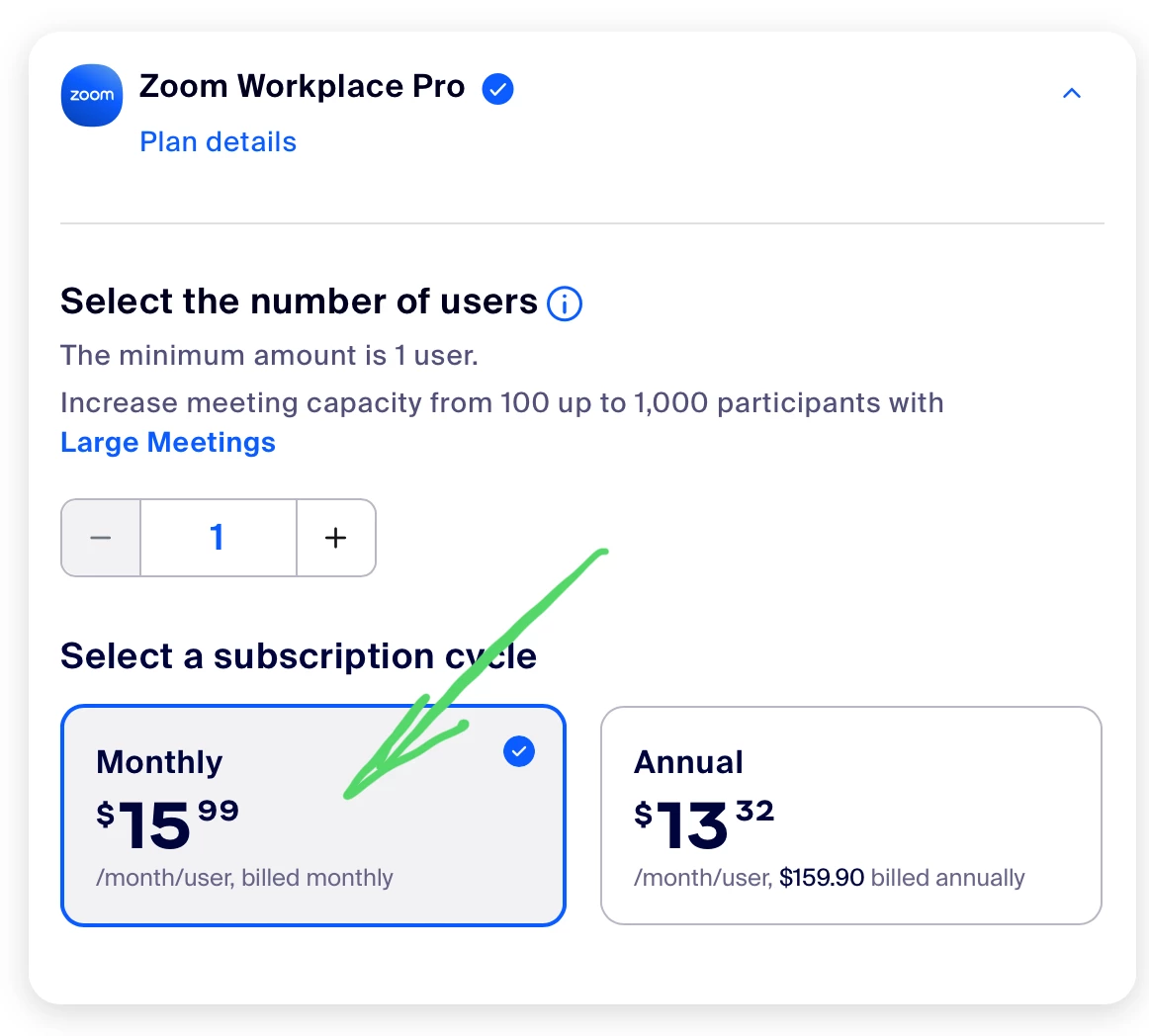
@colegs point about the limitation of having a free account is importance to consider. Your meetings are limited to 40 minutes. I’m sure your virtual reunion would hopefully last longer than that, so consider upgrading to a Pro account for a month, which would cost $15.99. If you do not want to continue for longer, be sure to select Monthly for your subscription:

Once your reunion activities are over, be sure to cancel your subscription. 

3 replies

Community Champion | Employee
July 1, 2024

@crevitch - you can use a free account for breakout rooms, but you would still be limited by the 40 minute meeting limitation.  If the users are using the Zoom desktop or mobile client, you can enable them to view who is in the rooms, and join them on their own.

Ray_Harwood
Community Super Champion | Customer
July 2, 2024

Welcome to the Zoom Community, @crevitch.


The response from @colegs is spot-on: the Breakout Rooms feature is available to all Zoom users. Here’s the Zoom Support article on Breakout Rooms which might be helpful:

https://support.zoom.com/hc/en/article?id=zm_kb&sysparm_article=KB0062540 

@colegs point about the limitation of having a free account is importance to consider. Your meetings are limited to 40 minutes. I’m sure your virtual reunion would hopefully last longer than that, so consider upgrading to a Pro account for a month, which would cost $15.99. If you do not want to continue for longer, be sure to select Monthly for your subscription:

Once your reunion activities are over, be sure to cancel your subscription. 

crevitchAuthor
Newcomer
July 2, 2024

Thank you.  I have successfully created breakout rooms and enabled participants to enter and leave on their own.  However, when I join the meeting with the android app, I do not see an option to join a breakout room.  It appears that the only option is to have the host assign a room to the participant.  How do I choose a room as a participant?

crevitchAuthor
Newcomer
July 2, 2024

The same appears to be true on a desktop client participant.  I see no option to choose a breakout room.  There is a message "The host has opened breakout rooms.  Please wait to be assigned."  For the reunion, it is important for participants to see who is in the individual rooms and be able to choose.

crevitchAuthor
Newcomer
July 2, 2024

Sorry for the confusion. It is working.  However, the android app does not show who is in the rooms before entering.  Desktop app does.