Video problems after update | Community
Skip to main content
Newcomer
August 18, 2021
Solved

Video problems after update

  • August 18, 2021
  • 5 replies
  • 4 views

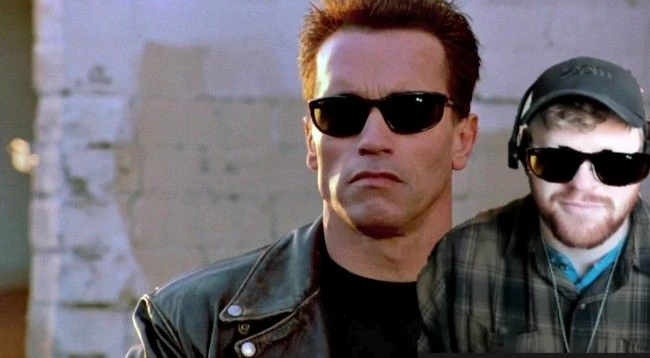
I updated my Zoom client and now my screen looks like the attached image. I have already done the following to troubleshoot.

  1. Updated drivers
  2. Reinstalled the zoom client
  3. Restarted my computer
  4. Verified that my camera software works properly when I am not using zoom.

Anyone have advice?

    Best answer by jdott16

    You are welcome @rcassada ! I am glad that worked. If you would like, you can mark the response from above as a solution to the issue so that if others come across the same issue they can find the solution faster. Thank you!

    5 replies

    jdott16
    Community Champion | Employee
    Community Champion | Employee
    August 19, 2021

    Hello @rcassada 


    You can resolve this by checking the following settings in your Zoom desktop client under the Video settings: Adjust for low light, touch up appearance, and HD (if you have HD enabled on the web).  If the problem still persists after those settings are checked, you can also go into the advanced settings under Video, and then flip the Video Rendering Method to: Direct3D9.


    Thank you.

    rcassadaAuthor
    Newcomer
    August 19, 2021

    Thank you.  That worked

    jdott16
    Community Champion | Employee
    jdott16Answer
    Community Champion | Employee
    August 19, 2021

    You are welcome @rcassada ! I am glad that worked. If you would like, you can mark the response from above as a solution to the issue so that if others come across the same issue they can find the solution faster. Thank you!

    Newcomer
    August 19, 2021

    I am having the same problem.


    jdott16
    Community Champion | Employee
    Community Champion | Employee
    August 19, 2021

    @bigpenguin please see the response to @rcassada and see if that assists. Thank you.

    Newcomer
    August 27, 2021

    Yes, this solves the problem but it makes no sense.  How does not having "adjust for low light" and "touch up appearance" checked cause my image to stretch out and move to one side?


    Partner
    January 10, 2024

    Hi!


    Since the new update, I am unable to see anyone else and can only see myself. Please help!

    Partner
    January 10, 2024

    Hi! I am unable to see anyone else in the zoom meeting and can only see myself since the update