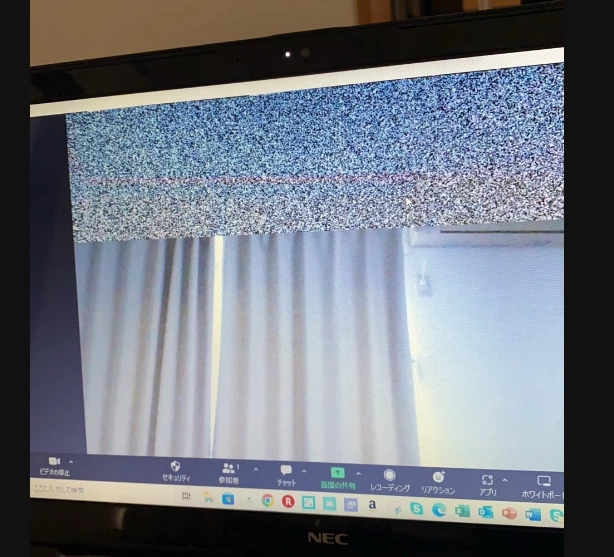
I have a similar problem, and I am seeing it more and more when I am on Zoom. It happened to a teacher at the recent Stitches event; it happened to another participant in a knitting group I belong to; it happened today to someone attending a presentation at Rowan Connect. I thought it was a problem with my computer, but I am seeing the same thing happen to so many people so frequently that I am beginning to think it's a problem with Zoom.
Go to the video start icon when you're in a meeting. Click on the up arrow and click on video settings. A new window opens. Click on 'advanced' and another window will open. Untic/uncheck the box next to the setting for 'Optimise video quality with de-noise'. Close the window. It will be fixed. Thank you to Thom R. for helping me with this last weekend.
Hey @Aline8 curious, can you share the version you are currently running? Did uncheck the 'Optimizing video quality with de-noise' fix before or after updating if updated?
@RN52_2 Thanks for the suggestion, but it's not showing. When i click my profile picture it only shows my email address, the fact that i am licensed, and a sign out option.
I found a HELP button, but it took me (via Zendesk) to a support page with too m any choices... thanks anyway.
@RN52_2 I don't know which version I was on when the problem started, but it was the most current version available at the time. That was the first thing I checked, and the first thing my IT guy checked when I called him in to help. Since then, I have been using a Chromebook, and have had no issues. When you said that a recent update repaired a camera issue, I manually updated again today, and that seems to have solved the problem. Thanks.