Video Display Squished - Wrong Aspect Ratio | Community
Skip to main content
New Member
February 20, 2026
Question

Video Display Squished - Wrong Aspect Ratio

  • February 20, 2026
  • 1 reply
  • 11 views


The aspect ratio for my camera is off, but only in zoom. Teams works fine. Other apps that access my camera work fine.

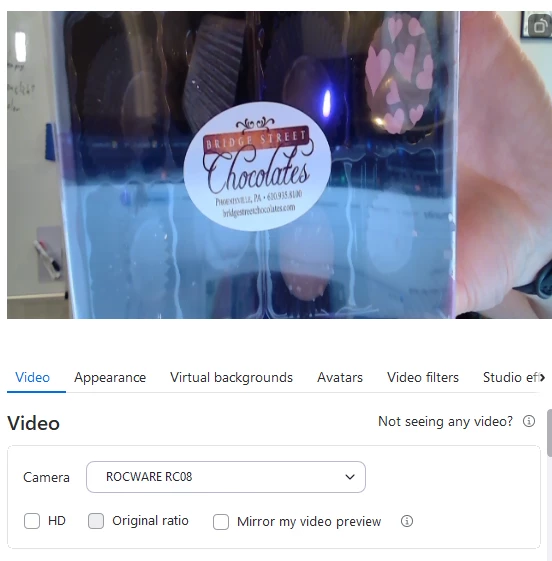
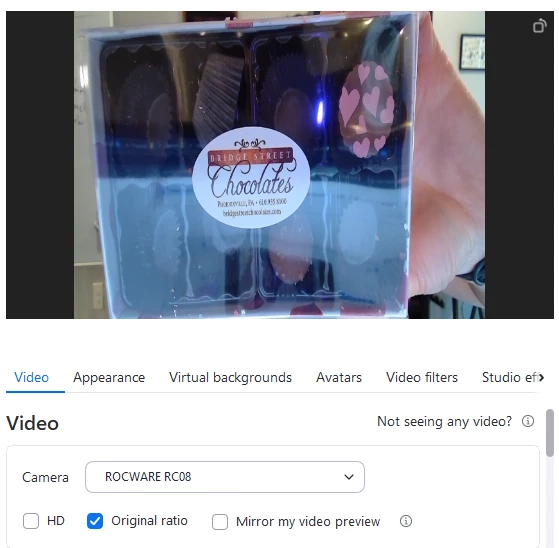
I have tried selecting “Original ratio” and it adds black bars to both sides of the image and squishes it. Without “original ratio” the camera is “zoomed in” vertically, but obviously squished.

The “HD” selection feels like it should fix it, but that does nothing as far as I can tell.

Any recommendations appreciated. 


Normal Camera Program:
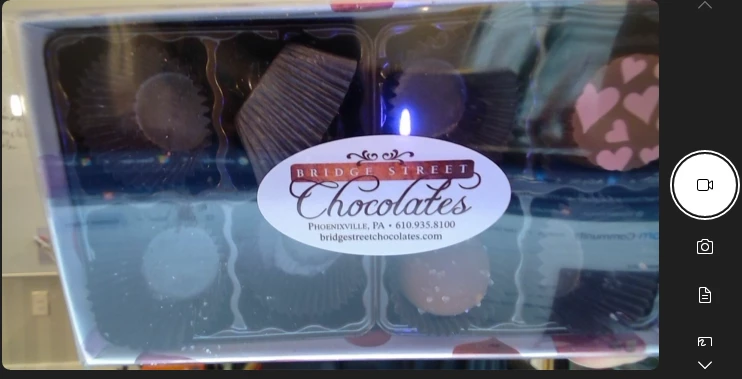
Normal camera program. Notice round PB cup top right.
Zoom without original ratio. Notice oblong circular PB cup top ​​​​​right.
Original ratio - black bars - still oblong PB cup top right. 


1 reply

New Member
February 21, 2026

In case anyone has this same issue. I solved the problem.

The ROCWARE RC08 has a button on the back that if you long press turns from landscape to portrait for vertical positioning. My camera was unknowingly in portrait mode, but Windows had rotated the picture to the right. Certain applications handled this fine. Zoom did not. Changing back to landscape and then camera settings to rotate back to normal orientation fixed the problem.