

Unable to share entire desktop screen | Community
Skip to main content
Newcomer
April 24, 2026
Question

Unable to share entire desktop screen

  • April 24, 2026
  • 1 reply
  • 37 views

Hi,

I’ve been running into an issue when I try to share desktop screen both on mac and windows.

As you can see below, zoom doesn’t suggest to share any of them, I’am just able to share windows application : 
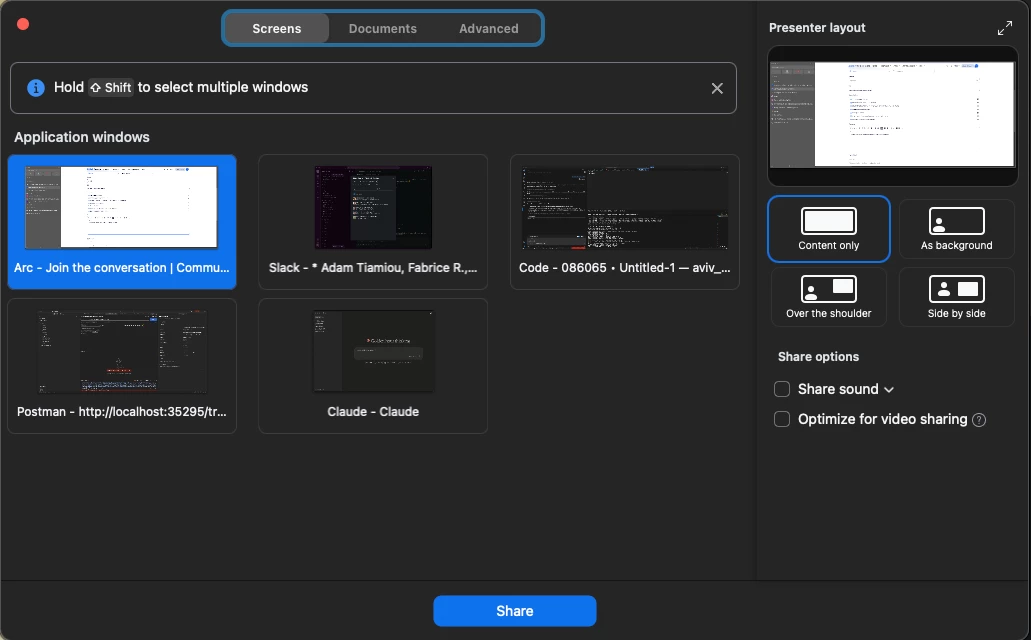


While the following option is unchecked : 



Since I couldn't figure it out, I decided to create another free 7days pro account for testing purpose, and guess what ? It works : 
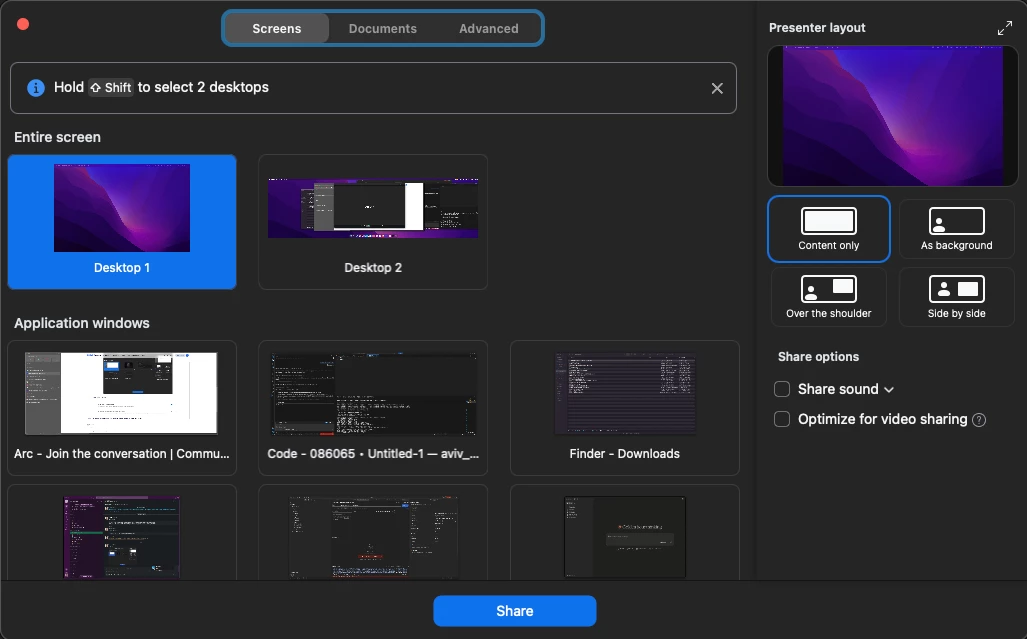


After logging in to my other user account, I still have the same problem.

So, if anyone already met this kind of issue, please feel free to share your feedback,


My current version is : 6.5.12


Thanks

1 reply

Employee
April 30, 2026

Hey Tony.

Thank you for posting here.

Potential Causes & Troubleshooting Steps

1. Account-Level Configuration

  • It appears that the issue may be tied to settings specific to the your account or license tier. On the test Pro account, desktop sharing works correctly, implying that the primary account may be limited by:
    • Account-level or group-level restrictions blocking desktop sharing.
    • A locked setting that’s not modifiable from the web portal.
  • Action: Log into the Zoom Web Portal:
    • Navigate to Settings → Meetings → In Meeting (Basic).
    • Ensure Disable desktop screen sharing for meetings you host is off (unchecked) (support.zoom.com).

2. Host Permissions vs. Participant Permissions

  • Verify who is allowed to share:
    • The settings Who can share?One participant at a time vs. multiple participants, and Who can interrupt another sharing may influence available options (support.zoom.com).
  • Action: Confirm that “All Participants” is selected if you intend for that functionality to be available to non-hosts.

3. Platform-Specific Permissions (macOS)

  • On macOS Catalina (10.15) and above, Zoom requires Screen Recording permissions to share the screen at all (support.zoom.com).
  • Action: Go to:
    • System Preferences → Security & Privacy → Privacy → Screen Recording.
    • Ensure Zoom is granted permission and then restart Zoom.

4. Software Version Discrepancies

  • Your Zoom version is noted as 6.5.12, which may predate updates affecting sharing behavior.
  • Action: Update Zoom to the latest version, as newer releases often resolve feature inconsistencies.

5. Workspace or License Limitations

  • Some Zoom accounts (e.g., education, enterprise, or restricted group accounts) may restrict desktop sharing by policy or license tier.
  • Action: Check with your Zoom administrator or account owner to ensure no restrictions at the group/account level are in place.