timestamps placed on recording even though I have it unchecked in settings
I can't seem to get the timestamps removed from my recordings, even though I have it unchecked in my settings. Any ideas how to fix this?

Hi @virginiaparsons, welcome to Zoom Community! To remove timestamps from recordings, please check both:
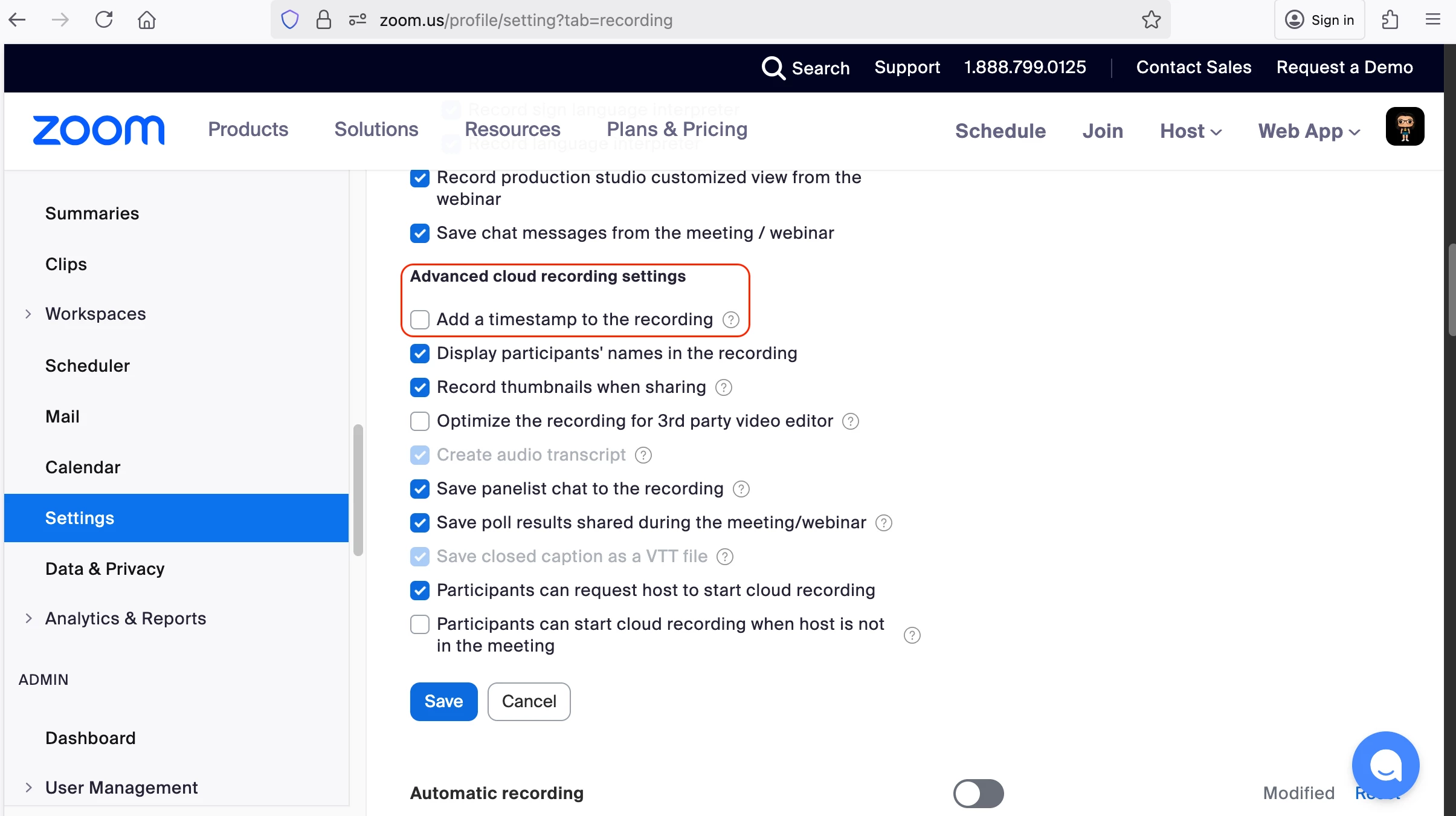
Disable timestamps in the web portal settings:
Go to your account settings
Look for recording preferences or timestamp options
Ensure the timestamp option is unchecked/disabled

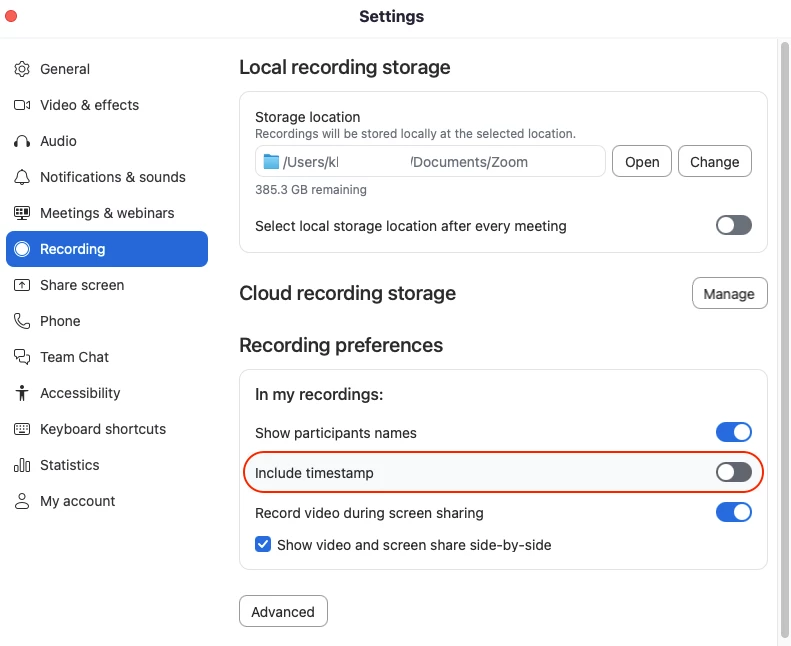
Disable timestamps in the client settings:
Open your client application settings
Navigate to recording preferences
Verify timestamps are unchecked/disabled

After disabling timestamps in both locations, create a new recording to verify the changes have taken effect. I hope this helps!
Enter your E-mail address. We'll send you an e-mail with instructions to reset your password.