
Newcomer
Oct 19, 2021 5:14 AM UTC
Question

share screen not work; error code 117001

share screen not work; error code 117001
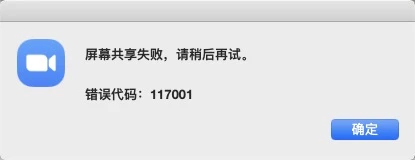


system version:  MacOS 10.15.7 (19H1417)

    1 reply

    Participant
    Oct 19, 2021 11:13 PM UTC

    Hi! 

    For this I would recommend opening up a support case. 

    You can do this by visiting https://zoom.us/requests/new or clicking the chat bot at the bttom of the support page. 

    After clicking the chat icon, you can type connect to live agent. Then the bot will give you a list of options. From there you can type or select support. 

    Additionally, if you are on the business plan you can get support over the phone by calling 888-799-5926 and entering your host key. 

    Hope this helps answer your question. 

    Best: Pizzalover28

    Translate