

Share Local Recordings via email | Community
Skip to main content
Newcomer
March 15, 2022
Question

Share Local Recordings via email

  • March 15, 2022
  • 1 reply
  • 6 views

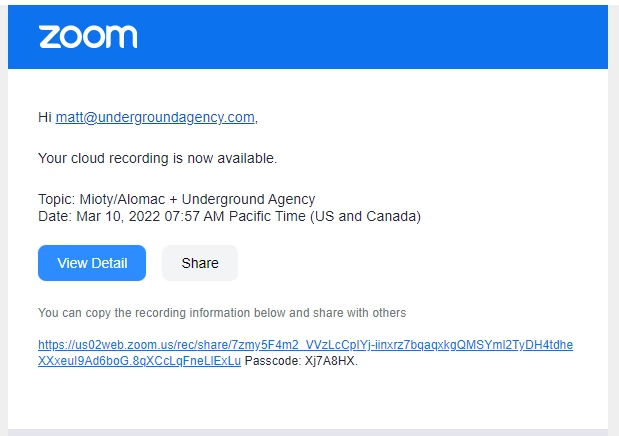
Even Zoom Tech Support has not been able to help me figure out how to get to this screen so I can share a local recording with participants via email.  Somehow, others are able to resize a recording so it is a size accepted by email.  This is an example of the screen that an agency was able to share a cloud recording with me.  Why can't I share a local recording?  Does a recording have to be saved to the cloud to be able to share it?  Does the login have to be a gmail account in order to save it to Google Cloud?
 

    1 reply

    Manny5429
    Employee
    Employee
    March 15, 2022

    @KarenJames44  Here are the steps on How to share a local recording: 

    To locate the recording files on your computer:

    1. Sign in to the Zoom client.
    2. Click Meetings.
    3. Click the Recorded tab. 

     4. Select the meeting you would like to view the recording for and click Open

    This will open the Local folder where your recording files are stored. The MP4 file is the video file. 
    Note: If you only see the Open button, the meeting contains a cloud recording

          5. Visit a cloud storage or video streaming service like Dropbox, Box, Google Drive, YouTube, or Vimeo, and upload the MP4 file.

    Here is an additional guide regarding the Local Recordings: https://support.zoom.us/hc/en-us/articles/201362473#h_b3f73e39-7cb7-4478-9d3b-90efa1ef9a61