

Separating Attendees and Shared Screen | Community
Skip to main content
Newcomer
November 3, 2021
Solved

Separating Attendees and Shared Screen

  • November 3, 2021
  • 2 replies
  • 12 views

I want to separate the shared screen and the attendees on Zoom.

It is difficult to see the attendees when on side-by-side mode as we are in a large room with two large screens.

We would prefer to separate out on two screens: attendees on one screen; the shared imaging on the another.  But when someone shares their imaging it combines into side-by-side/gallery mode. 

Anyway we can stop it from combining into a side-by-side/gallery mode when someone shares their imaging?

 

Best answer by Frau_Mahsa

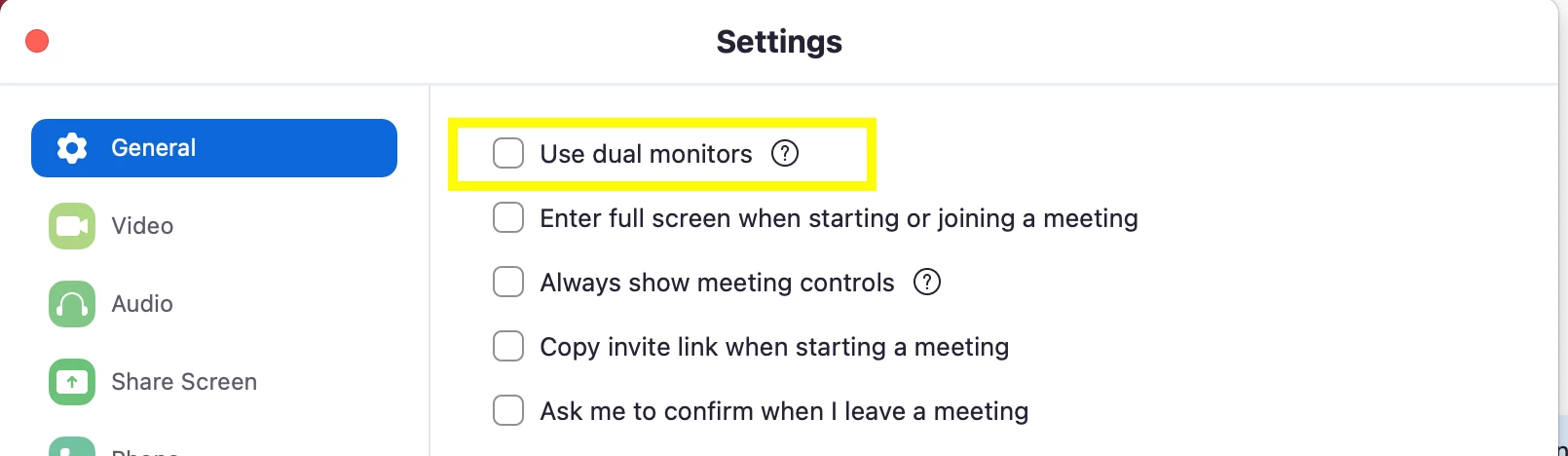
Try out the 'Use dual monitor' setting in your Zoom desktop app.


2 replies

Frau_Mahsa
Employee
Employee
November 4, 2021

Try out the 'Use dual monitor' setting in your Zoom desktop app.


GatelanAuthor
Newcomer
November 4, 2021

Thank you. I will try that at my next meeting. 😃


Newcomer
July 19, 2023

Worked great!!  Thank you.