Hello, @ritee rouf! Thank you for using the Zoom Community to seek support. We're excited to have you here!
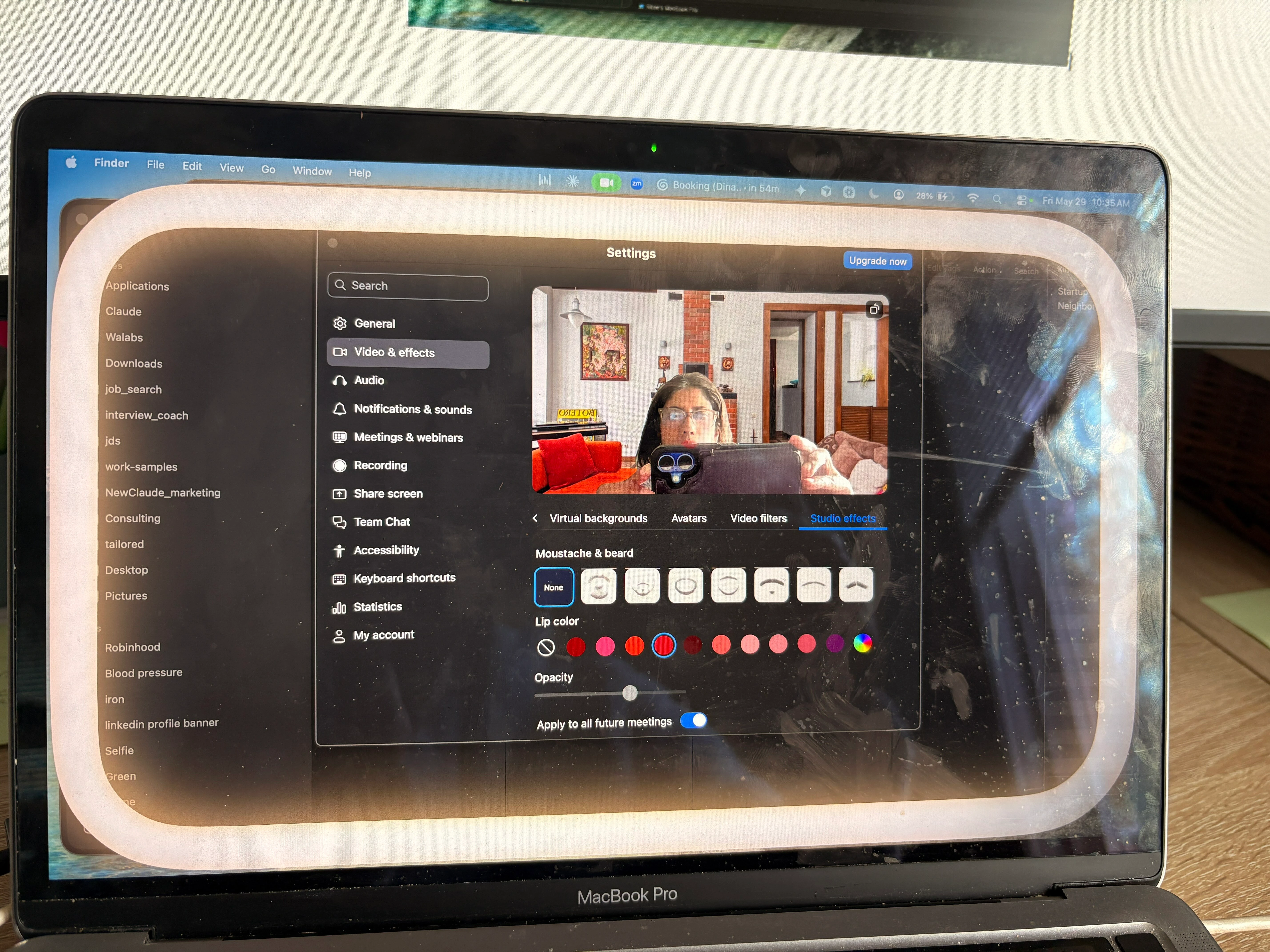
That halo-style border is most likely coming from Apple’s Edge Light feature in macOS, not from Zoom itself. I can see why it’s frustrating, especially when it suddenly appears during meetings and doesn’t look like a normal Zoom setting.
To turn off Edge Light on your Apple laptop (MacBook):
Start a video call or open any app using the camera (FaceTime, Zoom, Teams, Google Meet, etc.)
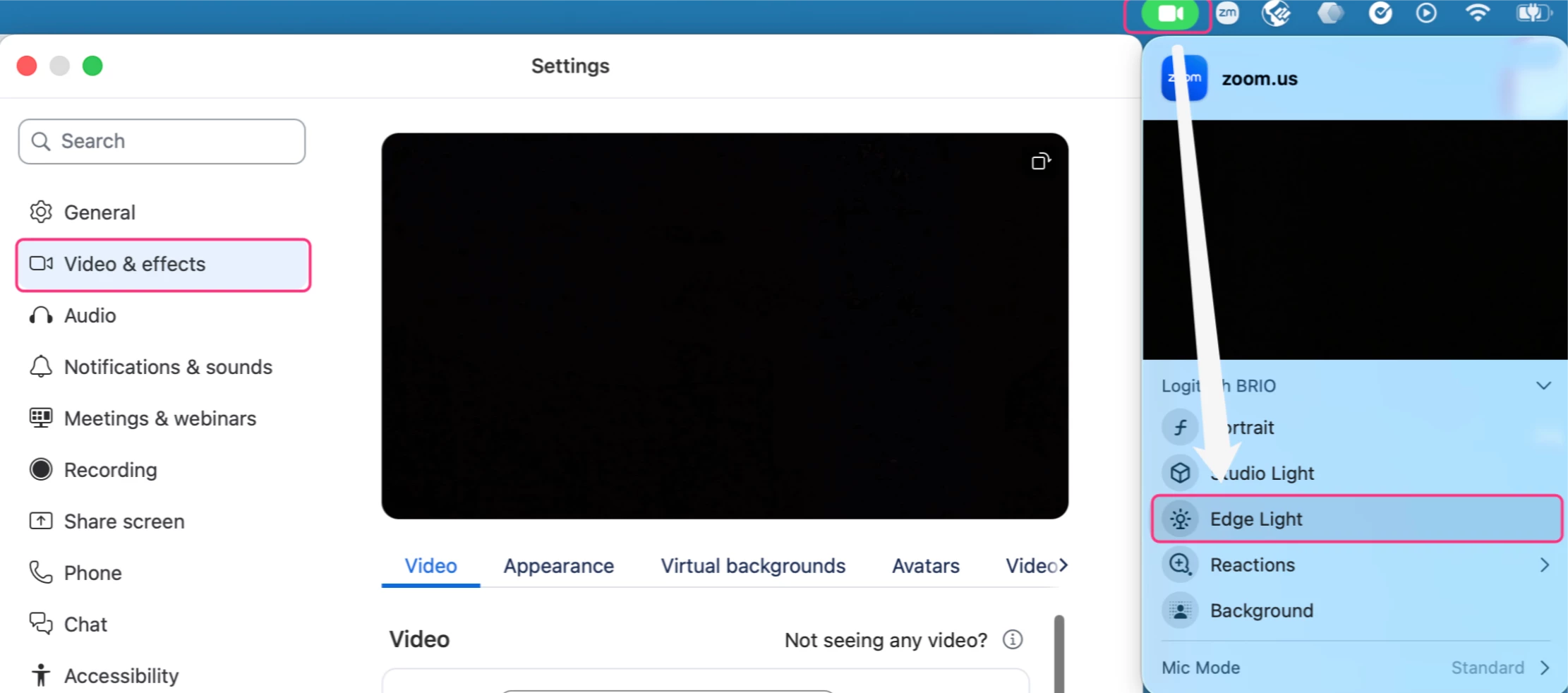
In the top-right menu bar, click the green Video/ camera icon
Find Edge Light
Click it to turn it off
If it keeps enabling automatically in darker lighting: -Click the arrow >next to Edge Light
-Change the setting from Automatic to Manually.
This is a macOS video effect feature available on newer Apple silicon MacBooks (M1/M2/M3/M4), so the halo is being added by the operating system rather than by Zoom itself.
If you still have questions or need further clarification, feel free to let us know—we'd be happy to help further!
Hello, @ritee rouf! Thank you for using the Zoom Community to seek support. We're excited to have you here!
That halo-style border is most likely coming from Apple’s Edge Light feature in macOS, not from Zoom itself. I can see why it’s frustrating, especially when it suddenly appears during meetings and doesn’t look like a normal Zoom setting.
To turn off Edge Light on your Apple laptop (MacBook):
Start a video call or open any app using the camera (FaceTime, Zoom, Teams, Google Meet, etc.)
In the top-right menu bar, click the green Video/ camera icon
Find Edge Light
Click it to turn it off
If it keeps enabling automatically in darker lighting: -Click the arrow >next to Edge Light
-Change the setting from Automatic to Manually.
This is a macOS video effect feature available on newer Apple silicon MacBooks (M1/M2/M3/M4), so the halo is being added by the operating system rather than by Zoom itself.
If you still have questions or need further clarification, feel free to let us know—we'd be happy to help further!