Scheduling privileges | Community
Skip to main content
Newcomer
November 11, 2022
Solved

Scheduling privileges

  • November 11, 2022
  • 1 reply
  • 5 views

One of our accounts has scheduling privileges for our CEO. However, because it is our admin account, when you go to schedule, it default to "my meeting", meaning the admin account and then you have to use the drop down to select the CEO. We've already had a few occurrences where the meeting gets scheduled incorrectly because we forget to toggle to CEO when scheduling. Is there a way to default it to the CEO when scheduling?  Thank you! 

    Best answer by Ray_Harwood

    Hi, @woopsdz,


    I don’t believe there’s a way to set the default to another person.


    One solution would be to make the Scheduling Privilege 2-way, that way the CEO will also see your meetings. Those that he doesn’t want or need to see can be marked “Private” by you.


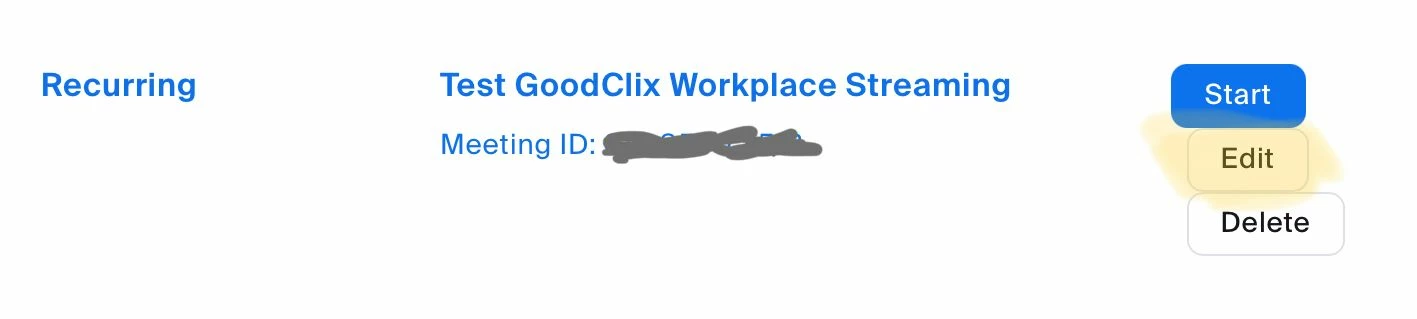
    Hopefully you’re aware that once it’s discovered that you’ve set the meeting up for yourself, you can easily transfer ownership of the meeting to the CEO.  First click the Edit button for the meeting on the web listing of meetings:

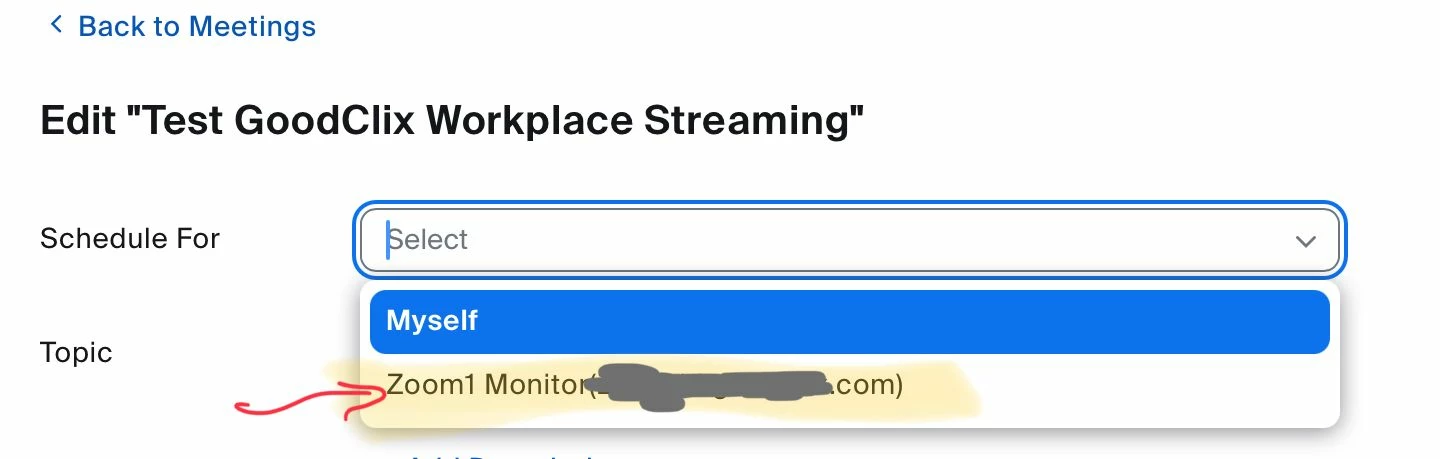
    Then, because you have Scheduling Privilege, you’ll see the drop down menu for assigning ownership; select the person who should be the owner:

    Nothing else changes but the ownership of the meeting!!


    Bottom line: meetings do have to be managed to some extent. 

    1 reply

    Ray_Harwood
    Community Super Champion | Customer
    Community Super Champion | Customer
    November 12, 2022

    Hi, @woopsdz,


    I don’t believe there’s a way to set the default to another person.


    One solution would be to make the Scheduling Privilege 2-way, that way the CEO will also see your meetings. Those that he doesn’t want or need to see can be marked “Private” by you.


    Hopefully you’re aware that once it’s discovered that you’ve set the meeting up for yourself, you can easily transfer ownership of the meeting to the CEO.  First click the Edit button for the meeting on the web listing of meetings:

    Then, because you have Scheduling Privilege, you’ll see the drop down menu for assigning ownership; select the person who should be the owner:

    Nothing else changes but the ownership of the meeting!!


    Bottom line: meetings do have to be managed to some extent. 

    woopsdzAuthor
    Newcomer
    November 14, 2022

    Thank you! I assumed there wasn't a way to default but hoped there would be.