

recurring meetings | Community
Skip to main content
Newcomer
November 13, 2024
Solved

recurring meetings

  • November 13, 2024
  • 3 replies
  • 0 views

Hello!

My colleague has a recurring meeting which can be start anytime without a concrete schedule. I can't find a way to plan recurring meeting without setting the repeating period. I use a Zoom workspace for MacOs and an iPhone app (6.2.5). How to set such kind a recurring meeting?
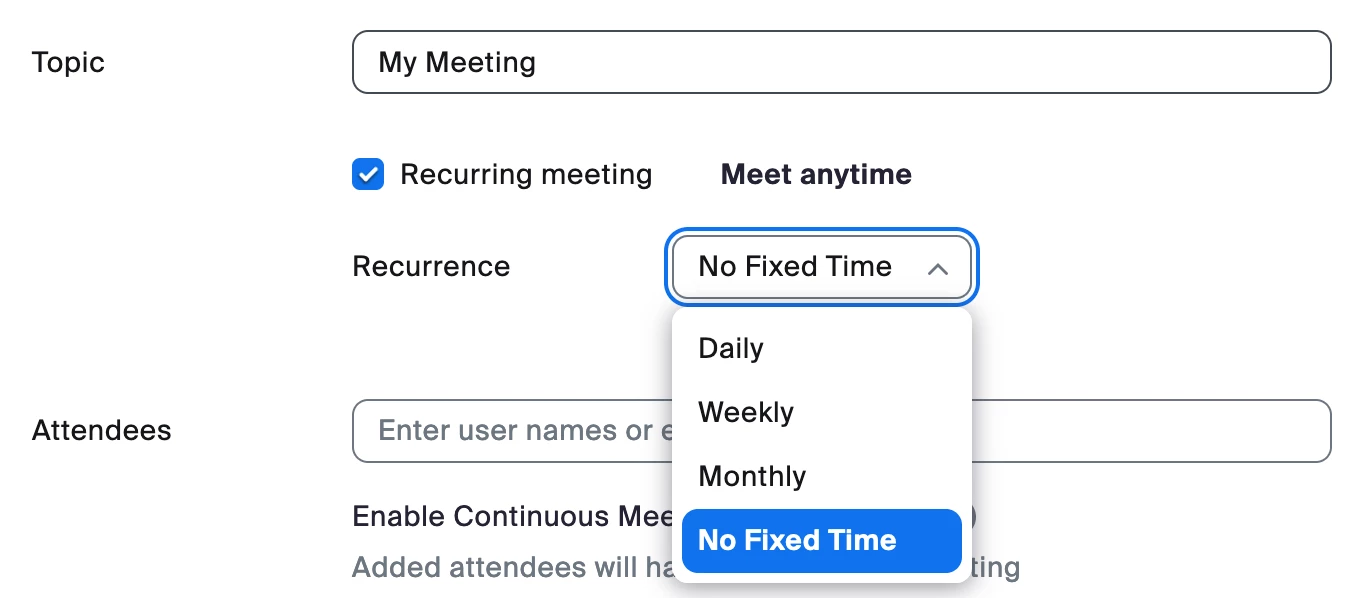
Best answer by KhatC

Hi @oksmilic, welcome to Zoom Community! When you schedule a Zoom meeting, make sure to enable "Recurring meeting" and set the Recurrence as No Fixed Time.


Hope this helps! 

3 replies

KhatCAnswer
Employee
November 15, 2024

Hi @oksmilic, welcome to Zoom Community! When you schedule a Zoom meeting, make sure to enable "Recurring meeting" and set the Recurrence as No Fixed Time.


Hope this helps! 

Newcomer
December 1, 2024

How do you find the previous set up recurring meetings? I have one that seems to have disappeared when I use the Zoom app on the computer and I can't find already set up recurring meetings using the web browser. 

MGSR
Community Manager
Community Manager
November 22, 2024

Hi @oksmilic! I wanted to let you know that I’ve marked @KhatC's response as the accepted solution, as I believe it answers your question. If you have any more questions or need further clarification, feel free to ask.

Newcomer
December 15, 2024

This was a problem for me 6 months ago...I set up recurring / no fixed time meeting ID's for each project / client, and could not find a way to do it in the "new and improved" zoom workplace app.  Somehow I discoverd that you CANNOT do it in the app, but have to log on to zoom account in a web browser.  As of today, that is still the only way to set up a new recurring / no fixed time meeting.  Can't someone just fix this already?