Recovering a Recording | Community
Skip to main content
Newcomer
July 4, 2023
Solved

Recovering a Recording

  • July 4, 2023
  • 2 replies
  • 2 views

I had a Zoom recording stored in my account on June 1, 2023. It has just been removed by Zoom because of the 30-day storage period. Would it be possible to recover the recoding?  Thank you.

Best answer by Ray_Harwood

Welcome to the Zoom Community, @jimacloudzoom.


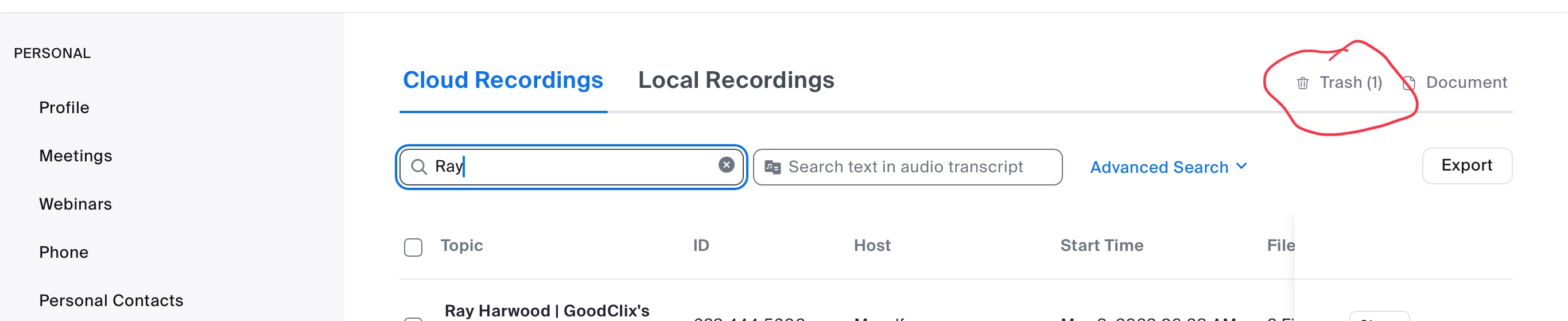
If there is no trash storage or it’s not in the trash storage as shown here, there’s no recovery. 


2 replies

Ray_Harwood
Community Super Champion | Customer
July 5, 2023

Welcome to the Zoom Community, @jimacloudzoom.


If there is no trash storage or it’s not in the trash storage as shown here, there’s no recovery. 


Newcomer
July 5, 2023

Thank you very much, Ray. Fortunately, there is a trash storage and I was able to recover the recording.

Newcomer
July 5, 2023

To find your recording:
Open the Phone app .
Tap Recents.
Tap on the caller you recorded. If you recorded the most recent call: Go to the player in the "Recents" screen. If you recorded a previous call: Tap History.
Tap Play .
Optional: To share a recorded call, tap Share


Regards,

Diana