

Recording doesn't capture the active speaker | Community
Skip to main content
Newcomer
October 13, 2022
Solved

Recording doesn't capture the active speaker

  • October 13, 2022
  • 1 reply
  • 1 view

I want to record a presentation in Zoom. I have enabled the option "place video next to the shared screen in the recording". However, the recording only shows the presentation screen while sharing, not the active speaker. Any solutions? Thanks.

    Best answer by Ray_Harwood

    Aha!  You’re recording to the Cloud, but you’re looking at Local Recording Settings, which are located in your Zoom Client Settings. 

    Log into your account on http://zoom.us then go to Personal -> Settings and click the Recording tab. 


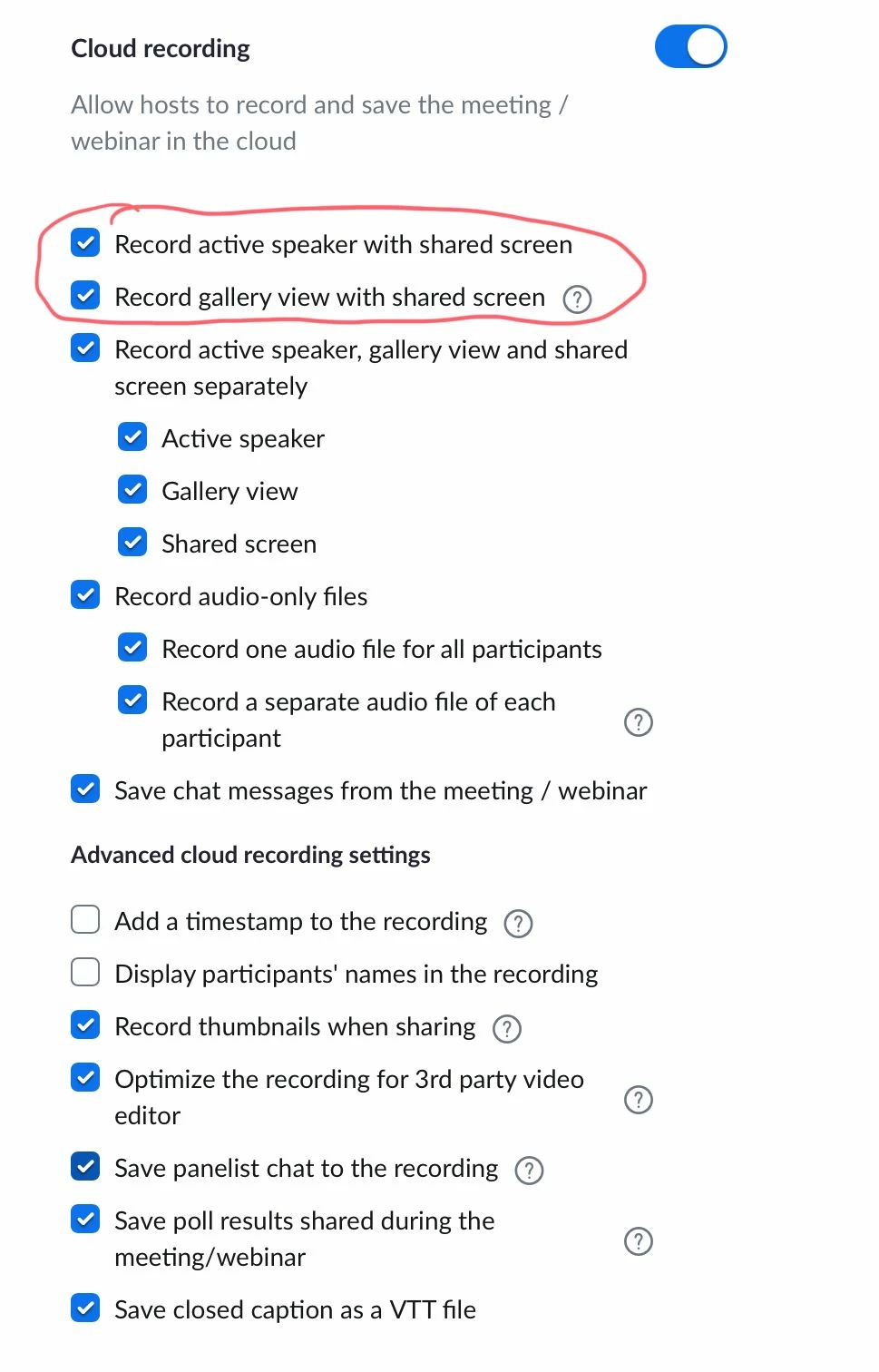
    Here’s my Settings:

    I think you want to pay attention to the red circled items. You’ll get multiple MP4 files – one of them should have what you’re looking for. 

    1 reply

    Ray_Harwood
    Community Super Champion | Customer
    Community Super Champion | Customer
    October 14, 2022

    Is this a recording to the Cloud, or Locally?


    It might help if you could screen shot your Recording Settings for whichever one you using. 

    khrAuthor
    Newcomer
    October 14, 2022

    It's recorded to the cloud.


    Ray_Harwood
    Community Super Champion | Customer
    Community Super Champion | Customer
    October 14, 2022

    Aha!  You’re recording to the Cloud, but you’re looking at Local Recording Settings, which are located in your Zoom Client Settings. 

    Log into your account on http://zoom.us then go to Personal -> Settings and click the Recording tab. 


    Here’s my Settings:

    I think you want to pay attention to the red circled items. You’ll get multiple MP4 files – one of them should have what you’re looking for.