Profile Picture | Community
Skip to main content
Newcomer
April 25, 2024
Solved

Profile Picture

  • April 25, 2024
  • 3 replies
  • 11 views

Hello all! Is there any way I can download and/or copy my profile picture in Zoom? I would like to use it for my Gmail account, but the original photo exists on a drive that failed. Thanks, in advance!

Best answer by Humashankar

Hi @Rita_M 

Try this and see 


  • Sign in to the Zoom web portal.
  • In the navigation menu, click "Profile".
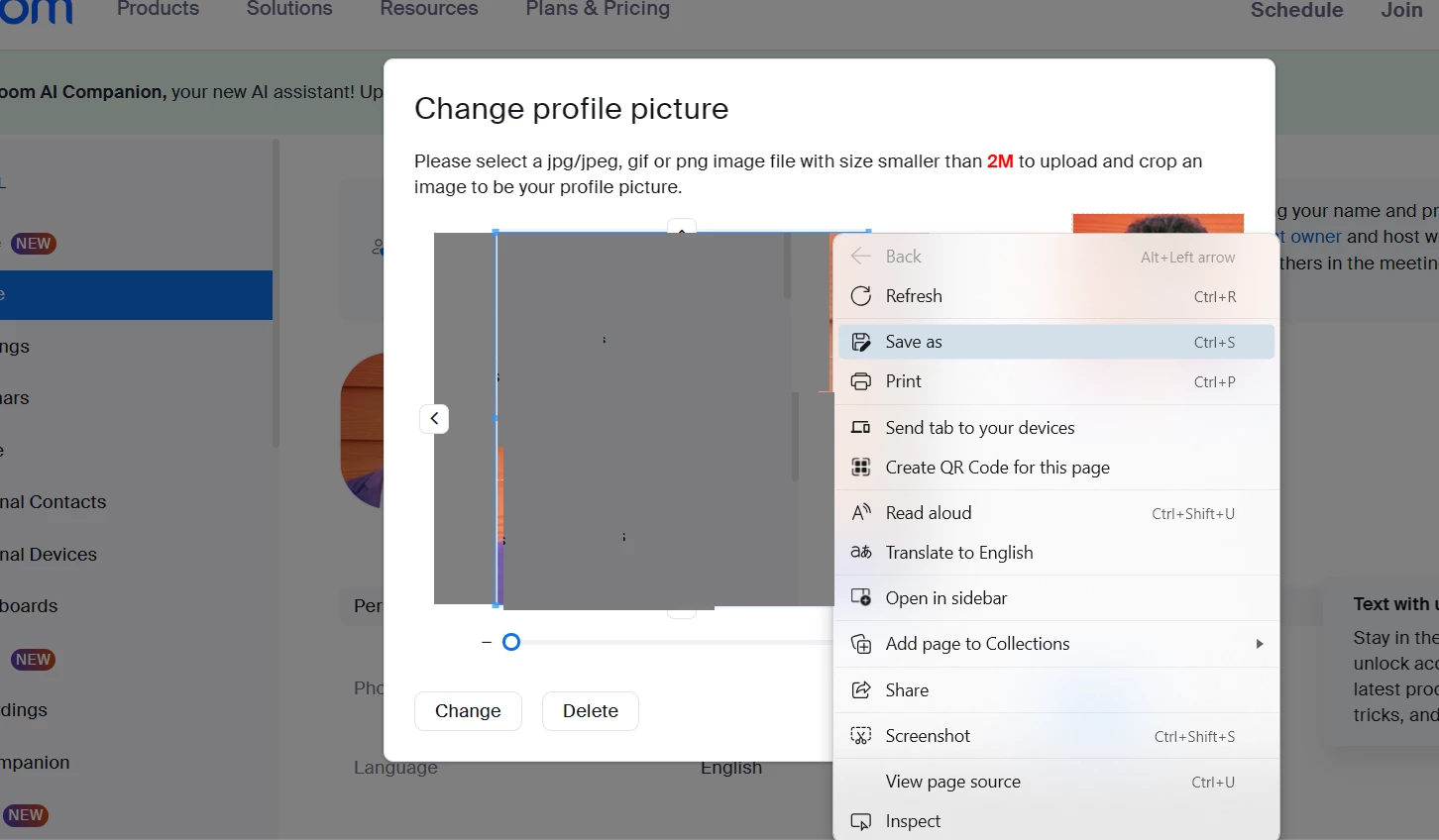
  • In the section with your name and other details, click on your profile picture or the edit icon beside it.
  • You'll see your profile picture displayed. Right-click on it (or press and hold if you're on a mobile device) and choose "Save image as" your convenience.

Hope this helps - Happy to help further!!
Thank you very much and have a great one!
Warm regards


3 replies

Humashankar
Community Champion | Customer
April 25, 2024

Hi @Rita_M 

Try this and see 


  • Sign in to the Zoom web portal.
  • In the navigation menu, click "Profile".
  • In the section with your name and other details, click on your profile picture or the edit icon beside it.
  • You'll see your profile picture displayed. Right-click on it (or press and hold if you're on a mobile device) and choose "Save image as" your convenience.

Hope this helps - Happy to help further!!
Thank you very much and have a great one!
Warm regards


Bri
Community Manager
Community Manager
May 2, 2024

Hi @Rita_M! I have reviewed your post and @Humashankar has provided a solution for you, so I've gone ahead and marked it as an accepted solution. Please let us know if you have any additional questions! 

Newcomer
June 13, 2024

yes

Newcomer
May 13, 2024

Thank you so much for the solution.

Newcomer
June 13, 2024

I can if I use FB prifile

Newcomer
June 13, 2024

I can if I use FaceBook profile