

Problem w/ screen sharing | Community
Skip to main content
Newcomer
March 31, 2022
Question

Problem w/ screen sharing

  • March 31, 2022
  • 5 replies
  • 24 views

I am suddenly unable to display a selected window when sharing my screen.  The share option seems to work but there is nothing in the display.  I have a screenshot below.  I use a Macbook Pro and recently upgraded to the Monterrey operating system and wondering if there is a problem with zoom and the new OS.  I also installed the most recent update of zoom.
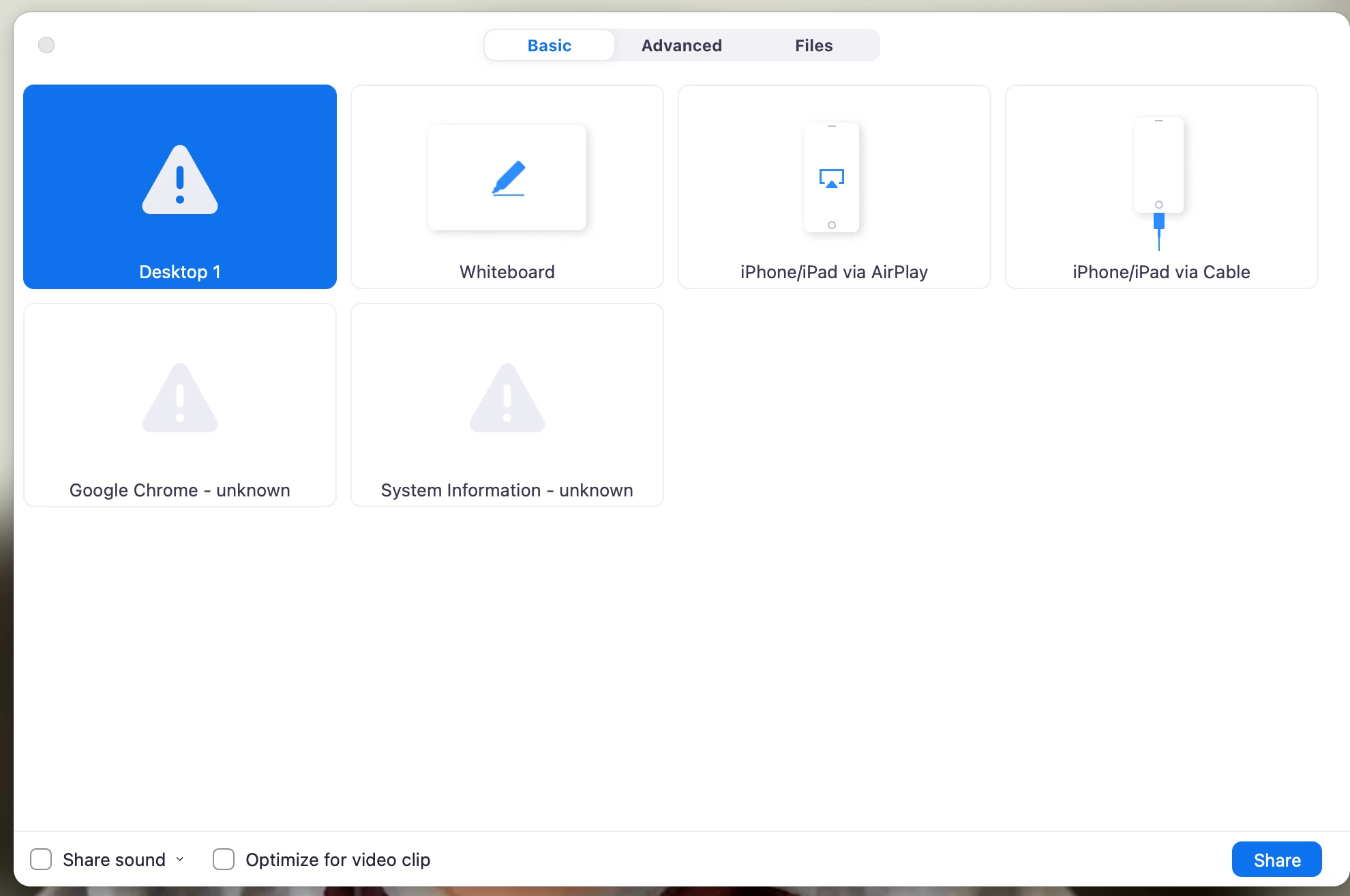
 

The window in the upper left is the selected window and the triangle w/ the exclamation point indicates an error of some kind but I don't know what it is.


Anyone???

    5 replies

    Newcomer
    April 7, 2022

    Did you get this issue resolved, I am having the same problem?

    Newcomer
    April 12, 2022

    I'm having the same problem.  Also happened to me after upgrading to Monterrey.  Any solution?

    Newcomer
    April 13, 2022

    I am having the same problem. If I took a screenshot, it would look the same. I cannot find a soluition.


    Newcomer
    April 13, 2022

    I went to security settings on my Mac and had to give permission to zoom to fix the problem.

    Newcomer
    April 14, 2022

    I, too, am having the exact same problem. I went to my security settings on my Mac but I do not see Zoom as an option. Did you have to reach out to their support and have an actual person help you?

    Newcomer
    April 14, 2022

    I researched around the web to get more information. I uninstalled and reinstalled Zoom. However, I don’t think I really needed to. In Security and Privacy, I went to Screen Recording, I could see a zoom icon there. On the lower left of the page is the click the lock to make changes. Did that - it opened up  where I could click the zoom icon and it worked! You cannot have zoom open when you do this. It was a simple adjustment and not what I was expecting. 

    Newcomer
    March 14, 2025

    what is the help for this issue in windows?