Portal Guide | Community
Skip to main content
Employee
August 19, 2021
Solved

Portal Guide

  • August 19, 2021
  • 1 reply
  • 2 views

Hello,


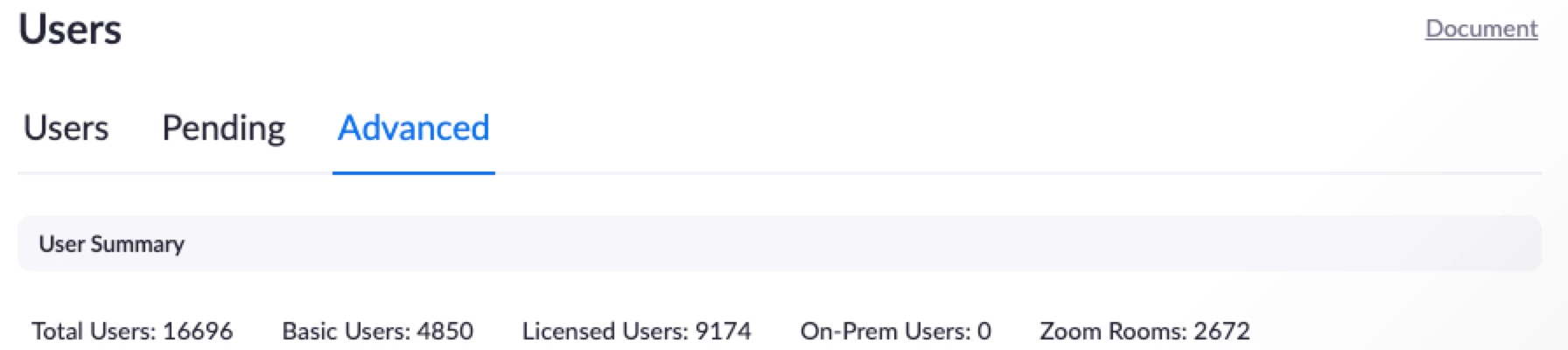
Where can I find in my portal the licenses that were purchased vs provisioned vs the total licenses being used monthly?


Thank you.

    Best answer by Peter_Uy

    Hello @Laila 


    To view some account details, your permission access level should either be the owner or admin of the account.


    Under the Admin Option, go to:

    User Management >> Users 


    Then in the top section you will see, Users, Pending and Advanced

    *If you are on the Users tab, you will see there how many available licenses you can still deploy

    *If you are on the Pending tab, you will see the list of invited users who have not accepted the invitation yet.  

    > Note: Pending users who have not activated will be removed in 30 days.


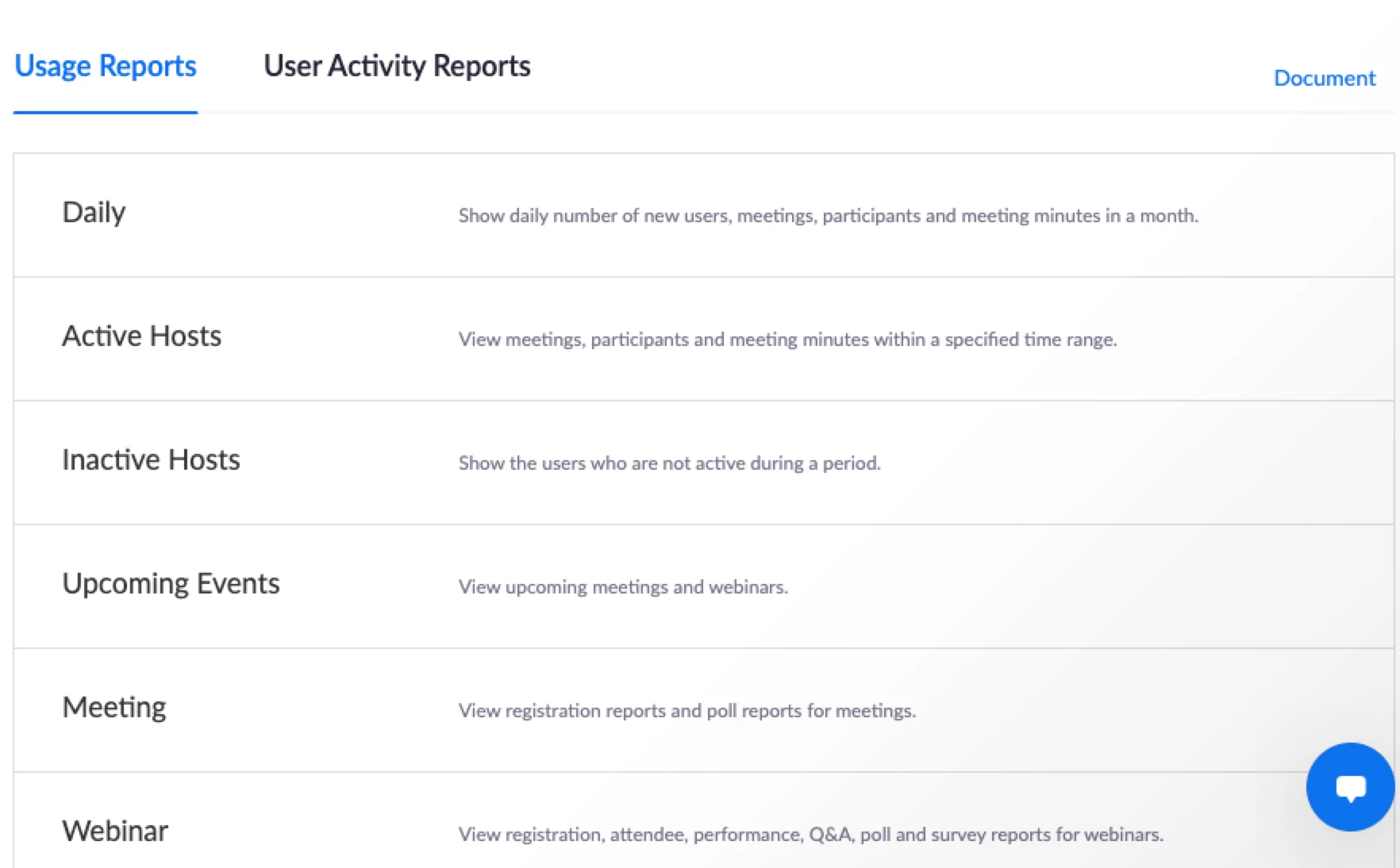
    To view the account's full list of reports, your permission access level should either be the owner or admin of the account.  For Usage Reports, it will display a list of available reports, below image displays only a fraction of the available reports. 
     To see the full available reports, 

    Under the Admin Option, go to:

    Account Management >> Reports


    Hope this helps!


    Please don't forget to mark this as solved!


    Thank you and stay safe.  

    1 reply

    Peter_Uy
    Community Champion | Employee
    Peter_UyAnswer
    Community Champion | Employee
    August 19, 2021

    Hello @Laila 


    To view some account details, your permission access level should either be the owner or admin of the account.


    Under the Admin Option, go to:

    User Management >> Users 


    Then in the top section you will see, Users, Pending and Advanced

    *If you are on the Users tab, you will see there how many available licenses you can still deploy

    *If you are on the Pending tab, you will see the list of invited users who have not accepted the invitation yet.  

    > Note: Pending users who have not activated will be removed in 30 days.


    To view the account's full list of reports, your permission access level should either be the owner or admin of the account.  For Usage Reports, it will display a list of available reports, below image displays only a fraction of the available reports. 

     To see the full available reports, 

    Under the Admin Option, go to:

    Account Management >> Reports


    Hope this helps!


    Please don't forget to mark this as solved!


    Thank you and stay safe.