Planing of new Meeting is not possible
Planing of New Meeting in ZHoom-App (on Notebook) is not possible
Discription: I open Zoom-App, everything looks as ever. But when I nlick the the planing button, an empty white Pop-up windows (were I normally can put in all the necessary details) opens. It even is not possible to close that pop-up and I have to open task manager to close the zoom-app.
Everything else on the computer works as ever. No problems with internet connection, no problems with any programm or system functions.
I never had such a problem before.
What I tried: I used the uninstall program (the uninstaller gave no feedback, just disappeared. I checked: the program wasn’t there anymore), installed the App anew - same problem., checked event viewer but didn’t find anything that could be relevant.
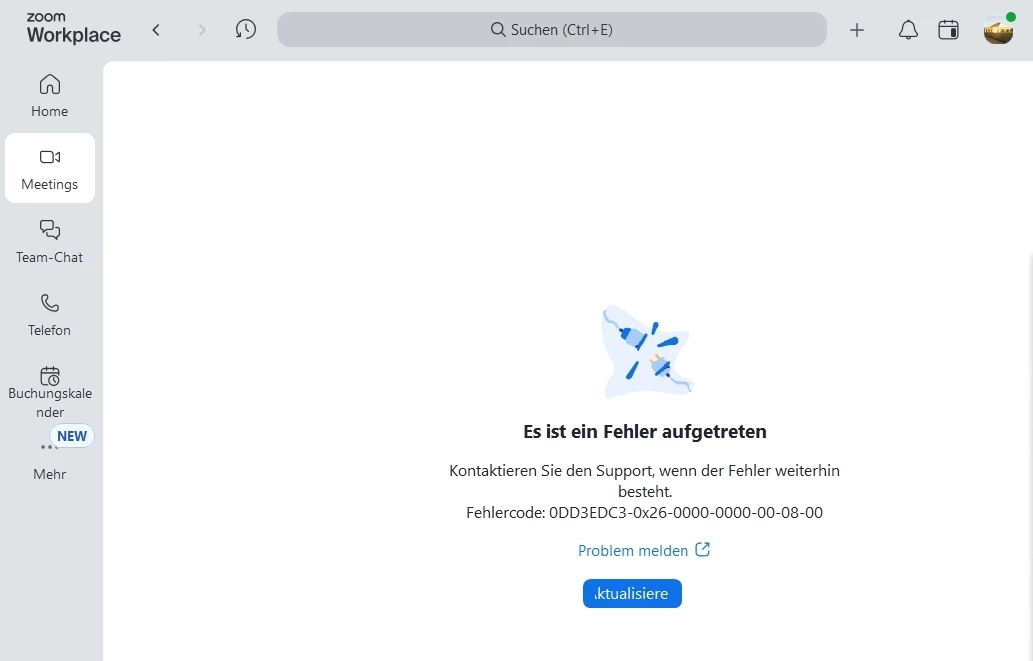
Then I tried to click the Meeting button (in the Zoom-App) after I planned the Meeting in the Web-App, got an error code that I sent with the relevant button. Don’t know if someone ever reads it - got no message till now.
Zoom is a wonderful program, as long as you have no problems but to really get reactions to problems, bugs and feature requests is …. I some times was really dissapointed. Hope I get some help here!
Loveforgod