Personally avatar | Community
Skip to main content
Newcomer
May 1, 2024
Solved

Personally avatar

  • May 1, 2024
  • 1 reply
  • 0 views

Is there a way to draw and upload my own picture to use as an avatar for zoom meetings?

Best answer by Bri

Hi @JStowe1 

Want to understand your point, you specifically trying to make this for  video conference  ?


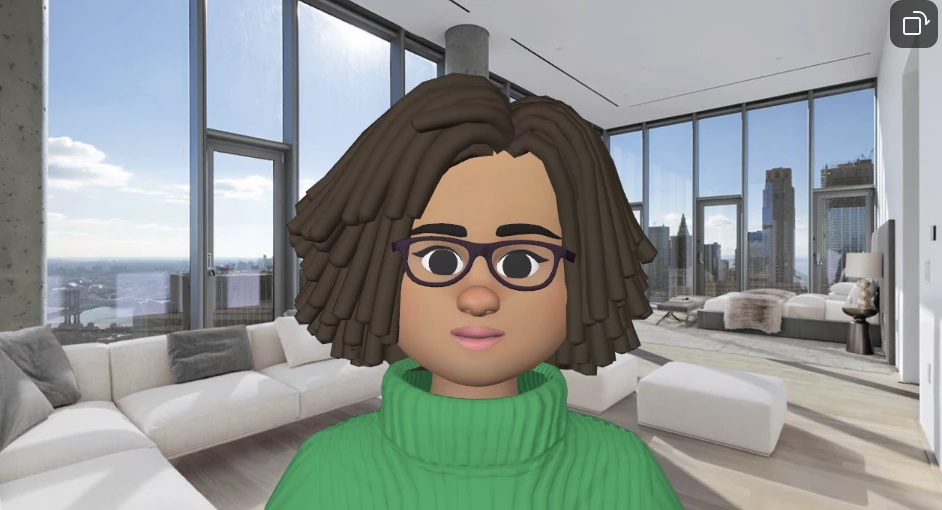
Uploading custom avatars for video conferencing is not possible.

You can only set a custom avatar for your profile picture on the Zoom website - hope you are good on that part.


I will also differ it to @Bri for you as well.

Hi @Bri - Can you please confirm on this part.


Regards


Hi there! @JStowe1 if you're simply trying to add a profile picture, you can do that using the steps outlined here: Managing Profile Picture.


However, if you would like to use an avatar (see photo below), please use the steps here: Using Avatars in Meetings and Webinars
 

1 reply

Humashankar
Community Champion | Customer
May 2, 2024

Hi @JStowe1 

Yes you can do it.

Prepare your desired image beforehand using an image editing software or online tool and upload in.


Hope this helps - Happy to help further!!
Thank you very much and have a great one!
Warm regards

JStowe1Author
Newcomer
May 2, 2024

Thanks for the reply. However I need a bit more information.


I use the program Gimp to draw my avatar. Can you tell me where on the ZOOM MEETING I can upload the image to have represent me during my video conference 

Humashankar
Community Champion | Customer
May 2, 2024

Hi @JStowe1 

Want to understand your point, you specifically trying to make this for  video conference  ?


Uploading custom avatars for video conferencing is not possible.

You can only set a custom avatar for your profile picture on the Zoom website - hope you are good on that part.


I will also differ it to @Bri for you as well.

Hi @Bri - Can you please confirm on this part.


Regards


