Passcode setting locked by Admin | Community
Skip to main content
Newcomer
July 30, 2025
Solved

Passcode setting locked by Admin

  • July 30, 2025
  • 2 replies
  • 3 views

I have 2 basic accounts, and I am the owner on both. I am trying to change my meeting passcode, but it's locked by admin on both accounts.
I followed several tutorials but none worked for me. When I go to the Account Management section as instructed, I only see Account Profile and Reports — there isn't any option to assign myself as the admin.
I tried to attach screenshots but it doesn't let me do so.

Best answer by Ray_Harwood

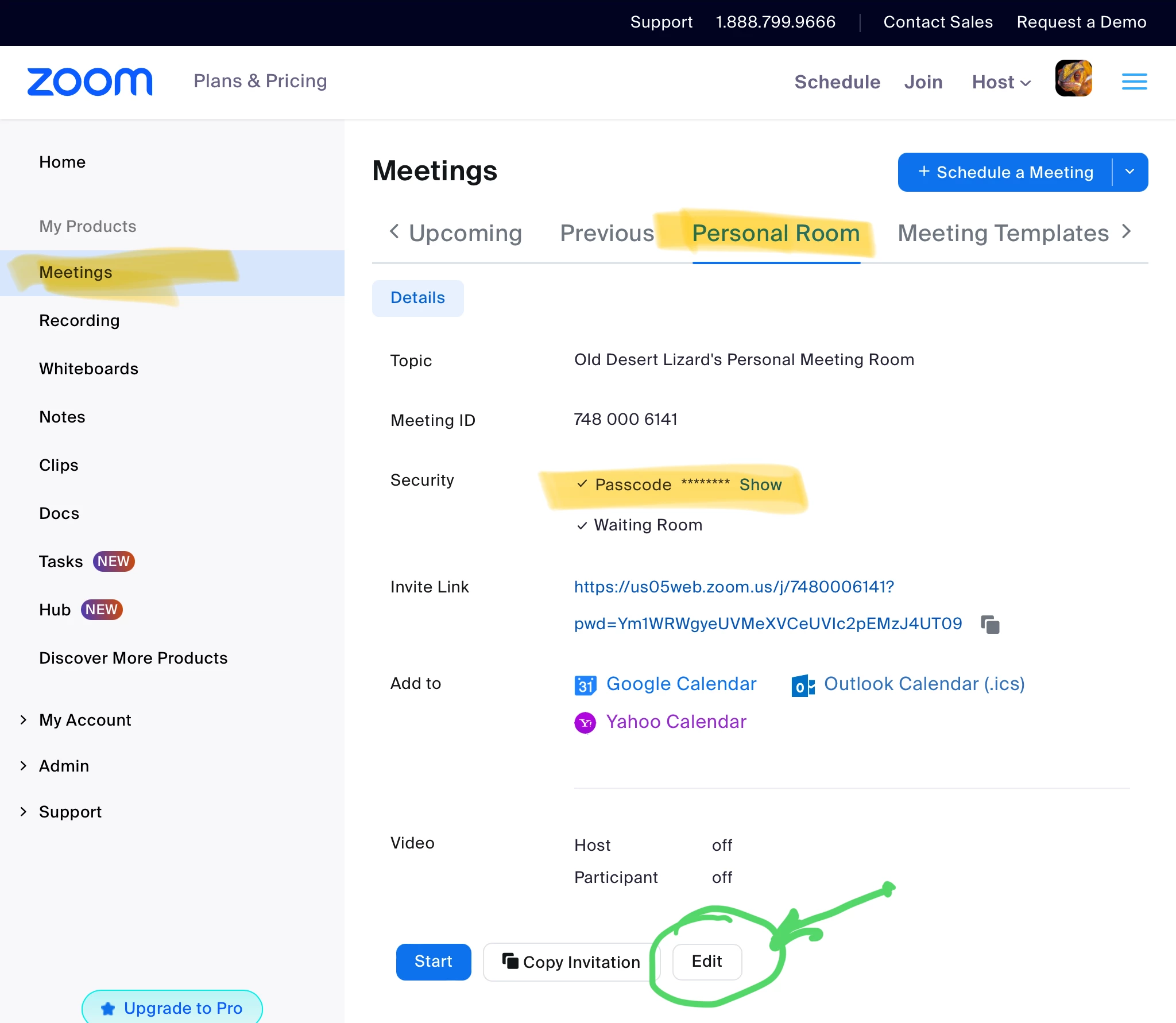
So the PMI – Personal Meeting ID – is special. It has its own settings under the Meeting menu on the far left:

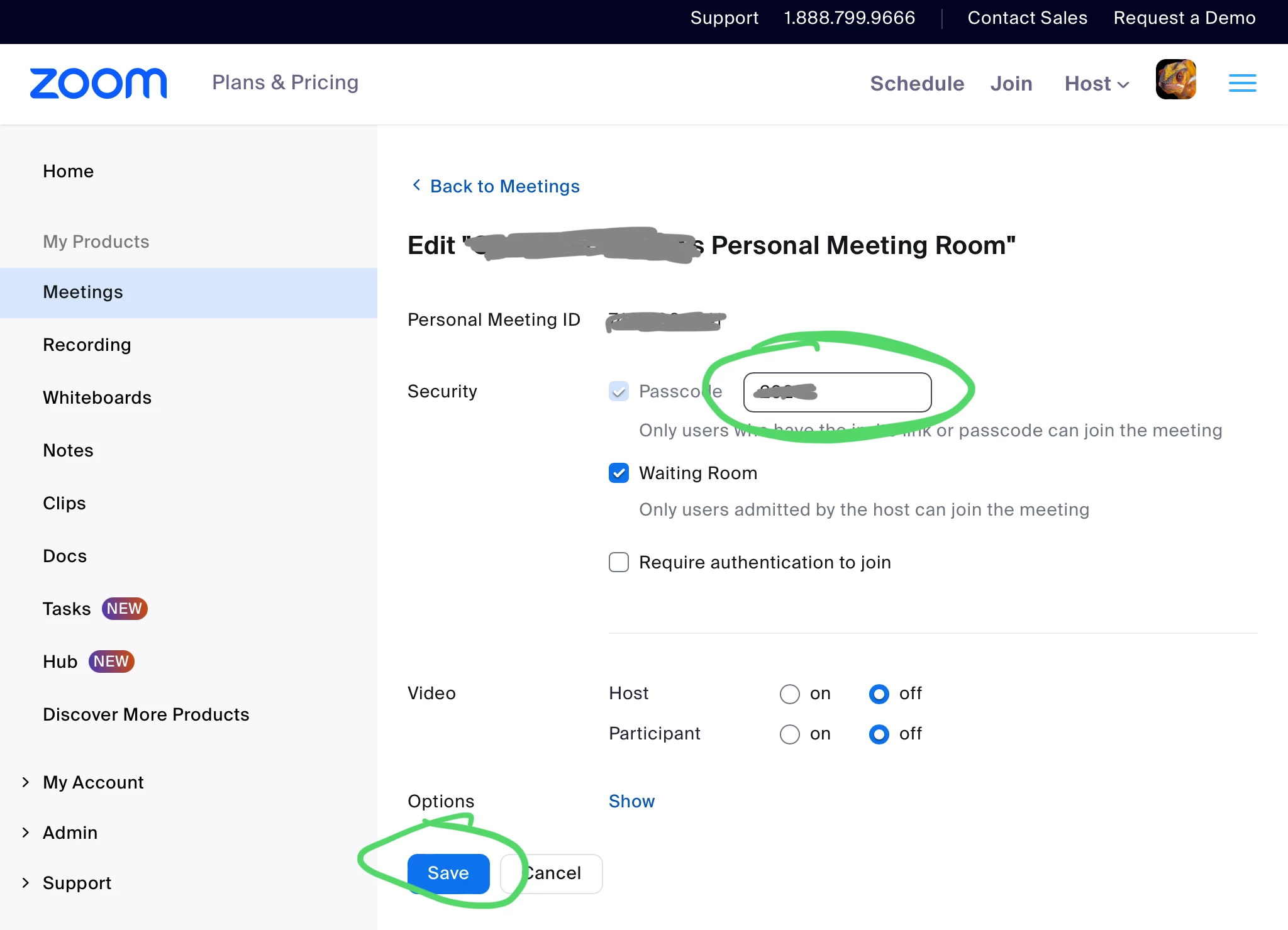
Click the Edit button at the bottom, and this opens up the Passcode for the PMI to be edited:

Type the new Passcode and click Save. That should do it!


2 replies

Ray_Harwood
Community Super Champion | Customer
July 30, 2025

Welcome to the Zoom Community, @Jerry523.


The Passcode setting is locked on for Basic accounts (red), but the Passcode value should still be editable (green):


Jerry523Author
Newcomer
August 3, 2025

Thank you, but I don't have the green editable box on my page. I hope I can send the screenshot but it doesn't let me attach any picture. It looks like:
Personal Meeting ID (PMI) Passcode         Locked
All Personal Meeting ID (PMI) meetings that users can join via client, or room systems will be passcode-protected
Passcode:5xxxxx Hide
There is no box for changing passcode value.

Ray_Harwood
Community Super Champion | Customer
August 4, 2025

So the PMI – Personal Meeting ID – is special. It has its own settings under the Meeting menu on the far left:

Click the Edit button at the bottom, and this opens up the Passcode for the PMI to be edited:

Type the new Passcode and click Save. That should do it!


Jerry523Author
Newcomer
August 5, 2025

Thank you so much! It worked!