

Option to set a co-host failing to show in meeting set from a "paid" Zoom Account
I have a friend that is having a problem with this “paid” Zoom Account
Once he starts a meeting, he does not have the “Make co-host” option (to set another participant a co-host
I did some testing myself (using my paid Zoom Account and my free Zoom account)
And I had no problem setting a co-host using my paid Zoom account but I do not have the option to set a co-host on my free Zoom account
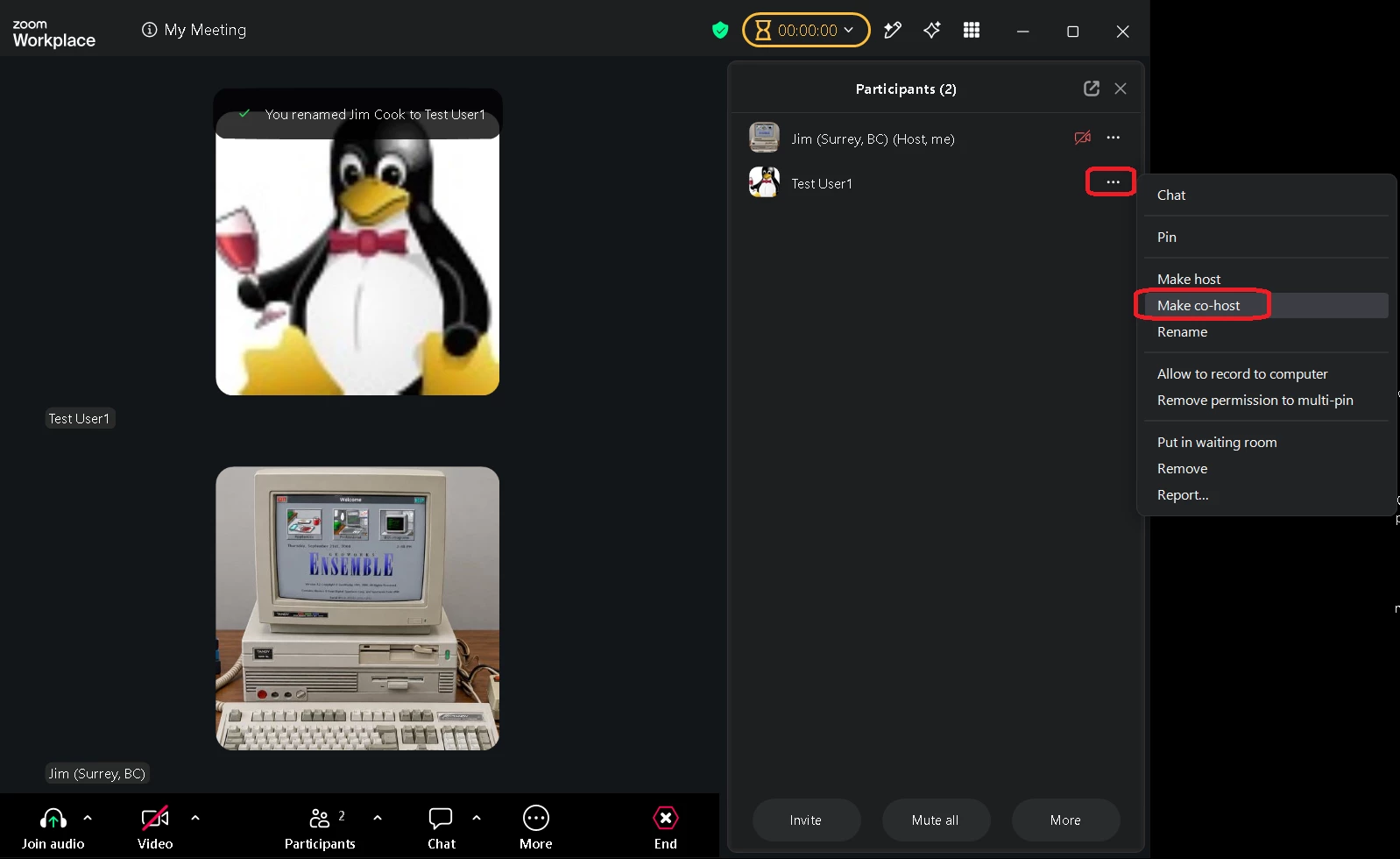
For example, here is a meeting setup from my paid Zoom account and as you can see there is a “Make co-host” option
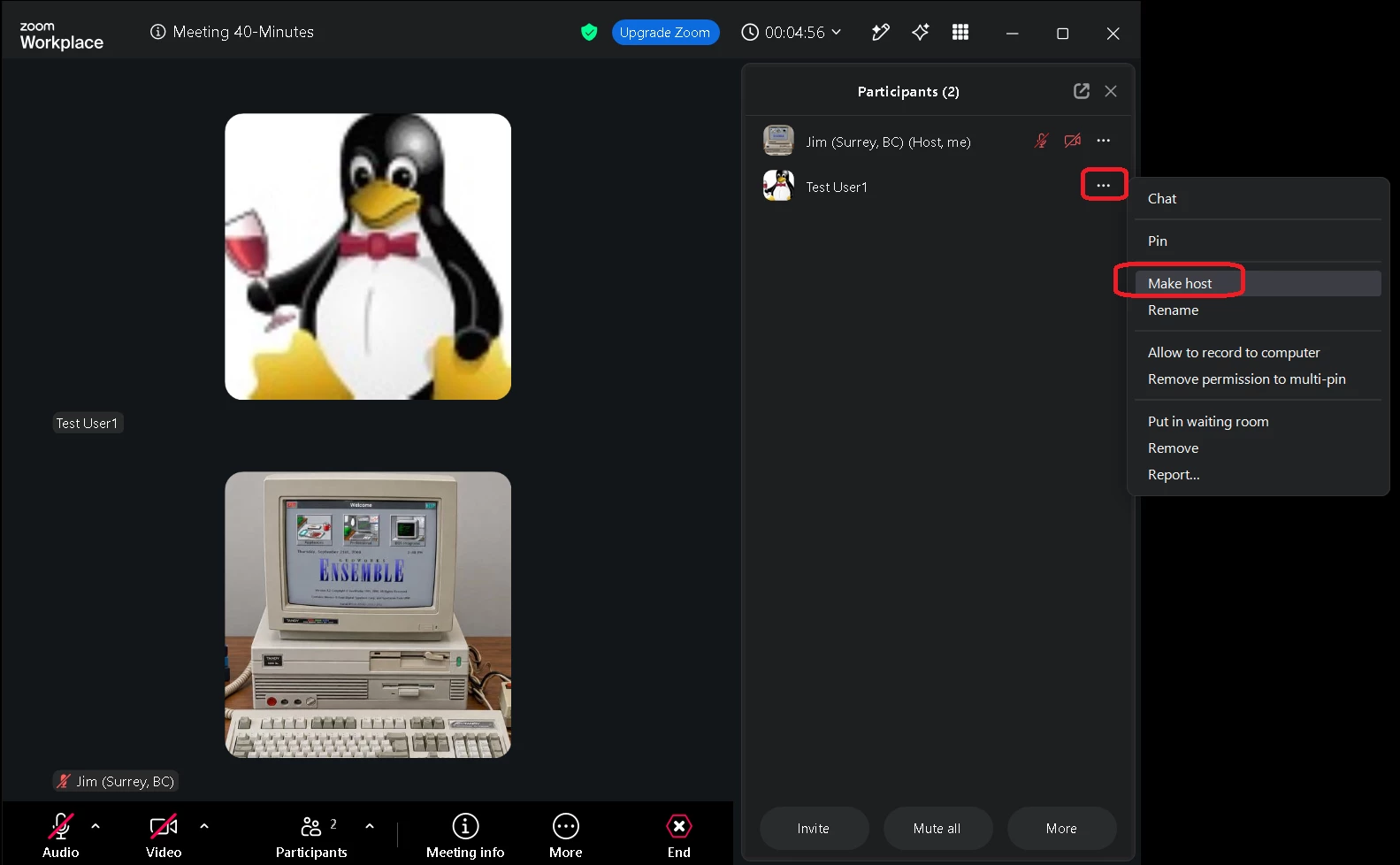
And here is a meeting setup from my free Zoom account and as you can see there is no “Make co-host” option
There is a “Make host” otpion but that will transfer the host to another participant instead of making them a co-host
So I suggested the co-host functionality only exists for “paid” Zoom account
But my friend insists he is using a “Paid” Zoom account
His meetings are always over 1 hour long and if he was using a free account the meetings could only stay active for 40 minutes