
Solved
Only share audio from computer screen while muting mic
While sharing my screen, I want to share the audio from a video I am playing but I want to mute my mic's audio. How can I do this?

While sharing my screen, I want to share the audio from a video I am playing but I want to mute my mic's audio. How can I do this?
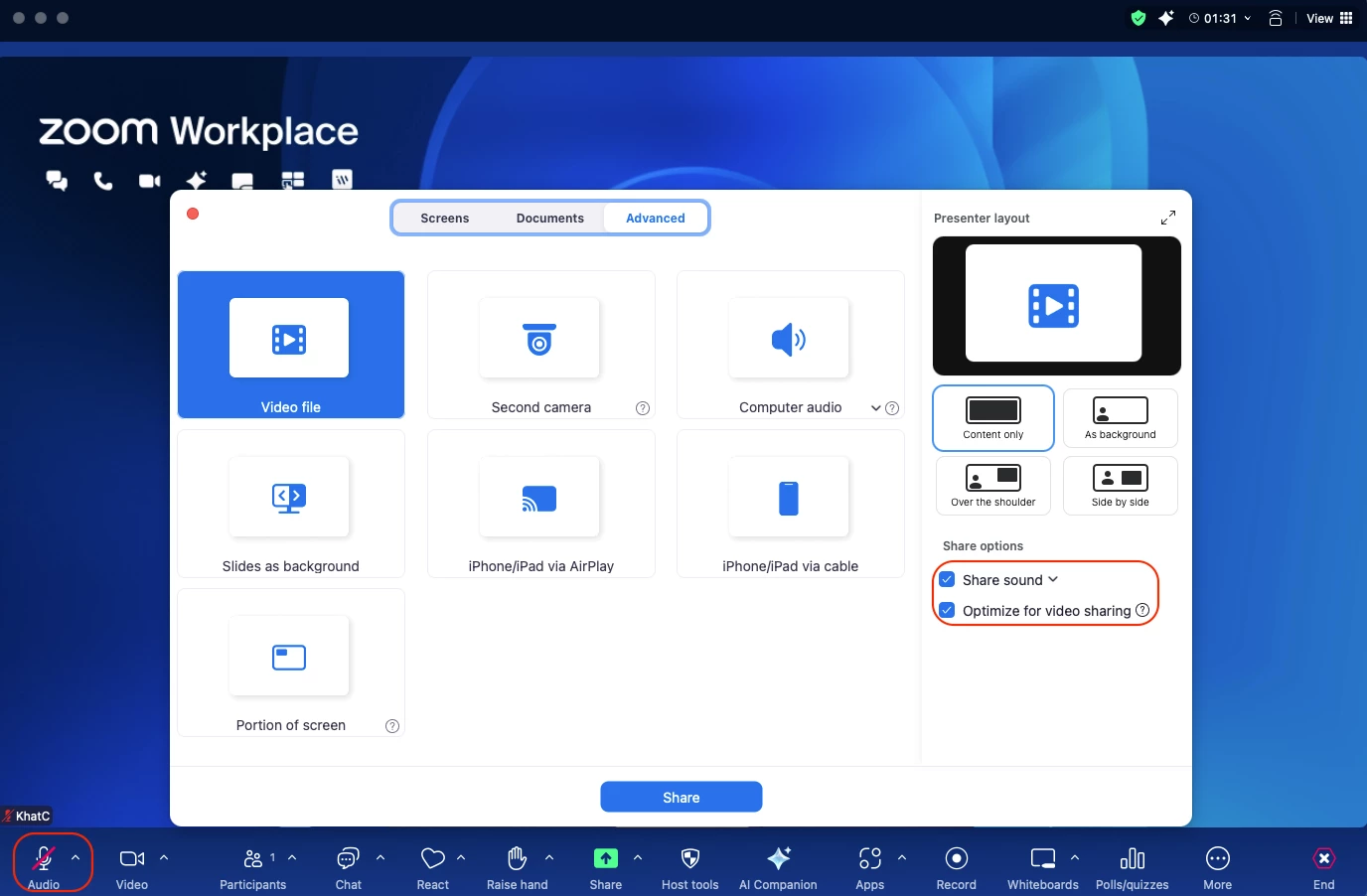
Hi @grassland, welcome to Zoom Community! To share sound during a Zoom meeting, start or join the meeting and click on the "Share Screen" option in the meeting toolbar. In the share selection window, check the "Share Sound" option. You can also choose between Mono and Stereo audio options by clicking the down arrow next to "Share Sound." After making your selections, click "Share" to begin sharing your screen along with the audio. If you want to share audio without sharing your screen, click on the "Advanced" tab in the share selection window and select "Computer Audio." Adjust the volume from the application playing the sound or your device settings as needed. While sharing audio, you can mute your mic's audio.
No account yet? Create an account
Enter your E-mail address. We'll send you an e-mail with instructions to reset your password.