
New Member
September 18, 2026
Solved

no record button

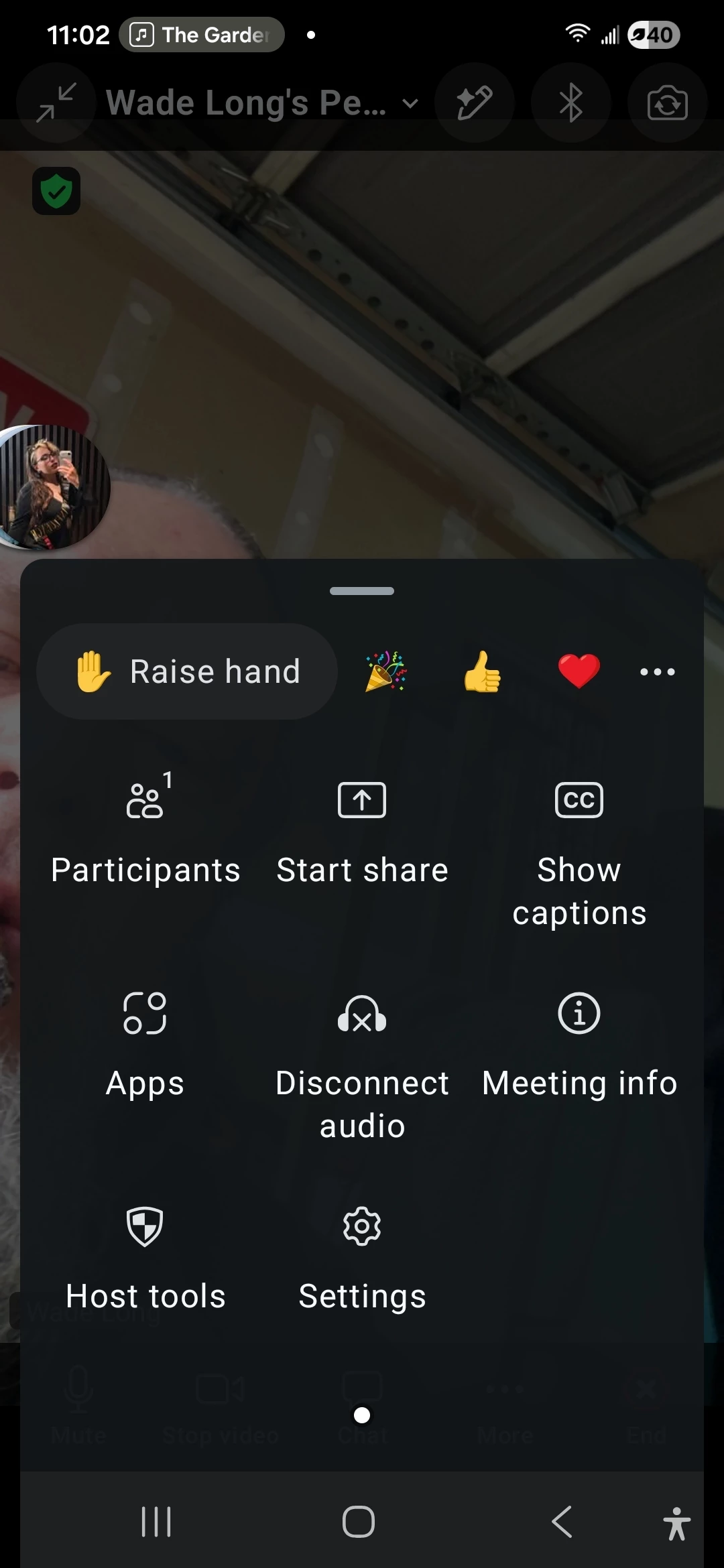
I'm new to zoom and there's no record button when I host. I even checked the menu under MORE and there's nothing. This app is useless for classes. 
 

    Don.zAnswer
    Community Manager
    September 21, 2026

    Great to have you here in the Zoom Community. ​Welcome, ​@Wade Long!

    I can see why that’s frustrating, especially when you’re expecting to see a record option and it’s simply not there. On the Zoom mobile app, there is no record button to start a local recording, so you won’t see one in the meeting controls. This isn’t a setting you missed or something that needs to be enabled.

    If you want to record from a mobile device, you’ll need a paid Zoom plan, such as Pro, with cloud recording enabled. The recording is stored in the Zoom cloud rather than directly on your device.

    If you’d rather have a recording file saved directly to your computer, I’d recommend using the Zoom desktop app on Windows or macOS, where local recording is supported. I hope this helps!

    2 replies

    Don.zAnswer
    Community Manager
    September 21, 2026

    Great to have you here in the Zoom Community. ​Welcome, ​@Wade Long!

    I can see why that’s frustrating, especially when you’re expecting to see a record option and it’s simply not there. On the Zoom mobile app, there is no record button to start a local recording, so you won’t see one in the meeting controls. This isn’t a setting you missed or something that needs to be enabled.

    If you want to record from a mobile device, you’ll need a paid Zoom plan, such as Pro, with cloud recording enabled. The recording is stored in the Zoom cloud rather than directly on your device.

    If you’d rather have a recording file saved directly to your computer, I’d recommend using the Zoom desktop app on Windows or macOS, where local recording is supported. I hope this helps!

    Translate
    Community Manager
    September 28, 2026

    Hello, ​@Wade Long! I wanted to let you know that I’m marking my response as the best answer, as it appears to address your question. If you have any follow-up questions or need further clarification, feel free to reach out, we’re happy to help!

    Translate
