

No background blur option! | Community
Skip to main content
Newcomer
November 12, 2023
Solved

No background blur option!

  • November 12, 2023
  • 1 reply
  • 3 views

No background blur option!
Zoom Desktop Client version 5.16.5 (24269).
Operating system Windows 10.
Processor AMD A6-3650 APU with Radeon(tm) HD Graphics 2.60 GHz, 64-bit operating system.
If I access Zoom through a browser, there is a background blur function, but the video quality and speed are very poor, so it is impossible to hold a conference through a browser.

Best answer by bstrelko

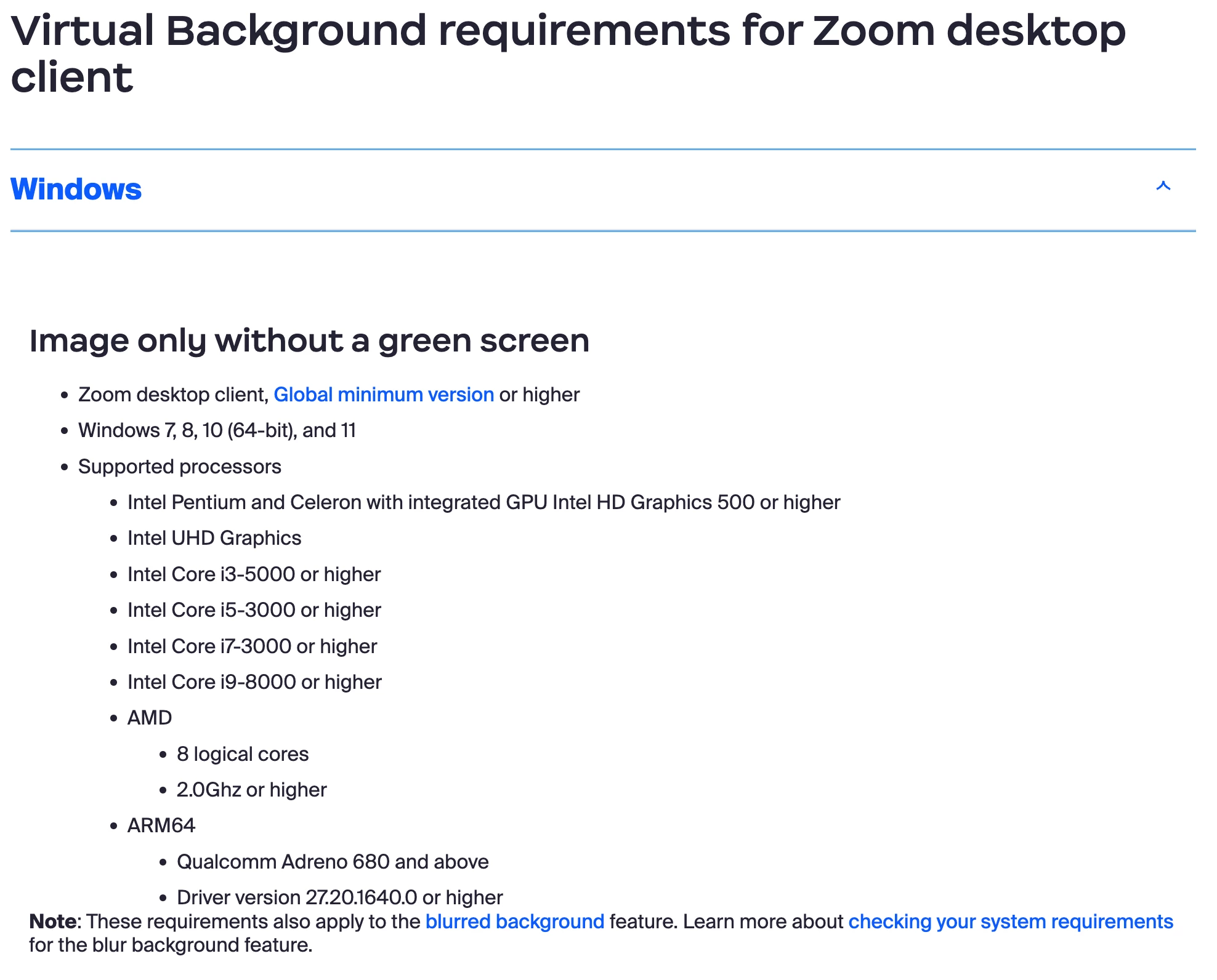
The A6-3650 does not meet the Windows Zoom Client's baseline for blurred backgrounds. More info below:

https://support.zoom.com/hc/en/article?id=zm_kb&sysparm_article=KB0059090


In this case, your AMD processor only has 4 logical cores - 8 are required for this feature to work.


There is a fair amount of frustration regarding these requirements and how they were determined in forums across the web - you are not alone! However, the requirement baseline definitely seems to be what is preventing you from blurring your video in the application.


1 reply

bstrelko
Community Champion | Customer
bstrelkoAnswer
Community Champion | Customer
November 12, 2023

The A6-3650 does not meet the Windows Zoom Client's baseline for blurred backgrounds. More info below:

https://support.zoom.com/hc/en/article?id=zm_kb&sysparm_article=KB0059090


In this case, your AMD processor only has 4 logical cores - 8 are required for this feature to work.


There is a fair amount of frustration regarding these requirements and how they were determined in forums across the web - you are not alone! However, the requirement baseline definitely seems to be what is preventing you from blurring your video in the application.