My Zoom camera looks weird or nothing shows up | Community
Skip to main content
Newcomer
September 30, 2021
Solved

My Zoom camera looks weird or nothing shows up

  • September 30, 2021
  • 1 reply
  • 0 views

Hi zoom community,


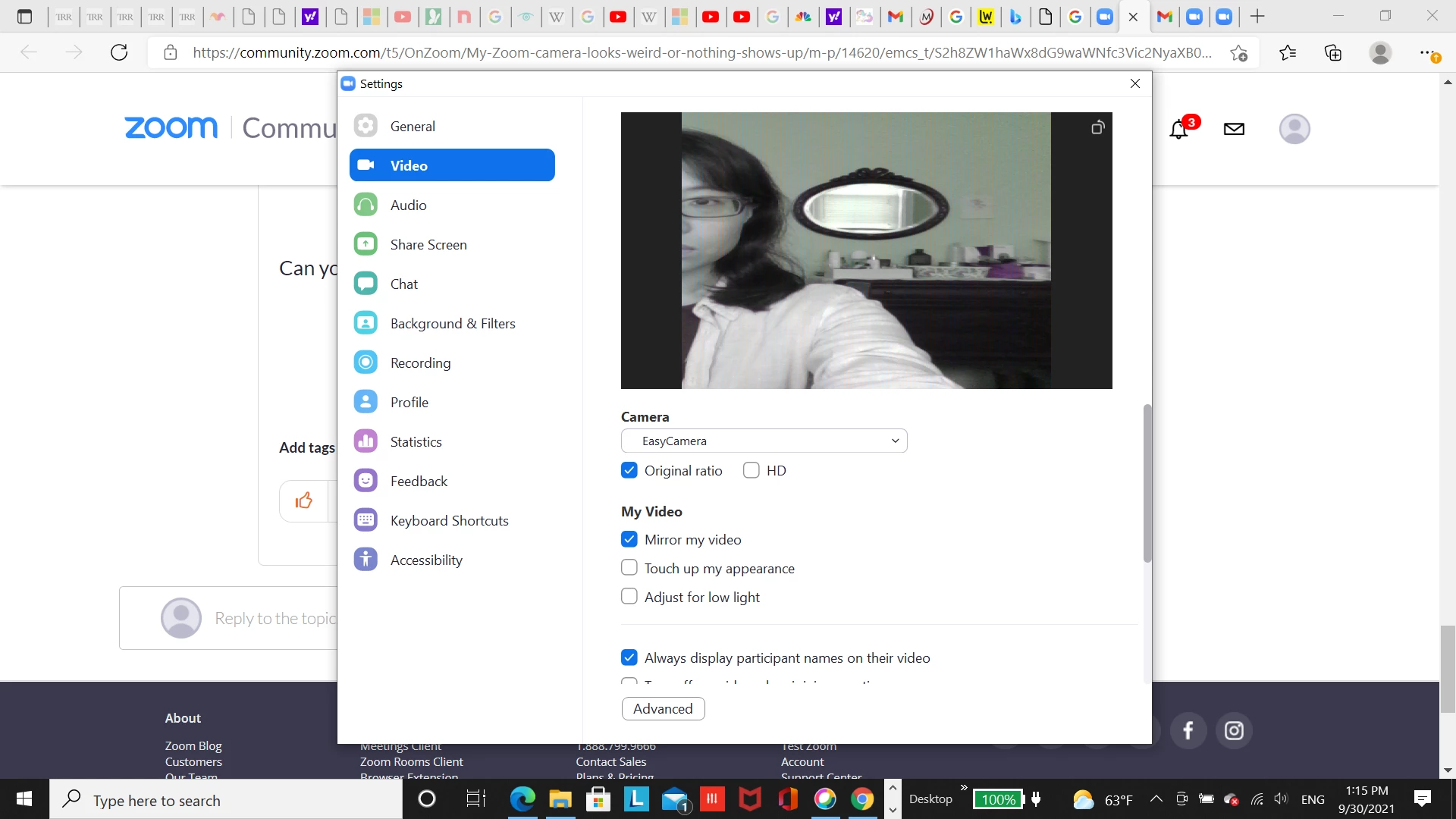
Since few months ago whenever I try to join zoom meeting invitations or interview invitations I don't see myself on the screen. I click the video on ("Easy Camera"),  but most of the times I can't see myself on the screen and the other party can't see me (it's just black with my name). Sometimes I can see myself and the other party can also see myself, but my face looks pudgy and elongated sideways and the proportion is weird. The color of the screen is greenish too (weird), and the focus is not right because even if I sit by placing the laptop right in front of me in the center, on the screen my face is placed in the edge of the screen and I can onlly see half of my face. 


I tried my laptop webcam by itself outside zoom and it works normally. Does anyone know how to fix my zoom camera problem?

    Best answer by Rupert

    Hi Rupert,

    Thank you so much for your help!

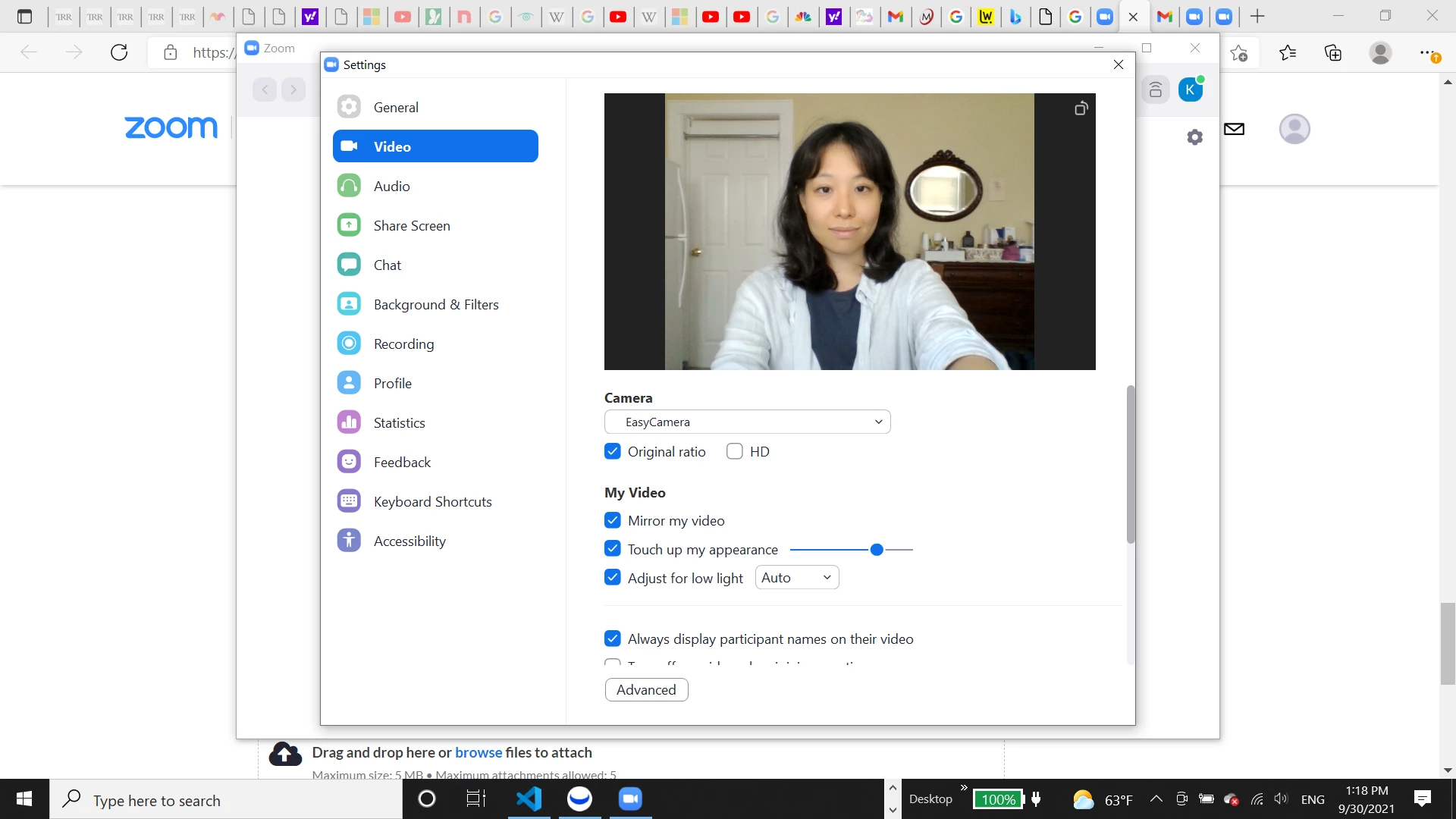
    I was able to reach the correct settings, and clicked "adjust for low light". Before and after screenshot... I guess the problem is solved? Any additional advice? 


    Great - you're welcome.


    If you are happy with the result and it is working for you, then everything should be fine!

    1 reply

    Rupert
    Community Champion | Customer
    Community Champion | Customer
    September 30, 2021

    Is this a Lenovo laptop?

    Newcomer
    September 30, 2021

    Yes! 

    I've tried all measures possible to fix the zoom camera problem, but I can't fix it... 

    Rupert
    Community Champion | Customer
    Community Champion | Customer
    September 30, 2021

    You say you have tried all measures - what have you tried?